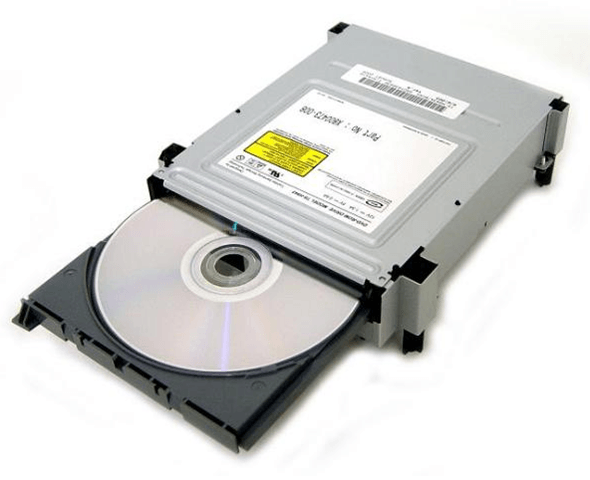
cannot access dvd drive

hansil

New member
Local time
1:42 AM
Messages
5
i recently installed windos 7 but now i have found that i cannot access my dvd drive...
tell me a confirm solution to this problem pls.. to do anything with dvd i a have to go to window xp and access dvd's.. wat do i do do to access dvd drive in windows 7?
 

My Computer

Computer Manufacturer/Model Number
intel
OS
windows 7
CPU
core 2 duo 2.8ghz
Motherboard
g31 gigabyte
Memory
2 gb
Hard Drives
500 gb
Is your DVD drive on a SATA interface, and are the ACHI/SATA drivers installed? It'd be the first thing I think you ought to perhaps look at...
 

My Computer

Computer Manufacturer/Model Number
Custom built machine
OS
W7 x64
CPU
Intel Q9300 2.5Ghz Quad LGA775 (Would like Q9650)
Motherboard
Gigabyte GA-EP45T-UD3R (F6 Bios)
Memory
4Gb OCZ Gold 1,333Mhz
Graphics Card(s)
Palit HD4850 O/C Sonic 512Mb DDR3, Dual DViD's
Sound Card
Azalia to twin Samson 50w Studio Monitors
Monitor(s) Displays
Twin Dell (E-IPS) U2311H 23.6" Screens
Screen Resolution
1920 x 1080 @ 60Hz
Hard Drives
Crucial M4 SSD, archives on twin Western Digital Caviar Black WD2002FAEX, 2TB, 7200rpm HDD's, Samsung Ritemaster CD/DVD Burner...
PSU
OCZ 600w
Case
Lian-Li PC8 acoustifoamed' aluminium tower
Cooling
Scythe 140mm Zipang
Keyboard
Cherry PS/2 custom model
Mouse
Lenovo USB laser "Thinkpad" Mouse
Internet Speed
ADSL2+ @14Mbps downstream & Cat6 Gigabit Ethernet
Antivirus
NOD32
Browser
Opera
Other Info
Silicon Dust HD Homerun Dual FTA (Ethernet) TV Tuners, Dray Tek Vigor 2850Vn router and 8x HP Gigabit Switch. Lian-Li CR26 Card Reader, Canon MF4430 iSensys laser printer/scanner.
my dvd is on a PATA interface.i had my xp installed earlier..drivers were installed then nad it is still working fine in xp...but after i installed windows 7 i cannot access dvd drive.tell me a solution to this.
 

My Computer

Computer Manufacturer/Model Number
intel
OS
windows 7
CPU
core 2 duo 2.8ghz
Motherboard
g31 gigabyte
Memory
2 gb
Hard Drives
500 gb
If it's physically cabled to the motherboard correctly, nothing is loose, the ribbon isn't damaged, it's jumpered correctly, and is detected in the BIOS, then there's only really one further possible issue; which is to update the drives firmware to the latest version.

Presumably this cannot be the drive you used to install W7 from?

Have you swapped it out to another computer to ensure it hasn't actually died?
 

My Computer

Computer Manufacturer/Model Number
Custom built machine
OS
W7 x64
CPU
Intel Q9300 2.5Ghz Quad LGA775 (Would like Q9650)
Motherboard
Gigabyte GA-EP45T-UD3R (F6 Bios)
Memory
4Gb OCZ Gold 1,333Mhz
Graphics Card(s)
Palit HD4850 O/C Sonic 512Mb DDR3, Dual DViD's
Sound Card
Azalia to twin Samson 50w Studio Monitors
Monitor(s) Displays
Twin Dell (E-IPS) U2311H 23.6" Screens
Screen Resolution
1920 x 1080 @ 60Hz
Hard Drives
Crucial M4 SSD, archives on twin Western Digital Caviar Black WD2002FAEX, 2TB, 7200rpm HDD's, Samsung Ritemaster CD/DVD Burner...
PSU
OCZ 600w
Case
Lian-Li PC8 acoustifoamed' aluminium tower
Cooling
Scythe 140mm Zipang
Keyboard
Cherry PS/2 custom model
Mouse
Lenovo USB laser "Thinkpad" Mouse
Internet Speed
ADSL2+ @14Mbps downstream & Cat6 Gigabit Ethernet
Antivirus
NOD32
Browser
Opera
Other Info
Silicon Dust HD Homerun Dual FTA (Ethernet) TV Tuners, Dray Tek Vigor 2850Vn router and 8x HP Gigabit Switch. Lian-Li CR26 Card Reader, Canon MF4430 iSensys laser printer/scanner.
the dvd drive still works on xp which is also installed on the same pc.i googled my problem and i got this result.can u comment on this?
So you just installed Windows 7 on your home [COLOR=orange ! important][COLOR=orange ! important]computer[/COLOR][/COLOR] and are happily going about enjoying the new operating system until you suddenly find out you are no longer able to access the DVD drive!
Unfortunately, there are certain DVD drives that have issues with Windows 7. The DVD drives will stop functioning altogether. Luckily, there are a few ways to fix the problem so that you can continue using the same DVD drive with Windows 7.

A couple of the models that are known to be effected include:

  • Sony BC-5100S DVD
  • Sony BC-5600S DVD
  • TSST TS-L633B DVD+/-RW
If you are having this issue, you can do two things to try and fix it.
Method 1 – Update the firmware

The easiest fix for this problem is to try and upgrade the firmware for the DVD drive. Get the model # for the drive and then go to the manufacturer’s website and download the latest firmware.
Method 2 – Disable Adaptive Link Power Management

Windows 7 has this new features called ALPM (Adaptive Link Power [COLOR=orange ! important][COLOR=orange ! important]Management[/COLOR][/COLOR]) that basically puts hardware to sleep after 100 ms of idle time so that less power is used.
It’s a really great power-savings feature, however, it does not work well with some devices, including DVD and CD drives.
In order to get the drive to work, you have to disable ALPM. You can do this by opening a command prompt (Start, Run, CMD) and typing in the following commands:

  • powercfg.exe -setacvalueindex 8c5e7fda-e8bf-4a96-9a85-a6e23a8c635c 0012ee47-9041-4b5d-9b77-535fba8b1442 DAB60367-53FE-4fbc-825E-521D069D2456 0
  • powercfg.exe -setdcvalueindex 8c5e7fda-e8bf-4a96-9a85-a6e23a8c635c 0012ee47-9041-4b5d-9b77-535fba8b1442 DAB60367-53FE-4fbc-825E-521D069D2456 0
  • powercfg.exe -setacvalueindex 381b4222-f694-41f0-9685-ff5bb260df2e 0012ee47-9041-4b5d-9b77-535fba8b1442 DAB60367-53FE-4fbc-825E-521D069D2456 0
  • powercfg.exe -setdcvalueindex 381b4222-f694-41f0-9685-ff5bb260df2e 0012ee47-9041-4b5d-9b77-535fba8b1442 DAB60367-53FE-4fbc-825E-521D069D2456 0
  • powercfg.exe -setacvalueindex a1841308-3541-4fab-bc81-f71556f20b4a 0012ee47-9041-4b5d-9b77-535fba8b1442 DAB60367-53FE-4fbc-825E-521D069D2456 0
  • powercfg.exe -setdcvalueindex a1841308-3541-4fab-bc81-f71556f20b4a 0012ee47-9041-4b5d-9b77-535fba8b1442 DAB60367-53FE-4fbc-825E-521D069D2456 0
Make sure you press Enter after each command. Not the prettiest solution out there, but it’ll get your drive back up and running! Enjoy!

 

My Computer

Computer Manufacturer/Model Number
intel
OS
windows 7
CPU
core 2 duo 2.8ghz
Motherboard
g31 gigabyte
Memory
2 gb
Hard Drives
500 gb

My Computer

Computer Manufacturer/Model Number
Custom built machine
OS
W7 x64
CPU
Intel Q9300 2.5Ghz Quad LGA775 (Would like Q9650)
Motherboard
Gigabyte GA-EP45T-UD3R (F6 Bios)
Memory
4Gb OCZ Gold 1,333Mhz
Graphics Card(s)
Palit HD4850 O/C Sonic 512Mb DDR3, Dual DViD's
Sound Card
Azalia to twin Samson 50w Studio Monitors
Monitor(s) Displays
Twin Dell (E-IPS) U2311H 23.6" Screens
Screen Resolution
1920 x 1080 @ 60Hz
Hard Drives
Crucial M4 SSD, archives on twin Western Digital Caviar Black WD2002FAEX, 2TB, 7200rpm HDD's, Samsung Ritemaster CD/DVD Burner...
PSU
OCZ 600w
Case
Lian-Li PC8 acoustifoamed' aluminium tower
Cooling
Scythe 140mm Zipang
Keyboard
Cherry PS/2 custom model
Mouse
Lenovo USB laser "Thinkpad" Mouse
Internet Speed
ADSL2+ @14Mbps downstream & Cat6 Gigabit Ethernet
Antivirus
NOD32
Browser
Opera
Other Info
Silicon Dust HD Homerun Dual FTA (Ethernet) TV Tuners, Dray Tek Vigor 2850Vn router and 8x HP Gigabit Switch. Lian-Li CR26 Card Reader, Canon MF4430 iSensys laser printer/scanner.
where do i find the firmware update for sony dvd-rw?pls find me the link. i would be thankful.
 

My Computer

Computer Manufacturer/Model Number
intel
OS
windows 7
CPU
core 2 duo 2.8ghz
Motherboard
g31 gigabyte
Memory
2 gb
Hard Drives
500 gb
where do i find the firmware update for sony dvd-rw?pls find me the link. i would be thankful.

Errhm, try visiting Sonys product page and looking for firmware links perhaps! You'll have absolutely no trouble finding the correct Sony url if you use a search engine like Google or Yahoo...
 

My Computer

Computer Manufacturer/Model Number
Custom built machine
OS
W7 x64
CPU
Intel Q9300 2.5Ghz Quad LGA775 (Would like Q9650)
Motherboard
Gigabyte GA-EP45T-UD3R (F6 Bios)
Memory
4Gb OCZ Gold 1,333Mhz
Graphics Card(s)
Palit HD4850 O/C Sonic 512Mb DDR3, Dual DViD's
Sound Card
Azalia to twin Samson 50w Studio Monitors
Monitor(s) Displays
Twin Dell (E-IPS) U2311H 23.6" Screens
Screen Resolution
1920 x 1080 @ 60Hz
Hard Drives
Crucial M4 SSD, archives on twin Western Digital Caviar Black WD2002FAEX, 2TB, 7200rpm HDD's, Samsung Ritemaster CD/DVD Burner...
PSU
OCZ 600w
Case
Lian-Li PC8 acoustifoamed' aluminium tower
Cooling
Scythe 140mm Zipang
Keyboard
Cherry PS/2 custom model
Mouse
Lenovo USB laser "Thinkpad" Mouse
Internet Speed
ADSL2+ @14Mbps downstream & Cat6 Gigabit Ethernet
Antivirus
NOD32
Browser
Opera
Other Info
Silicon Dust HD Homerun Dual FTA (Ethernet) TV Tuners, Dray Tek Vigor 2850Vn router and 8x HP Gigabit Switch. Lian-Li CR26 Card Reader, Canon MF4430 iSensys laser printer/scanner.
i cannot find any category for dvd-rw it isnt there on sony website. can u pls find it for me...pls...
 

My Computer

Computer Manufacturer/Model Number
intel
OS
windows 7
CPU
core 2 duo 2.8ghz
Motherboard
g31 gigabyte
Memory
2 gb
Hard Drives
500 gb
Search using your drives model number and build; that information will usually be found either in Device Manager or failing all else on a label physically stuck onto the unit - it's not possible to find any details for you without the model number, and because you can easily find the information for yourself of course :)

Don't be surprised if your drive doesn't have any firmware updates available, if it's an older unit then Sony won't feel obliged to write new firmware for it just because W7's come along.

DVD/RW's are very cheap these days, so if you can't get it working it's hardly going to represent a major financial headache.
 

My Computer

Computer Manufacturer/Model Number
Custom built machine
OS
W7 x64
CPU
Intel Q9300 2.5Ghz Quad LGA775 (Would like Q9650)
Motherboard
Gigabyte GA-EP45T-UD3R (F6 Bios)
Memory
4Gb OCZ Gold 1,333Mhz
Graphics Card(s)
Palit HD4850 O/C Sonic 512Mb DDR3, Dual DViD's
Sound Card
Azalia to twin Samson 50w Studio Monitors
Monitor(s) Displays
Twin Dell (E-IPS) U2311H 23.6" Screens
Screen Resolution
1920 x 1080 @ 60Hz
Hard Drives
Crucial M4 SSD, archives on twin Western Digital Caviar Black WD2002FAEX, 2TB, 7200rpm HDD's, Samsung Ritemaster CD/DVD Burner...
PSU
OCZ 600w
Case
Lian-Li PC8 acoustifoamed' aluminium tower
Cooling
Scythe 140mm Zipang
Keyboard
Cherry PS/2 custom model
Mouse
Lenovo USB laser "Thinkpad" Mouse
Internet Speed
ADSL2+ @14Mbps downstream & Cat6 Gigabit Ethernet
Antivirus
NOD32
Browser
Opera
Other Info
Silicon Dust HD Homerun Dual FTA (Ethernet) TV Tuners, Dray Tek Vigor 2850Vn router and 8x HP Gigabit Switch. Lian-Li CR26 Card Reader, Canon MF4430 iSensys laser printer/scanner.
Back
Top