Cannot be formatted unallocated/raw flashdrive

Shnxxx

New member
Member
Local time
7:37 AM
Messages
45
Help! I have my 16 gb toshiba flash drive. I can't format it using mini tool partition wizard :(
i've tried one of the tutorials here but it doesn't work. :( please help me, i've done partition recovery wizard yet, nothing happens.
 

My Computer

Computer type
Laptop
Computer Manufacturer/Model Number
Hewlett-Packard / Compaq 6730s
OS
Windows 7 Ultimate x86 Last Update: 10/01/17
CPU
Intel(R) Pentium(R) Dual CPU T3400 @ 2.16GHz - 2.2GHz
Motherboard
491976-001 Intel Motherboard
Memory
2GB
Graphics Card(s)
Mobile Intel(R) 4 Series Express Chipset Family
Sound Card
HD audio - ADI1984
Monitor(s) Displays
15.4
Screen Resolution
1200 x 800
Hard Drives
TOSHIBA MK1652GSX ATA 140GB
Keyboard
NEWMEN
Mouse
A4Tech N-70FX
Antivirus
Avira AntiVir 2018 Pro
Browser
Chrome
Welcome to Seven Forums.

What exactly do you want to do?

Format your pendrive or recover data from the drive that turned RAW?

If you just want to format the drive, download HP USB Disk Storage Format Tool v2.2.3 HP USB Disk Storage Format Tool Download, right click on the HPUSBDisk.exe, run as administrator, select your Toshiba Flash drive and format it.

If you want to Recover your pendrive, run Partition Recovery Wizard Quick Scan in MiniTool Partition Wizard, put a tick mark against any partition shown in the Partitions Found window on completion of the scan, double click on it to check that it shows all your files, Finish, Apply.
 

My Computer

OS
Windows 7 Home Premium 32 bit
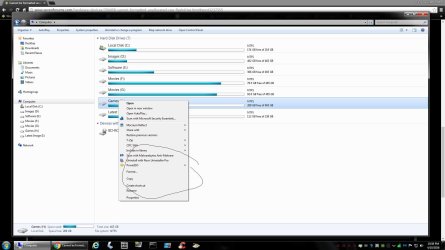
Why can`t you just use Disk Management or Explorer ?
 

Attachments

  • Untitled.jpg
    Untitled.jpg
    135.1 KB · Views: 4

My Computer

Computer type
PC/Desktop
Computer Manufacturer/Model Number
Skylake Special #666
OS
Windows 10 Pro x64
CPU
Intel Core i7 6700K
Motherboard
Asus Sabertooth Z170 Mark 1
Memory
GSkill TridentZ RGB 16GB 3600 16-16-16-36
Graphics Card(s)
EVGA GTX 980 Ti SC x2
Sound Card
Realtek High Definition
Monitor(s) Displays
AOC G2460PG
Screen Resolution
1920 x 1080 144Hz
Hard Drives
Samsung 860 Pro 256GB, Seagate Barracuda 4TB x2
PSU
EVGA 1000 P2, EVGA White Custom Braided Cables
Case
Corsair Vengeance C70 Gunmetal Black
Cooling
Corsair H100i v2, Corsair ML120 x2, Thermal Grizzly Kryonaut
Keyboard
Logitech G910 Orion Spectrum
Mouse
Logitech G700s
Internet Speed
Verizon Fios Quantum Gateway 75/75
Antivirus
Windows Defender, Malwarebytes Free 3.8.3
Browser
Chrome
Other Info
Corsair SP120 x4, LG Blu-ray Drive, Durabrand HT-395 100 Watt Dolby Digital Amp, Corsair H2100 Wireless 7.1 Headset
@jumanji I wan't to format my flash drive but I can't format it. It says windows was unable to complete the format. When I go to its properties it shows 0 bytes used space and 0 bytes free space. When I used MiniTool Partition Wizard, it shows that my flash drive has 14.4 GB UNALLOCATED and RAW type.

@AddRAM That's the first thing I've done but windows can't format it :/
 

My Computer

Computer type
Laptop
Computer Manufacturer/Model Number
Hewlett-Packard / Compaq 6730s
OS
Windows 7 Ultimate x86 Last Update: 10/01/17
CPU
Intel(R) Pentium(R) Dual CPU T3400 @ 2.16GHz - 2.2GHz
Motherboard
491976-001 Intel Motherboard
Memory
2GB
Graphics Card(s)
Mobile Intel(R) 4 Series Express Chipset Family
Sound Card
HD audio - ADI1984
Monitor(s) Displays
15.4
Screen Resolution
1200 x 800
Hard Drives
TOSHIBA MK1652GSX ATA 140GB
Keyboard
NEWMEN
Mouse
A4Tech N-70FX
Antivirus
Avira AntiVir 2018 Pro
Browser
Chrome
A pendrive can become unformattable when it reaches its end of life.

1. Check whether Toshiba Formatting Software (V3O-064GT, TNU-A064G) applies to your model of Toshiba Flash drive and try to format it. https://www.toshiba.co.jp/p-media/english/download/tnu/format02.htm ( If not ,Search Toshiba website for any formatting/Repair software for your particular model number)

2. If it fails to format the Flash drive ot you can't find the manufacturer's utility for the specific model), try formatting it with the HP USB Disk Storage Format Tool as told in my post#2.

If both fail, discard that pendrive.
 
Last edited:

My Computer

OS
Windows 7 Home Premium 32 bit
Back
Top