

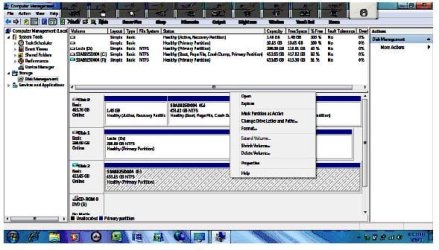
After trying the Tutorial on System Image - Extract Files Using System Image, (works great by the way) I don't seem to get the "Detach VHD" drop down screen as shown in the Tutorial when I right click on the Virtual Hard Drive. I get the standand open, explore format delete volume etc. (see attached - I think)
Don't want to do anything stupid at this point.
Many thank in advance
JohhnyA
Don't want to do anything stupid at this point.
Many thank in advance
JohhnyA
Attachments
My Computer
- Computer Manufacturer/Model Number
- Toshiba C650
- OS
- Windows Home Premium 64bit
- CPU
- T61-- 2.0ghz
- Motherboard
- Toshiba
- Memory
- 4 GB
- Graphics Card(s)
- On board
- Sound Card
- On board
- Monitor(s) Displays
- 15.6"
- Hard Drives
- 500 GB
