cannot find saved files

Altrishand

New member
Local time
3:21 PM
Messages
6
I save copies of census from ancestry to my computer, they are saved as JPG files, when I was on Vista & XP, after showing hidden files I would access them from: C:\Users\USERNAME\AppData\Local\Microsoft\Windows\Temporary Internet Files\Virtualized\C\Users\USERNAME\Documents\
I would cut and paste them to the actual file. Now I am on Windows 7 that area does not exist I can only get to:
C:\Users\USERNAME\AppData\Local\Microsoft\Windows\Temporary Internet Files
There is a Virtual Store folder but this is empty also
The files are showing if I go to save them again but do not show when I open the folder through
 

My Computer

Computer Manufacturer/Model Number
Sony
OS
Windows 7 home premium 64bit
CPU
Intel R Core I3
Memory
4gb
I save copies of census from ancestry to my computer, they are saved as JPG files, when I was on Vista & XP, after showing hidden files I would access them from: C:\Users\USERNAME\AppData\Local\Microsoft\Windows\Temporary Internet Files\Virtualized\C\Users\USERNAME\Documents\
I would cut and paste them to the actual file. Now I am on Windows 7 that area does not exist I can only get to:
C:\Users\USERNAME\AppData\Local\Microsoft\Windows\Temporary Internet Files
There is a Virtual Store folder but this is empty also
The files are showing if I go to save them again but do not show when I open the folder through

Have you turned on the display of hidden files and folders?
 

My Computer

Computer type
PC/Desktop
Computer Manufacturer/Model Number
Virtual Machine
OS
Windows 7 Professional 32-bit SP1
CPU
AMD A4/A6
Motherboard
Intel Corporation 440BX Desktop Reference Platform
Memory
3.00GB EDO
Graphics Card(s)
VMware SVGA 3D
Sound Card
High Definition Audio Device
Monitor(s) Displays
Generic Non-PnP Monitor on VMware SVGA 3D
Screen Resolution
1440x900
Hard Drives
1 x 60GB VMware Virtual SATA Hard Drive ATA Device
Antivirus
Kaspersky Total Security
Cannot find saved files

Yes I have, There seems to be a few people with this problem but all responses only seem to apply to vista as I have seen somewhere that 7 does not have a virtualization folder, it this is the case where are the files saved?
 

My Computer

Computer Manufacturer/Model Number
Sony
OS
Windows 7 home premium 64bit
CPU
Intel R Core I3
Memory
4gb
Yes I have, There seems to be a few people with this problem but all responses only seem to apply to vista as I have seen somewhere that 7 does not have a virtualization folder, it this is the case where are the files saved?

You can find the virtualstore folder at C:\Users\YOURUSERNAME\AppData\Local\VirtualStore
 

My Computer

Computer type
PC/Desktop
Computer Manufacturer/Model Number
Virtual Machine
OS
Windows 7 Professional 32-bit SP1
CPU
AMD A4/A6
Motherboard
Intel Corporation 440BX Desktop Reference Platform
Memory
3.00GB EDO
Graphics Card(s)
VMware SVGA 3D
Sound Card
High Definition Audio Device
Monitor(s) Displays
Generic Non-PnP Monitor on VMware SVGA 3D
Screen Resolution
1440x900
Hard Drives
1 x 60GB VMware Virtual SATA Hard Drive ATA Device
Antivirus
Kaspersky Total Security
The following article might help: Find a file you have downloaded


This information applies to Windows Internet Explorer 7 and Windows Internet Explorer 8.


When you use Internet Explorer to download a file from the Internet, you are usually asked where you want to store the file. If you don't specify where you want the file to be stored, Internet Explorer will normally try to put a file in the most appropriate place. For example, documents and webpages are normally saved to the Documents folder, music files to the Music folder, and images and graphics are saved to the Pictures folder. In Internet Explorer 7, files that could potentially cause harm, such as executable programs, are saved to the temporary Internet files folder first, then copied to the folder you've specified. Programs and miscellaneous downloads are also sometimes saved to the Downloads folder. Here are some tips on finding files you've downloaded.

If you're downloading a file and the Save File dialog box appears, it is best to specify which folder you want to save the file to. This will save time later. If you're saving several files, Windows will normally remember the last folder you saved to, so you don't have to specify the folder again.

To find a file you have downloaded


  1. Open your personal folder by clicking the Start button
    4f6cbd09-148c-4dd8-b1f2-48f232a2fd33.png
    , and then clicking your user name at the top of the Start menu's right pane.
  2. Double-click one of the following folders:
    • Downloads
    • Documents
    • Pictures
    • Videos
    • Music


If you do not see the file you are looking for, but know its file name, you can search for it by following these steps:

To search for a file you have downloaded


  1. Click the Start button
    4f6cbd09-148c-4dd8-b1f2-48f232a2fd33.png
    .
  2. Type all or part of the file name into the Search box. The file you are looking for should appear in the list of search results. If the file you are searching for does not appear, see Troubleshoot problems with searching.
.
 
Last edited:

My Computer

Computer type
PC/Desktop
Computer Manufacturer/Model Number
Packard Bell
OS
Windows 7 Home Premium 64bit
CPU
Intel(R) Core(TM) i3-2120 CPU @ 3.30GHz
Motherboard
Packard Bell IPISB-AG
Memory
3.00 GB
Graphics Card(s)
(1) Intel(R) HD Graphics (2) VNC Mirror Driver
Sound Card
Realtek High Definition Audio
Monitor(s) Displays
AIO LCD
Screen Resolution
1920 x 1080
Hard Drives
WDC WD10EADX-22TDHB0 ATA Device
Fixed hard disk media
4 partitions
931.51 GB
Keyboard
Wireless
Mouse
Wireless
Antivirus
Microsoft Security Essentials
Browser
IE; Firefox
Other Info
Also:
Samsung N220 Plus Netbook - Windows 7 Home
HP laptop
iPad 5
I do specify a folder but the files are hidden, I have 2 pages of each file the first is a pdf, which is there and the second a jpg and it is the second that it hides and puts in a temporary folder, it is not in the temporary internet folder. With vista I used to access the files by following the first thread and cut and paste the files to the original folder with no problems but with 7 I am stopped mid process. When I do a search it comes up with file not found even if I put a * in the search it only shows my pdf file. It is very frustrating knowing that I have saved the file.
 

My Computer

Computer Manufacturer/Model Number
Sony
OS
Windows 7 home premium 64bit
CPU
Intel R Core I3
Memory
4gb
Did you try following the option at the bottom of my post #5 above? I have highlighted it now with the font in red. (There is also a link in blue for search troubleshooting)

Search with the name (or *.pdf) in the box like the one below:
.
.
 

Attachments

  • Search progs and files.jpg
    Search progs and files.jpg
    6.2 KB · Views: 10

My Computer

Computer type
PC/Desktop
Computer Manufacturer/Model Number
Packard Bell
OS
Windows 7 Home Premium 64bit
CPU
Intel(R) Core(TM) i3-2120 CPU @ 3.30GHz
Motherboard
Packard Bell IPISB-AG
Memory
3.00 GB
Graphics Card(s)
(1) Intel(R) HD Graphics (2) VNC Mirror Driver
Sound Card
Realtek High Definition Audio
Monitor(s) Displays
AIO LCD
Screen Resolution
1920 x 1080
Hard Drives
WDC WD10EADX-22TDHB0 ATA Device
Fixed hard disk media
4 partitions
931.51 GB
Keyboard
Wireless
Mouse
Wireless
Antivirus
Microsoft Security Essentials
Browser
IE; Firefox
Other Info
Also:
Samsung N220 Plus Netbook - Windows 7 Home
HP laptop
iPad 5
I save copies of census from ancestry to my computer, they are saved as JPG files, when I was on Vista & XP, after showing hidden files I would access them from: C:\Users\USERNAME\AppData\Local\Microsoft\Windows\Temporary Internet Files\Virtualized\C\Users\USERNAME\Documents\
I would cut and paste them to the actual file. Now I am on Windows 7 that area does not exist I can only get to:
C:\Users\USERNAME\AppData\Local\Microsoft\Windows\Temporary Internet Files
There is a Virtual Store folder but this is empty also
The files are showing if I go to save them again but do not show when I open the folder through

Hi Altrishand - You might try down loading the "Agent Ransack" file locater utility. If your files are really still on your hard drive this is a utility that will find it. Even if it doesn't find your files, it's a great utility to have. Better than using Windows Search.

Check it out at
Agent Ransack - Free File Searching Utility

Good luck :):):)
 

My Computer

Computer Manufacturer/Model Number
Alienware Aurora
OS
Win 7 Ultimate x64
CPU
Core I7 980X O.C. to 4.0 Ghz
Motherboard
Custom Intel mATX (Bios ver A10)
Memory
12GB 1600 mhz triple channel DDR3 - Kingston
Graphics Card(s)
ATI Radeon HD 5970 2GB Video Card
Sound Card
Creative Labs Titanium sound blaster
Monitor(s) Displays
30" Dell LCD
Screen Resolution
2560 x 1600
Hard Drives
240 GB OCZ Vertex 2 SSD
256 GB Samsung V2 SSD
2TB WD Black Caviar 7200 rpm SATA3
600GB WD Velociraptor 10,000 rpm SATA3
3TB WD MyBook Essential USB 3.0 7200 rpm External
PSU
850 Watt
Case
Alienware Aurora
Cooling
Water
Keyboard
Logitech G15 (original version)
Mouse
Logitech MX1000 Laser - Wireless
Internet Speed
Cable 22 Mb/sec download
Other Info
USB 3.0,
Blue Ray DVD Read/Writer
Bose Companion 3 Speakers
WRT54G Wireless Router
That isn't a location where you should be downloading files to anyway. Appdata is a location for various software programs to store needed data. That is why it is hidden in the first place. Why can you not download these images directly into your "pictures" folder or another, appropriate location?
 

My Computer

Computer Manufacturer/Model Number
Custom
OS
Windows 7 Ultimate RTM (Technet)
CPU
3.00 gigahertz Intel Core2 Duo E8400
Motherboard
ASUSTeK Computer INC. P5K/EPU Rev 1.xx
Memory
4GB
Graphics Card(s)
ATI Radeon X1950 Pro
Sound Card
Built in HD Audio
Monitor(s) Displays
22" Gateway LCD
Screen Resolution
1920 x 1200
Hard Drives
ST3160023A [Hard drive] (160.04 GB) -- drive 0, rev 8.01, ST3500630AS [Hard drive] (500.11 GB) -- drive 2, rev 3.AAK
ST3500630AS [Hard drive] (500.11 GB) -- drive 1, rev 3.AAK
Keyboard
Logitech G11
Mouse
Microsoft Wireless Laser Mouse 5000
Internet Speed
13.44 Mbps
using *.pdf to find a file

The *pdf works. Tried the same thing *.zip to find a the m/s Office Pro 2010 that I downloaded 1-19-11. Did not get any listing of zip files. I have also looked in the programs, music, photos and documents folder. So now I get the feeling that when I hit Save and did not direct it to the desktop that it was not saved anyware. So... Uness someone has a trick (like AgentRansack) to share it looks like I'll have to download it again and put it in the Programs file or to the desktop and then move it to Programs. :cry:

Windows x64 7 new Toshiba A665- Intel i5
 

My Computer

Computer Manufacturer/Model Number
Toshiba A665-S6055
OS
Windows 7 Home Premium 64bit
CPU
Intel i5
Memory
4GB
Mouse
Logitec laser
Internet Speed
56Mbps
windows 7 refuses to find some saved files

Also facing this issue. My 64bit Windows 7 machine has refused to find about 7 pdfs that I saved in a particular folder. In this particular case I saved them from my online fax (all are pdfs). Tried to attach one to an email using Thunderbird, but the folder didn't contain these 7 files. It did contain 2 other pdfs saved in similar manner previously. Tried searching from the start menu using file name (and using partial file name; and using *.pdf) - not found. Opened hotmail, created new item and attempted to attach the file in question. It and the other 6 are plainly visible in the folder in question. Tried it with Outlook 2007 - no files.
Why are my files visible to hotmail but not to my computer or to my other email clients?:confused:
 

Attachments

  • lost saved files.png
    lost saved files.png
    126.1 KB · Views: 28

My Computer

OS
windows 7

Attachments

  • brys snap ?18 ?March ?2011 18h37m44s.png
    brys snap ?18 ?March ?2011 18h37m44s.png
    13.9 KB · Views: 2
  • brys snap ?18 ?March ?2011 18h38m19s.png
    brys snap ?18 ?March ?2011 18h38m19s.png
    30.4 KB · Views: 2
Last edited:

My Computer

Computer Manufacturer/Model Number
packard bell IXTREME M5722
OS
Operating System : Windows 7 Home Premium Edition 6.01.7600 SP1 (x64)
CPU
Processor : Intel Core 2 Quad Q8300 @ 2500 MHz
Motherboard
Mainboard : Packard Bell (Acer EG43M )
Memory
Physical Memory :8GB Corsair4x 2GB 800MHz C5 DDR2
Graphics Card(s)
Video Card : XFX 6700 AMD
Monitor(s) Displays
Maestro 234DL - BenQ V2220 - BenQ VW2420H
Screen Resolution
Current Display :1920x1080p pixels at 60 Hz in HD LED
Hard Drives
Hard Disks : WDC (1000 GB)
Drive C: (Hard Disk) : 428 GB available on 491 GB
Drive D: (Hard Disk) : 426 GB available on 492 GB
SAMSUNG spinpoint HD103SJ 1000.2 GB
(X 2) KINGSTON SSD NOW V 30GB
PSU
XFX ProSeries 550W PSU
Case
PACKARD BELL IXTREME
Cooling
System Blower Current: 150mA Air Flow16CFM ;Akasa 90mm rear
Keyboard
Gigabyte Aivia K8100
Mouse
TRUST-Wireless Laser Mouse - Carbon edition MI-7770C
Internet Speed
TP-LINK > TL-WN951N / AV500 Gigabit Powerline Adapters
Browser
chrome dev
Other Info
EXTRA COOLING>(FAN CONTROLLER) PC Bay Cooler 3 x 40mm fans; Akasa AK-HD-BL Blue hard drive cooler 2 x 40 mm fan 4500 rpm 29.7 dBA
Bios> American Megatrends Inc.
Version : P01-A1
Date : 08/31/2009
You have not said where you have looked?
Have you tried the other user folders under "username" -- "My Documents: "Downloads": etc?

You could also try the "Save as" option in you program, and see what path is offered there.
 

My Computer

Computer Manufacturer/Model Number
Three desktops and one laptop with good specs..
OS
Vista and now 7 in 32 and 64 bit.
I looked everywhere

I used the start button and typed the file name - not there
I used the start button and typed part of the file name - not there
I used the start button and typed *.pdf - not there
In each of the below searches I used the exact same folder every time (see screen shot above)
I used the SAVE AS function - all there
I used Thunderbird - not there
I used Outlook 2007 - not there
I used Hotmail - all there

Pam
 

My Computer

OS
windows 7
I used the start button and typed the file name - not there
I used the start button and typed part of the file name - not there
I used the start button and typed *.pdf - not there
In each of the below searches I used the exact same folder every time (see screen shot above)
I used the SAVE AS function - all there
I used Thunderbird - not there
I used Outlook 2007 - not there
I used Hotmail - all there

Pam

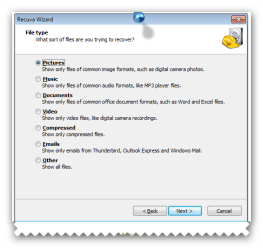
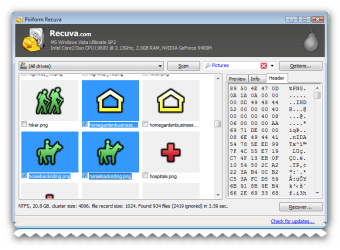
have you got show hidden files and folders enabled? try the recuva.
 

My Computer

Computer Manufacturer/Model Number
packard bell IXTREME M5722
OS
Operating System : Windows 7 Home Premium Edition 6.01.7600 SP1 (x64)
CPU
Processor : Intel Core 2 Quad Q8300 @ 2500 MHz
Motherboard
Mainboard : Packard Bell (Acer EG43M )
Memory
Physical Memory :8GB Corsair4x 2GB 800MHz C5 DDR2
Graphics Card(s)
Video Card : XFX 6700 AMD
Monitor(s) Displays
Maestro 234DL - BenQ V2220 - BenQ VW2420H
Screen Resolution
Current Display :1920x1080p pixels at 60 Hz in HD LED
Hard Drives
Hard Disks : WDC (1000 GB)
Drive C: (Hard Disk) : 428 GB available on 491 GB
Drive D: (Hard Disk) : 426 GB available on 492 GB
SAMSUNG spinpoint HD103SJ 1000.2 GB
(X 2) KINGSTON SSD NOW V 30GB
PSU
XFX ProSeries 550W PSU
Case
PACKARD BELL IXTREME
Cooling
System Blower Current: 150mA Air Flow16CFM ;Akasa 90mm rear
Keyboard
Gigabyte Aivia K8100
Mouse
TRUST-Wireless Laser Mouse - Carbon edition MI-7770C
Internet Speed
TP-LINK > TL-WN951N / AV500 Gigabit Powerline Adapters
Browser
chrome dev
Other Info
EXTRA COOLING>(FAN CONTROLLER) PC Bay Cooler 3 x 40mm fans; Akasa AK-HD-BL Blue hard drive cooler 2 x 40 mm fan 4500 rpm 29.7 dBA
Bios> American Megatrends Inc.
Version : P01-A1
Date : 08/31/2009
How to enable display of hidden files and folders win 7

click the Start button in the left lower corner of the screen
select Control Panel from the menu that will open
in the right upper corner click the Category link next to the View by section (Category is set by default) and select Small icons from the drop-down menu that will open
in the All Control Panel Items window select the Folder Options item
go to the View tab
check the Show hidden files, folders and drives option


Perform a SFC Scan

1. Click Start, click All Programs, click Accessories, right-click Command Prompt, and then click Run as administrator. If you are prompted for an administrator password or for a confirmation, type the password, or click Allow

2. Type the following command, sfc /scannow and then press ENTER:

(A message will appear stating that 'The system scan will begin'. Be patient because the scan may take some time)

3. If any files require a replace SFC will replace them. You may be asked to insert your Windows 7 DVD for this process to continue

4. If everything is okay you should, after the scan, see the following message "Windows resource protection did not find any integrity violations"

5. After the scan has completed, close the command prompt window, restart the computer. (TIP repeat the scan at least 3 times)
 

My Computer

Computer Manufacturer/Model Number
packard bell IXTREME M5722
OS
Operating System : Windows 7 Home Premium Edition 6.01.7600 SP1 (x64)
CPU
Processor : Intel Core 2 Quad Q8300 @ 2500 MHz
Motherboard
Mainboard : Packard Bell (Acer EG43M )
Memory
Physical Memory :8GB Corsair4x 2GB 800MHz C5 DDR2
Graphics Card(s)
Video Card : XFX 6700 AMD
Monitor(s) Displays
Maestro 234DL - BenQ V2220 - BenQ VW2420H
Screen Resolution
Current Display :1920x1080p pixels at 60 Hz in HD LED
Hard Drives
Hard Disks : WDC (1000 GB)
Drive C: (Hard Disk) : 428 GB available on 491 GB
Drive D: (Hard Disk) : 426 GB available on 492 GB
SAMSUNG spinpoint HD103SJ 1000.2 GB
(X 2) KINGSTON SSD NOW V 30GB
PSU
XFX ProSeries 550W PSU
Case
PACKARD BELL IXTREME
Cooling
System Blower Current: 150mA Air Flow16CFM ;Akasa 90mm rear
Keyboard
Gigabyte Aivia K8100
Mouse
TRUST-Wireless Laser Mouse - Carbon edition MI-7770C
Internet Speed
TP-LINK > TL-WN951N / AV500 Gigabit Powerline Adapters
Browser
chrome dev
Other Info
EXTRA COOLING>(FAN CONTROLLER) PC Bay Cooler 3 x 40mm fans; Akasa AK-HD-BL Blue hard drive cooler 2 x 40 mm fan 4500 rpm 29.7 dBA
Bios> American Megatrends Inc.
Version : P01-A1
Date : 08/31/2009
not yet, but more details

Recuva found nearly 10K files in about 5 hours, but not the one I'm looking for. I didn't understand how it would work as the file isn't deleted.
Tried enabling show hidden as suggested by brianzion. Show hidden worked, but the file is still only visible to my web application and my hotmail box. Not visible to my computer or Thunderbird or Outlook 2007.
Just realized that one diff between the working and non-working applications is that the web ones find it, the ones on my machine do not.
 

My Computer

OS
windows 7
Back
Top