
Hey guys I just built a PC and tried to install windows 7 ultimate.
Specs:
-i5-3570k
-gigabyte ga-z68-ud3h b3
-8gb ram
-sandisk extreme 120GB ssd
-coolermaster 525W extreme PSU
Seagate 500GB storage drive
I first tried the DVD and got this error:
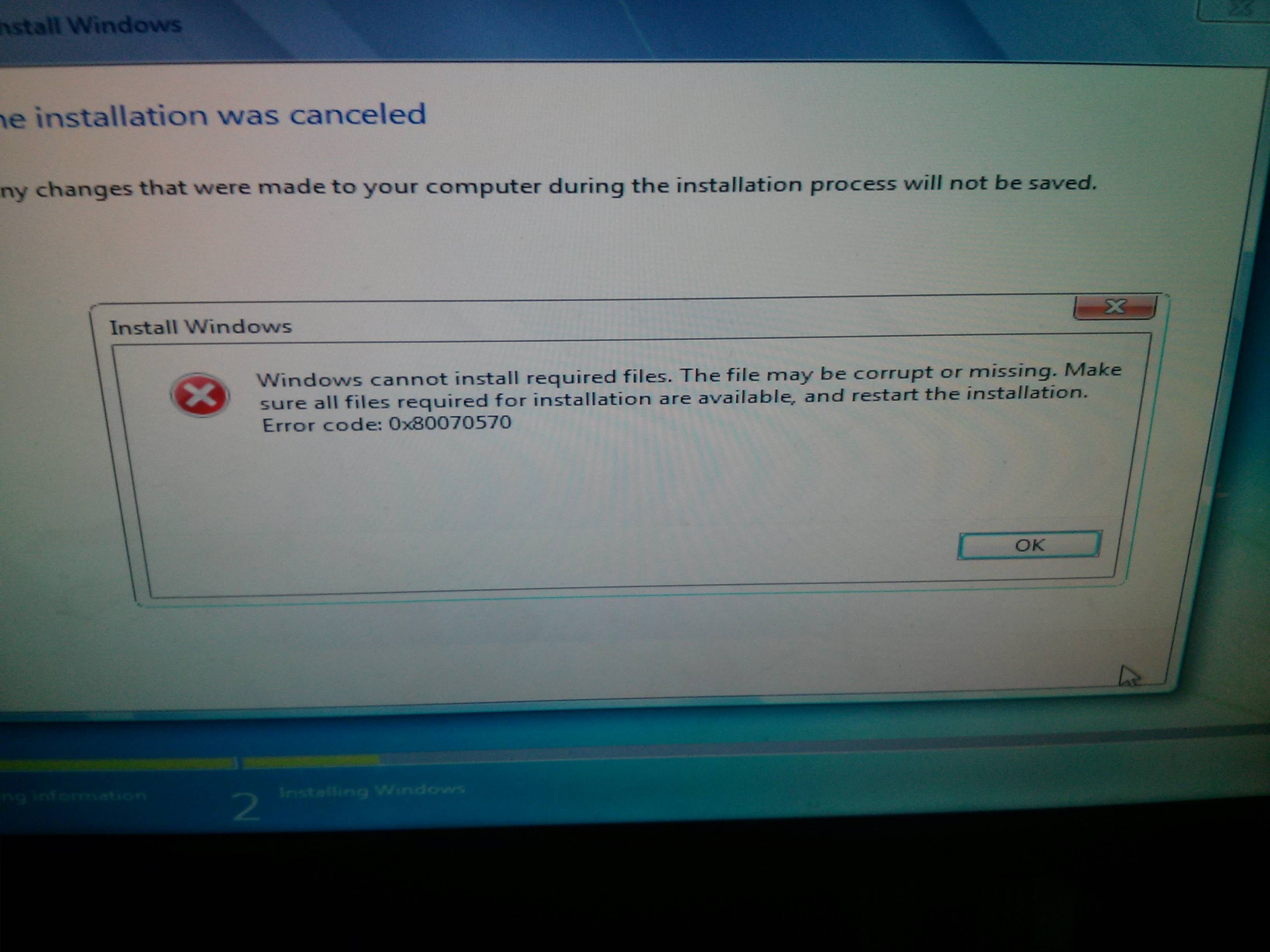
I assumed it was a corrupt DVD. I then downloaded the ISO from Microsoft and installed on a USB. I got the same Error. Re downloaded and reinstalled, same error. I looked online and found out it could be a ram error. Tried one stick, tried different slots, tried completely different brand of brand new ram, all to no avail. It always goes to 9% then gives the error. Any ideas?
Specs:
-i5-3570k
-gigabyte ga-z68-ud3h b3
-8gb ram
-sandisk extreme 120GB ssd
-coolermaster 525W extreme PSU
Seagate 500GB storage drive
I first tried the DVD and got this error:
I assumed it was a corrupt DVD. I then downloaded the ISO from Microsoft and installed on a USB. I got the same Error. Re downloaded and reinstalled, same error. I looked online and found out it could be a ram error. Tried one stick, tried different slots, tried completely different brand of brand new ram, all to no avail. It always goes to 9% then gives the error. Any ideas?
My Computer
- Computer type
- PC/Desktop
- Computer Manufacturer/Model Number
- Custom
- OS
- Alberta
- CPU
- i5-3570k
- Motherboard
- Gigabyte GA-z68-ud3h b3
- Memory
- Corsair Vengeance 8gb
- Graphics Card(s)
- Intel HD4000
- Hard Drives
- Sandisk Extreme 120GB
Seagate Barracuda 500GB
- Antivirus
- n/a
- Browser
- n/a
