Cannot log into new accounts successfully

Plunder6459

Eurocanadian geek
Local time
4:12 PM
Messages
31
Hey guys,
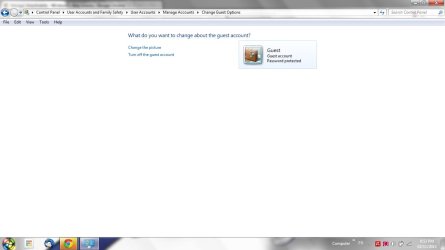
my situation is that whenever I make a new user account on my laptop (Gateway NV54, Windows 7 Prof. x64), I somehow cannot log in to it. What happens is I will click on the account and it will log in, however instead of proceeding to the desktop, it automatically logs off. Nothing that I have tried so far (aka. Windows Help/Support, Microsoft Fixit) was successful.


Any help would be much appreciated.
 

My Computer

Computer type
PC/Desktop
OS
Windows 7
Antivirus
Microsoft Security Essentials
Browser
Google Chrome
Welcome to the Seven Forums.

Is this thread about the computer that you mention in your other thread? If it is the same computer, then let's wait until the firewall issue is fixed and any infections removed before we tackle the account log on problem.
 

My Computer

Computer type
Laptop
Computer Manufacturer/Model Number
Employer provided Dell Latitude
OS
W7 Pro SP1 64bit
CPU
i7
Memory
8GB
Graphics Card(s)
Intel HD Graphics
Hard Drives
crappy SSD
Antivirus
Employer mandated Symantec Endpoint Protection
Browser
Pale Moon 64bit, IE11 64bit & Chrome 64bit
So now my firewall issue is solved, may we get back to this topic?
 

My Computer

Computer type
PC/Desktop
OS
Windows 7
Antivirus
Microsoft Security Essentials
Browser
Google Chrome

My Computer

Computer type
Laptop
Computer Manufacturer/Model Number
Employer provided Dell Latitude
OS
W7 Pro SP1 64bit
CPU
i7
Memory
8GB
Graphics Card(s)
Intel HD Graphics
Hard Drives
crappy SSD
Antivirus
Employer mandated Symantec Endpoint Protection
Browser
Pale Moon 64bit, IE11 64bit & Chrome 64bit
I have 3 good user accounts (which includes Administrator)
 

My Computer

Computer type
PC/Desktop
OS
Windows 7
Antivirus
Microsoft Security Essentials
Browser
Google Chrome
What were the results of the SFC scan?
 

My Computer

Computer type
Laptop
Computer Manufacturer/Model Number
Employer provided Dell Latitude
OS
W7 Pro SP1 64bit
CPU
i7
Memory
8GB
Graphics Card(s)
Intel HD Graphics
Hard Drives
crappy SSD
Antivirus
Employer mandated Symantec Endpoint Protection
Browser
Pale Moon 64bit, IE11 64bit & Chrome 64bit
The result was: "Windows Resource Protection did not find any integrity violations"
 

My Computer

Computer type
PC/Desktop
OS
Windows 7
Antivirus
Microsoft Security Essentials
Browser
Google Chrome

My Computer

Computer type
Laptop
Computer Manufacturer/Model Number
Employer provided Dell Latitude
OS
W7 Pro SP1 64bit
CPU
i7
Memory
8GB
Graphics Card(s)
Intel HD Graphics
Hard Drives
crappy SSD
Antivirus
Employer mandated Symantec Endpoint Protection
Browser
Pale Moon 64bit, IE11 64bit & Chrome 64bit
ok, so I made a new account and I tried to log in (in the effort to make an error log), and this is what I have found:


Log Name: Application
Source: Microsoft-Windows-User Profiles Service
Date: 02/11/2013 8:45:19 PM
Event ID: 1530
Task Category: None
Level: Warning
Keywords:
User: SYSTEM
Computer: GATEWAY
Description:
Windows detected your registry file is still in use by other applications or services. The file will be unloaded now. The applications or services that hold your registry file may not function properly afterwards.

DETAIL -
1 user registry handles leaked from \Registry\User\S-1-5-21-4214214121-105156091-3102055094-1025:
Process 1800 (\Device\HarddiskVolume2\Program Files (x86)\Avira\AntiVir Desktop\avguard.exe) has opened key \REGISTRY\USER\S-1-5-21-4214214121-105156091-3102055094-1025\Software\Microsoft\Windows NT\CurrentVersion\Winlogon

Event Xml:
<Event xmlns="http://schemas.microsoft.com/win/2004/08/events/event">
<System>
<Provider Name="Microsoft-Windows-User Profiles Service" Guid="{89B1E9F0-5AFF-44A6-9B44-0A07A7CE5845}" />
<EventID>1530</EventID>
<Version>0</Version>
<Level>3</Level>
<Task>0</Task>
<Opcode>0</Opcode>
<Keywords>0x8000000000000000</Keywords>
<TimeCreated SystemTime="2013-11-03T00:45:19.273461700Z" />
<EventRecordID>85262</EventRecordID>
<Correlation />
<Execution ProcessID="920" ThreadID="5712" />
<Channel>Application</Channel>
<Computer>GATEWAY</Computer>
<Security UserID="S-1-5-18" />
</System>
<EventData Name="EVENT_HIVE_LEAK">
<Data Name="Detail">1 user registry handles leaked from \Registry\User\S-1-5-21-4214214121-105156091-3102055094-1025:
Process 1800 (\Device\HarddiskVolume2\Program Files (x86)\Avira\AntiVir Desktop\avguard.exe) has opened key \REGISTRY\USER\S-1-5-21-4214214121-105156091-3102055094-1025\Software\Microsoft\Windows NT\CurrentVersion\Winlogon
</Data>
</EventData>
</Event>


It seems that this error appears every time I or another user logs in as well...
that is all I found
 

My Computer

Computer type
PC/Desktop
OS
Windows 7
Antivirus
Microsoft Security Essentials
Browser
Google Chrome

Attachments

  • Untitled.jpg
    Untitled.jpg
    34.2 KB · Views: 2

My Computer

Computer type
PC/Desktop
OS
Windows 7
Antivirus
Microsoft Security Essentials
Browser
Google Chrome
It might be too late, but you can...
...disconnect from the internet
...uninstall Avira Free Antivirus 2013 (just as a test)
...restart the computer
...try to create a new account/profile.
 

My Computer

Computer type
Laptop
Computer Manufacturer/Model Number
Employer provided Dell Latitude
OS
W7 Pro SP1 64bit
CPU
i7
Memory
8GB
Graphics Card(s)
Intel HD Graphics
Hard Drives
crappy SSD
Antivirus
Employer mandated Symantec Endpoint Protection
Browser
Pale Moon 64bit, IE11 64bit & Chrome 64bit
too late?
 

My Computer

Computer type
PC/Desktop
OS
Windows 7
Antivirus
Microsoft Security Essentials
Browser
Google Chrome
the problem came to existence way before I installed Avira. At the time I had MSE
 

My Computer

Computer type
PC/Desktop
OS
Windows 7
Antivirus
Microsoft Security Essentials
Browser
Google Chrome
Let's see what other forum members have to say on this issue.
 

My Computer

Computer type
Laptop
Computer Manufacturer/Model Number
Employer provided Dell Latitude
OS
W7 Pro SP1 64bit
CPU
i7
Memory
8GB
Graphics Card(s)
Intel HD Graphics
Hard Drives
crappy SSD
Antivirus
Employer mandated Symantec Endpoint Protection
Browser
Pale Moon 64bit, IE11 64bit & Chrome 64bit
Back
Top