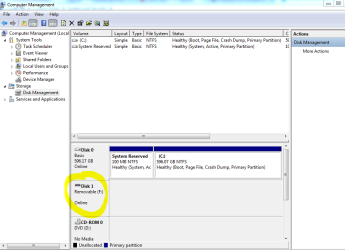
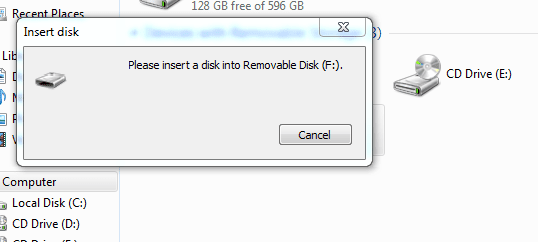
Hello guys. I got a problem with my Toshiba TransMemory USB 8 GB. When I connect it to USB port, it connect very well but when I try to access the disk, it says "please insert a disk into Removable disk". I click properties and it shows used space and free space is "zero". Later, I go to administrative tools and check on computer management, it shows the removable disk is online but the capacity in the said disk is "zero". I know maybe there have been many solutions for this problem, but hope you guys can help me to 'revive' my thumb drive back to normal. Thank you.
Have you had a look at it with DISKPART too? It might tell you something about the device too like its format for instance. See DiskPart Command-Line Options
My Computer
Computer type
PC/Desktop
Computer Manufacturer/Model Number
Own build (new) Desk1 / Asus ROG Win 7 / Desk2 1st build
OS
Desk1 7 Home Prem / Desk2 10 Pro / Main lap Asus ROG 10 Pro 2 laptop Toshiba 7 Pro Asus P2520 7 & 10
One other Desktop (tester) and spare Toshba laptop both with SSD's
Running Kaspersky 2016 ISS on all machines config'd identically
Logitec audio stereo systems on each machine (x3)
Canon MG5250MFC
Router/modem TP-Link running WPA2SK