Cannot open JPG image.

jingyin

New member
Member
Local time
6:54 PM
Messages
31
Hello

Just recently i found a folder with a lot of pictures in it.
But i cannot open none of them. They are around 3.5mb each and are JPG files.
When i use Windows Photo Viewer, it says can't open this picture because either photo viewer doesn't support file format, or you don't have the latest updates to photo viewer.

I tried to open it with Pisca,Paint, Windows Photo Viewer and Photo Gallery. None of them worked.

I think they are raw files from a Canon camera. I also installed the RAW codec pack that Microsoft released a few years ago, but no luck.

EDIT: Hmm, tried to upload one picture on the thread, it said image not valid. It has a .jpg extension though
 

My Computer

OS
Windows 7 Home Premium 64bit

My Computer

Computer type
Laptop
Computer Manufacturer/Model Number
Employer provided Dell Latitude
OS
W7 Pro SP1 64bit
CPU
i7
Memory
8GB
Graphics Card(s)
Intel HD Graphics
Hard Drives
crappy SSD
Antivirus
Employer mandated Symantec Endpoint Protection
Browser
Pale Moon 64bit, IE11 64bit & Chrome 64bit
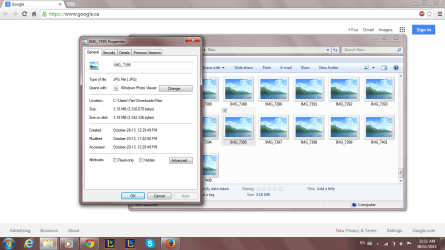
I checked them
They are JPG files.
 

Attachments

  • Untitled.png
    Untitled.png
    75.4 KB · Views: 2

My Computer

OS
Windows 7 Home Premium 64bit
The forum's software automatically attempts to re-size "large" JPG files. If it does not recognize the file format, it rejects the file.

Right click on one of the smaller JPG files and select...
Send to > Compressed (zipped) folder
...from the context menu.

Please upload that zipped file to the forum.
 

My Computer

Computer type
Laptop
Computer Manufacturer/Model Number
Employer provided Dell Latitude
OS
W7 Pro SP1 64bit
CPU
i7
Memory
8GB
Graphics Card(s)
Intel HD Graphics
Hard Drives
crappy SSD
Antivirus
Employer mandated Symantec Endpoint Protection
Browser
Pale Moon 64bit, IE11 64bit & Chrome 64bit
Maybe the files are currupted?
I don't know...
 

Attachments

My Computer

OS
Windows 7 Home Premium 64bit
What is the model of the Canon camera that took this?

Here is a website that provides sample RAW files for various camera models:
RAWSamples - Index
(Select Canon from the upper right part of the web page.)

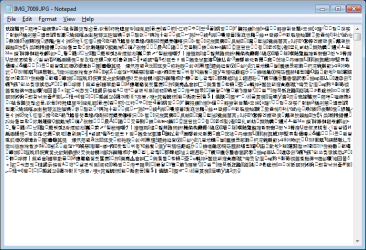
May we can compare the first part of your file with ones of those samples. I glanced at your file via notepad and I did not see anything that I could read:

raw1.png

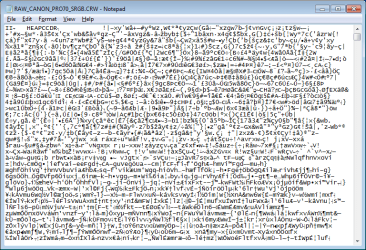
This is a totally different file format, but notice the readable text on the first line.

raw2.png
 

My Computer

Computer type
Laptop
Computer Manufacturer/Model Number
Employer provided Dell Latitude
OS
W7 Pro SP1 64bit
CPU
i7
Memory
8GB
Graphics Card(s)
Intel HD Graphics
Hard Drives
crappy SSD
Antivirus
Employer mandated Symantec Endpoint Protection
Browser
Pale Moon 64bit, IE11 64bit & Chrome 64bit
Back
Top