Window 7 Home Premium 64-bit
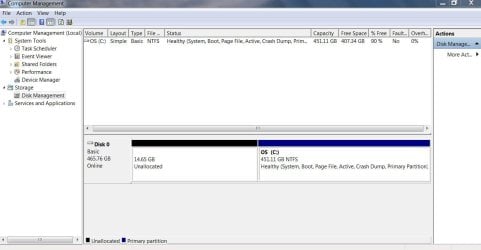
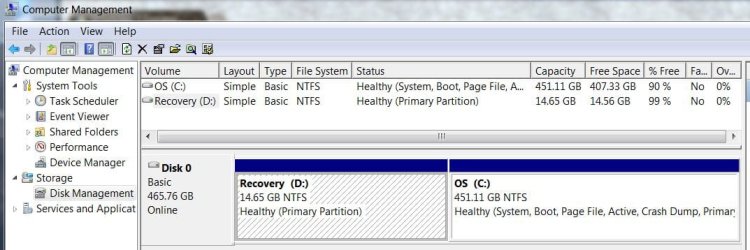
Had a dual boot Win 7/Ubuntu 10.10. Got rid of Ubuntu by deleting the partition it was on and extended the Win 7 volume. All of this done in Disk Management. At the end Disk Management showed that space now part of C drive. I restarted to check that the grub bootloader was no longer running startups and I get the Windows 7 startup screen and then the message "Windows configuring... Do not shut down computer". After running approximately 3 minutes appears a black screen with the following: error: no such partition. grub rescue > blinking cursor. I restart and get the error message immediately.
With some very good help from sevenforums members I was able to create a bootable USB repair disk (no optical drive). In System Recovery Options I attempted "Startup repair" and "System Restore". SysRestore said there were no restore points (??) and Startup repair found absolutely no errors (Target OS test, Boot manager diagnosis, System boot log diagnosis, Event log diagnosis and Boot status test all reported no errors). The details state "Boot status indicates that the OS booted successfully". This is not the case.
Before I use the command prompt in an attempt to repair a boot problem that Windows Recovery says doesn't exist, I thought I would seek the advice of those more knowlegeable about startup problems that me.
Thank you in advance for any help.
Had a dual boot Win 7/Ubuntu 10.10. Got rid of Ubuntu by deleting the partition it was on and extended the Win 7 volume. All of this done in Disk Management. At the end Disk Management showed that space now part of C drive. I restarted to check that the grub bootloader was no longer running startups and I get the Windows 7 startup screen and then the message "Windows configuring... Do not shut down computer". After running approximately 3 minutes appears a black screen with the following: error: no such partition. grub rescue > blinking cursor. I restart and get the error message immediately.
With some very good help from sevenforums members I was able to create a bootable USB repair disk (no optical drive). In System Recovery Options I attempted "Startup repair" and "System Restore". SysRestore said there were no restore points (??) and Startup repair found absolutely no errors (Target OS test, Boot manager diagnosis, System boot log diagnosis, Event log diagnosis and Boot status test all reported no errors). The details state "Boot status indicates that the OS booted successfully". This is not the case.
Before I use the command prompt in an attempt to repair a boot problem that Windows Recovery says doesn't exist, I thought I would seek the advice of those more knowlegeable about startup problems that me.
Thank you in advance for any help.
My Computer
- Computer type
- PC/Desktop
- Computer Manufacturer/Model Number
- Custom
- OS
- Windows 7 Home Premium x64
- CPU
- AMD A6-6400K APU
- Motherboard
- Gigabyte F2A88XM-D3H
- Memory
- 8.0GB DDR3-1600
- Graphics Card(s)
- Radeon Onboard Graphics
- Sound Card
- Realtek High Def
- Monitor(s) Displays
- Acer K242HQL
- Screen Resolution
- 1920x1080
- Hard Drives
- Samsung 850 EVO SSD 250GB
- PSU
- Corsair 430W
- Case
- Silverstone PS-08
- Cooling
- Enermax fans (120mm-intake, 80mm-exhaust)
- Keyboard
- Logitech K360
- Mouse
- Logitech M305 Cordless Optical
- Internet Speed
- Download 60.19Mbps Upload 6.71Mbps
- Antivirus
- AVG
- Browser
- Iron Version 51.0.2700.0 (64-bit)