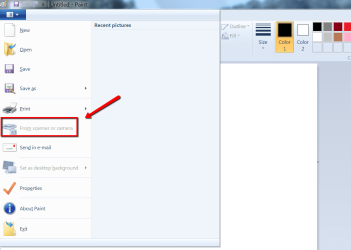
The scanner function on my MX850 multifunction printer has never worked with Windows 7. My printer is connected via Bluetooth and all print functions work just fine.
I used to access the scan function either via the Scan button on the printer itself or through the Canon Solution Menu "Scan/Import Photos or Documents". Now when selecting the "Scan/Import" button on the Solution Menu, I get the error: The scanner driver supported by this software is not installed.
I've uninstalled all Canon drivers/utilities and re-installed them from the Canon website and still get the same error when trying to access the scan function. Again, all regular print functions work just fine.
Help?
I used to access the scan function either via the Scan button on the printer itself or through the Canon Solution Menu "Scan/Import Photos or Documents". Now when selecting the "Scan/Import" button on the Solution Menu, I get the error: The scanner driver supported by this software is not installed.
I've uninstalled all Canon drivers/utilities and re-installed them from the Canon website and still get the same error when trying to access the scan function. Again, all regular print functions work just fine.
Help?
My Computer
- OS
- Windows 7 Professional x64