Hey guys.
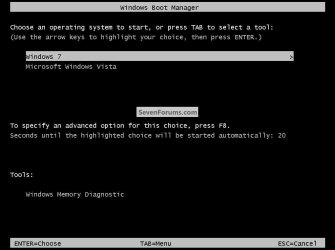
Ive been using Windows 7 Ultimate for a few months now, recently i decided to install a copy of XP on a spare hard drive i had, so i can dual boot into XP to play games on (i think it makes me play better, it certainly gives me more fps.) However i didn't realise that when i installed XP it would completely screw over my Windows 7 boot configuration/MBR.
When i boot my PC now, i dont get any advanced boot options it just boots straight into XP. When i try and select the physical hard drive that Windows 7 is installed on i get the error "NTLDR is missing ctrl + alt + dlt to reboot" which is amusing since Windows 7 doesnt actually use ntldr?
Ive done quite a bit of research and it seems the only way is to repair Windows 7. So i put my disc in and booted from it, but when i got into it, it goes straight into setup and tries to install a clean copy of Windows 7. I do get the advanced boot options screen before this, but there is no "repair" option, i tried pressing F8 but nothing happens, there are only the usual "last known good config", "safe mode", etc.
Anyone got an idea of what might be going wrong here? Would be greatly appreciated. Otherwise this will probably be what pushes me to buy a SSD drive
Ive been using Windows 7 Ultimate for a few months now, recently i decided to install a copy of XP on a spare hard drive i had, so i can dual boot into XP to play games on (i think it makes me play better, it certainly gives me more fps.) However i didn't realise that when i installed XP it would completely screw over my Windows 7 boot configuration/MBR.
When i boot my PC now, i dont get any advanced boot options it just boots straight into XP. When i try and select the physical hard drive that Windows 7 is installed on i get the error "NTLDR is missing ctrl + alt + dlt to reboot" which is amusing since Windows 7 doesnt actually use ntldr?
Ive done quite a bit of research and it seems the only way is to repair Windows 7. So i put my disc in and booted from it, but when i got into it, it goes straight into setup and tries to install a clean copy of Windows 7. I do get the advanced boot options screen before this, but there is no "repair" option, i tried pressing F8 but nothing happens, there are only the usual "last known good config", "safe mode", etc.
Anyone got an idea of what might be going wrong here? Would be greatly appreciated. Otherwise this will probably be what pushes me to buy a SSD drive
My Computer
- OS
- Windows 7 Ultimate x64
- CPU
- E6600
- Motherboard
- Gigabite P35C-DS3R
- Memory
- 2 x Corsair DDR2 800MHz 2GB
- Graphics Card(s)
- Nvidia Geforce 8800GTX
- Sound Card
- Onboard
- Monitor(s) Displays
- Samsung Syncmaster 20"
- PSU
- Modular 1000 Watt
- Case
- Xclio