Cant boot my from cd

sian21

New member
Member
Local time
4:25 PM
Messages
29
Location
Ireland
Ok here i got two disk one is original copy of windows xp and one is not original copy of windows 7 i tried both of them but none of them boot from my pc idk what to do i already tried changed the bios setting into boot into cd but it didn't work also i checked my dvd drive if it is broken but it's not any advice please? :(
 

My Computer

Computer Manufacturer/Model Number
Self-built
OS
Windows 7 Ultimate 32-bit
CPU
Intel Core 2 Duo E7300
Motherboard
MSI MS-7505
Memory
3072MB RAM DDR2
Graphics Card(s)
NVIDIA GEFORCE 9600 GT
Monitor(s) Displays
Samsung SyncMaster 920NW

My Computer

Computer Manufacturer/Model Number
Self-built
OS
Windows 7 Ultimate 32-bit
CPU
Intel Core 2 Duo E7300
Motherboard
MSI MS-7505
Memory
3072MB RAM DDR2
Graphics Card(s)
NVIDIA GEFORCE 9600 GT
Monitor(s) Displays
Samsung SyncMaster 920NW
You need to use a bootable CD/DVD at boot.
 

My Computer

OS
ME/XP/Vista/Win7
yeah i used a original copy of windows xp and also a win 7 but none of them boot from my pc .
 

My Computer

Computer Manufacturer/Model Number
Self-built
OS
Windows 7 Ultimate 32-bit
CPU
Intel Core 2 Duo E7300
Motherboard
MSI MS-7505
Memory
3072MB RAM DDR2
Graphics Card(s)
NVIDIA GEFORCE 9600 GT
Monitor(s) Displays
Samsung SyncMaster 920NW
When you try to boot from a CD, you usually get a little message on the left top of your screen shortly after you hit Enter that says "Press any Key". Maybe you missed that.
 

My Computer

Computer Manufacturer/Model Number
HP, Dell, Gateway, Toshiba - 4 laptops and 2 desktops
OS
Vista, Windows7, Mint Mate, Zorin, Windows 8
CPU
from 1.6GHz Duo to i7
Monitor(s) Displays
2x HP w2207
Hard Drives
5x HDD, 7x SSD, 12x Externals
Keyboard
with trackball - no mices
Mouse
Trackball mice
Internet Speed
DSL 6000
there is no such thing appear. When i'm in the black screen with a little straight line blinking
 

My Computer

Computer Manufacturer/Model Number
Self-built
OS
Windows 7 Ultimate 32-bit
CPU
Intel Core 2 Duo E7300
Motherboard
MSI MS-7505
Memory
3072MB RAM DDR2
Graphics Card(s)
NVIDIA GEFORCE 9600 GT
Monitor(s) Displays
Samsung SyncMaster 920NW
If you can tell us who manufactured your computer we can advise as to which key to press to get into your boot options.
 

My Computer

Computer Manufacturer/Model Number
HP Pavilion Elite 495UK
OS
Windows 7 Ultimate SP1 64-Bit
CPU
Intel Core i7 870 @ 2.93GHz
Motherboard
MSI 2A9C (CPU1)
Memory
8Gb Dual-Channel DDR3 @ 664MHz
Graphics Card(s)
nVidia GeForce GTX 460 1024MB dedicated RAM
Sound Card
Realtek HD Audio
Monitor(s) Displays
HP2310i
Screen Resolution
1920 x 1080
Hard Drives
1x1954GB Hitachi HDS22020ALA 330 (RAID), 1x1954GB Hitachi External for backup and storage
PSU
460W
Case
HP Elite
Cooling
Air cooled
Keyboard
Logitech K750 solar-powered keyboard
Mouse
Logitech Wireless M180 mouse
Internet Speed
2Mb
Other Info
Pure Avanti Flow Internet Radio with iPod Dock, 64Gb iPod, HP USB Speakers, Sony MDR-V500 Headphones, Sony Vaio F-Series Laptop
there is no such thing appear. When i'm in the black screen with a little straight line blinking
That would suggest that your DVD does not contain a valid .iso. Try to boot with the DVD on another system to verify the .iso status. You can always cancel it after "Loading Files".
 

My Computer

Computer Manufacturer/Model Number
HP, Dell, Gateway, Toshiba - 4 laptops and 2 desktops
OS
Vista, Windows7, Mint Mate, Zorin, Windows 8
CPU
from 1.6GHz Duo to i7
Monitor(s) Displays
2x HP w2207
Hard Drives
5x HDD, 7x SSD, 12x Externals
Keyboard
with trackball - no mices
Mouse
Trackball mice
Internet Speed
DSL 6000
my bios was american megatrends and it looks exactly like this...
cmos1.JPG
 

My Computer

Computer Manufacturer/Model Number
Self-built
OS
Windows 7 Ultimate 32-bit
CPU
Intel Core 2 Duo E7300
Motherboard
MSI MS-7505
Memory
3072MB RAM DDR2
Graphics Card(s)
NVIDIA GEFORCE 9600 GT
Monitor(s) Displays
Samsung SyncMaster 920NW
my bios was american megatrends and it looks exactly like this...
cmos1.JPG
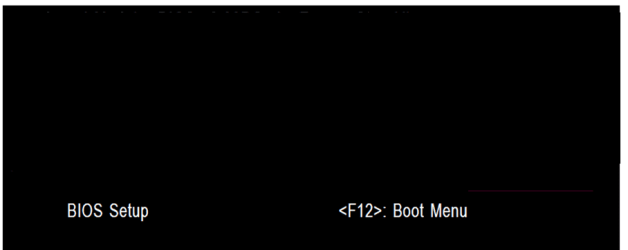
This is not the BiOS boot sequence screen but the setup screen. Look on the first splash screen - it should tell you how to get into the boot sequence (e.g. F12 or ESC)
 

My Computer

Computer Manufacturer/Model Number
HP, Dell, Gateway, Toshiba - 4 laptops and 2 desktops
OS
Vista, Windows7, Mint Mate, Zorin, Windows 8
CPU
from 1.6GHz Duo to i7
Monitor(s) Displays
2x HP w2207
Hard Drives
5x HDD, 7x SSD, 12x Externals
Keyboard
with trackball - no mices
Mouse
Trackball mice
Internet Speed
DSL 6000
You have to enter in to BIOS

Set your first boot device as CD/DVD.
Set your Hard disk as second boot device.

Now you need to save the BIOS settings and exit. If you don't save these values then the settings you made above does not hold good.

You can check this by saving the BIOS values, reboot and again enter the BIOS and check the boot sequence. It should be as above.

As you did not get the prompt " Press any key to boot into CD " when you put the bootable CD and restarted, I assume your hard disk does not contain windows OS.

Now try with the above settings...keep a bootable XP / Win 7 disk and reboot.

Now a few questions:
-----------------------
Do you see the hard disk in BIOS as second boot device?
What is the processor you have?
How much memory do you have?
Is it a desktop or laptop (Please fill up your system specs)
Was the computer was working before... with what OS?

We need all these answers to help you out.
 

My Computer

Computer Manufacturer/Model Number
Toshiba Satellite P775-S7232
OS
MS Windows 7 Ultimate 64-bit SP1
CPU
i5-2410M 2.3GHz (2.9GHz Turbo-Boost) Sandy Bridge 32nm
Motherboard
Toshiba PHRAA ver. PSBY1U-00F003
Memory
4GB+4GB Samsung DDR3 PC3-10700 (1333 MHz)
Graphics Card(s)
Video Intel(R) HD Graphics Family, 1696MB available memory
Sound Card
Realtek High Definition Audio version=6.0.1.6323
Monitor(s) Displays
17.3 " Trubrite TFT LCD, LED Backlit
Screen Resolution
1600x900 32 bit, Native support for 720P content
Hard Drives
TOSHIBA MK6476GSXN
580.614 [GB] partitioned C: 80GB and D: 500GB with hidden recovery partitons.

Spare bay for 2nd HDD but no SATA connector :-(
PSU
Toshiba AC/DC Adapter
Case
Notebook
Cooling
Built-in Fan
Keyboard
Premium Raised Tile keyboard
Mouse
Logitech M215 wireless mouse
Internet Speed
Not fast enough
Other Info
Built-in Harman Kardon speakers with Dolby Advanced Audio, Waves MaxxAudio® 3. HDMI, 1xUSB3+3xUSB2 ports, WebCam, Battery life 4hrs 11mins, 4GB Readyboost SDHC card, WD My Book Essential Ext HDDs 2 TB, 2x1TB, My Passport SE 1TB and WDTV 1st Gen for Multimedia playing on a Sony Wega 32" LCD.
Recent addition to my toys are Asus Transformer Pad TF300T with 32GB onboard sd card + 32GB microsd card.
You're not trying to boot a DVD with a CD only drive are you?
 

My Computer

Computer type
PC/Desktop
Computer Manufacturer/Model Number
Own build
OS
Windows 7x64 Home Premium SP1
CPU
Intel i7 2600k
Motherboard
ASUS P8Z68 Deluxe
Memory
G.Skill Ripjaws (DDR3-1600) 2x4GB
Graphics Card(s)
Nvidia GeForce GTS 450; Intel HD Graphics 3000(GT2+)
Monitor(s) Displays
Dell Ultrasharp IPS panel U2311H, Samsung SyncMaster P2350
Screen Resolution
1920x1080
Hard Drives
Samsung 850 Pro SSD 256GB, Samsung SSD 840 120GB, Seagates 1TB Barracuda ST31000528AS x2
PSU
Seasonic M12II 520W
Case
Lian Li Lancool PC-K60
Cooling
Case: 1x120mm, 3x140mm CPU: Hyper 212+
Keyboard
Logitech MK520 (wireless)
Mouse
Logitech MK520
Internet Speed
6-7 Mbps
Antivirus
Norton Security Premium, Malwarebytes on 2 (MSE on 3rd PC)
Browser
FireFox
Other Info
Audio: Logitech Z523 2.1
Back
Top