
You are using an out of date browser. It may not display this or other websites correctly.
You should upgrade or use an alternative browser.
You should upgrade or use an alternative browser.
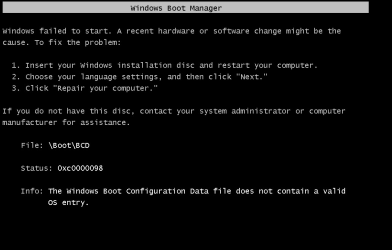
cant boot windows 2008
- Thread starter alexeias
- Start date


- Local time
- 11:14 AM
- Messages
- 7,391
Hi Alex,
try this
Rebuild BCD
1. Put the Windows installation disc in the disc drive, and then start the computer.
2. Press a key when the message indicating "Press any key to boot from CD or DVD …". appears.
3. Select a language, a time, a currency, and a keyboard or another input method, and then click Next.
4. Click Repair your computer.
5. Click the operating system that you want to repair, and then click Next.
6. In the System Recovery Options dialog box, click Command Prompt.
7. Type BOOTREC /FIXMBR, and then press ENTER.
8. Type BOOTREC /FIXBOOT, and then press ENTER.
9. Type BOOTREC /REBUILDBCD, and then press ENTER.
Roy
try this
Rebuild BCD
1. Put the Windows installation disc in the disc drive, and then start the computer.
2. Press a key when the message indicating "Press any key to boot from CD or DVD …". appears.
3. Select a language, a time, a currency, and a keyboard or another input method, and then click Next.
4. Click Repair your computer.
5. Click the operating system that you want to repair, and then click Next.
6. In the System Recovery Options dialog box, click Command Prompt.
7. Type BOOTREC /FIXMBR, and then press ENTER.
8. Type BOOTREC /FIXBOOT, and then press ENTER.
9. Type BOOTREC /REBUILDBCD, and then press ENTER.
Roy
My Computer
- Computer type
- PC/Desktop
- Computer Manufacturer/Model Number
- medionl/Aspire 6930G/acer x55a
- OS
- W7 home premium 32bit/W7HP 64bit/w10 tp insider ring
- CPU
- E5300 dual core
- Motherboard
- medion MS7366
- Memory
- 3gb
- Graphics Card(s)
- Nvidia Geforce 7100 Nforce 630i
- Monitor(s) Displays
- avixc
- Internet Speed
- n (isp resticted to 72)
- Antivirus
- mse/pands
- Browser
- palemoon
- Other Info
- Belkin Fd7050 n USB using Railink RT2870 drivers, more upto date

My Computer
- Computer type
- PC/Desktop
- OS
- windows server 2008 64

My Computer
- Computer type
- PC/Desktop
- OS
- windows server 2008 64