
Hi
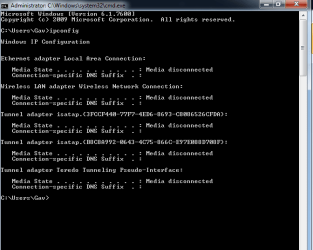
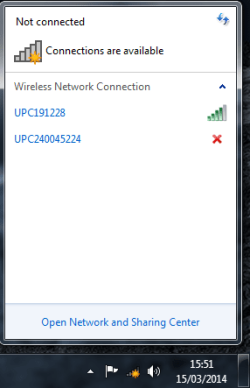
I recently re installed Windows 7 on a new hard drive. Everything went to plan and it works fine. Except now, for some reason there's a red x icon beside my wireless network (see attached pic) and I can't connect. The first time, I went to device manager, chose my wireless adapter (I use a wireless usb stick), went to advanced, and in the properties list, there was an item called "IEEE802.11H". It's value was set to disabled so I enabled it, and all began to work. However, the next day, the original problem was back, and the ieee802.11h is stil enabled.
I've tried various solutions that I saw on this forum and others such as netsh winsock etc, re-installing the wireless adapter driver.
I honestly don't know what else to do, or what could be causing this. Any help would be greatly appreciated.
I recently re installed Windows 7 on a new hard drive. Everything went to plan and it works fine. Except now, for some reason there's a red x icon beside my wireless network (see attached pic) and I can't connect. The first time, I went to device manager, chose my wireless adapter (I use a wireless usb stick), went to advanced, and in the properties list, there was an item called "IEEE802.11H". It's value was set to disabled so I enabled it, and all began to work. However, the next day, the original problem was back, and the ieee802.11h is stil enabled.
I've tried various solutions that I saw on this forum and others such as netsh winsock etc, re-installing the wireless adapter driver.
I honestly don't know what else to do, or what could be causing this. Any help would be greatly appreciated.
Attachments
My Computer
At a glance
Windows 7 Ultimate x644gb
- Computer type
- PC/Desktop
- Computer Manufacturer/Model Number
- Compaq Presario
- OS
- Windows 7 Ultimate x64
- Memory
- 4gb


