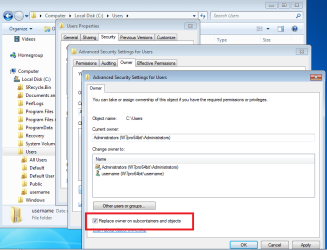
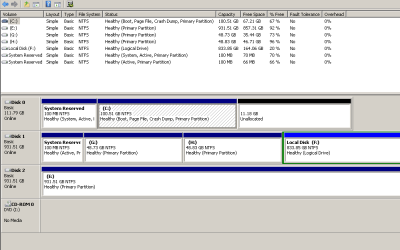
Hi. Here's what I've just finished doing: 1) Built a new PC with a new SSD for the OS. Got it up and running. 2) Took the HDD from the old PC and fitted it to the new PC (for use as file storage). 3) Deleted the Windows-related files from the old HDD (perf logs etc). (Had to 'Take Ownership') to do that.) Unfortunately, I'm left with one Windows-related file that I can't delete – 'Users'. I've taken ownership of it but whether I log on as myself or with the Administrator account, I get the message: 'You require permission from TOM-PC\TOM to make changes to this folder'. (I'm Tom.) A bit odd – can anyone suggest what I need do to delete this folder? Thanks in advance.
My Computer
At a glance
Microsoft Windows 7 Ultimate 64-bit 7601 Mult...Intel(R) Core(TM) i3-4150 CPU @ 3.50GHz8.00 GBIntel(R) HD Graphics 4400
- Computer type
- PC/Desktop
- Computer Manufacturer/Model Number
- self build
- OS
- Microsoft Windows 7 Ultimate 64-bit 7601 Multiprocessor Free Service Pack 1
- CPU
- Intel(R) Core(TM) i3-4150 CPU @ 3.50GHz
- Motherboard
- ASUSTeK COMPUTER INC. H97M-PLUS
- Memory
- 8.00 GB
- Graphics Card(s)
- Intel(R) HD Graphics 4400
- Sound Card
- (1) High Definition Audio Device (2) USB Audio Device
- Screen Resolution
- 1024 x 768 x 32 bits (4294967296 colors) @ 75 Hz
- Hard Drives
- (1) SAMSUNG HD103SI ATA Device (2) Samsung SSD 840 EVO 120GB ATA Device (3) ST31000528AS ATA Device (4) GENERIC USB Storage-CFC USB Device (5) GENERIC USB Storage-MSC USB Device (6) GENERIC USB Storage-SDC USB Device (7) GENERIC USB Stora
- PSU
- Corsair CXM 430W Modular 80 PLUS Bronze
- Antivirus
- Panda Free
- Browser
- Firefox+NoScript, AdBlockPlus, Disconnect