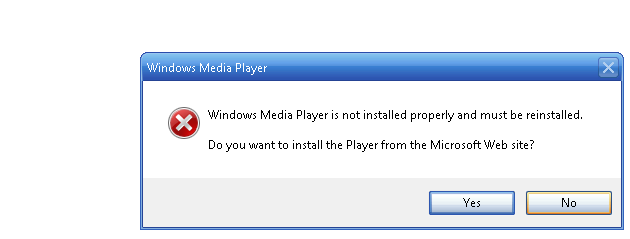
can't disable program compatability assisant

Shub Niggurath

New member
Member
Local time
4:17 AM
Messages
42
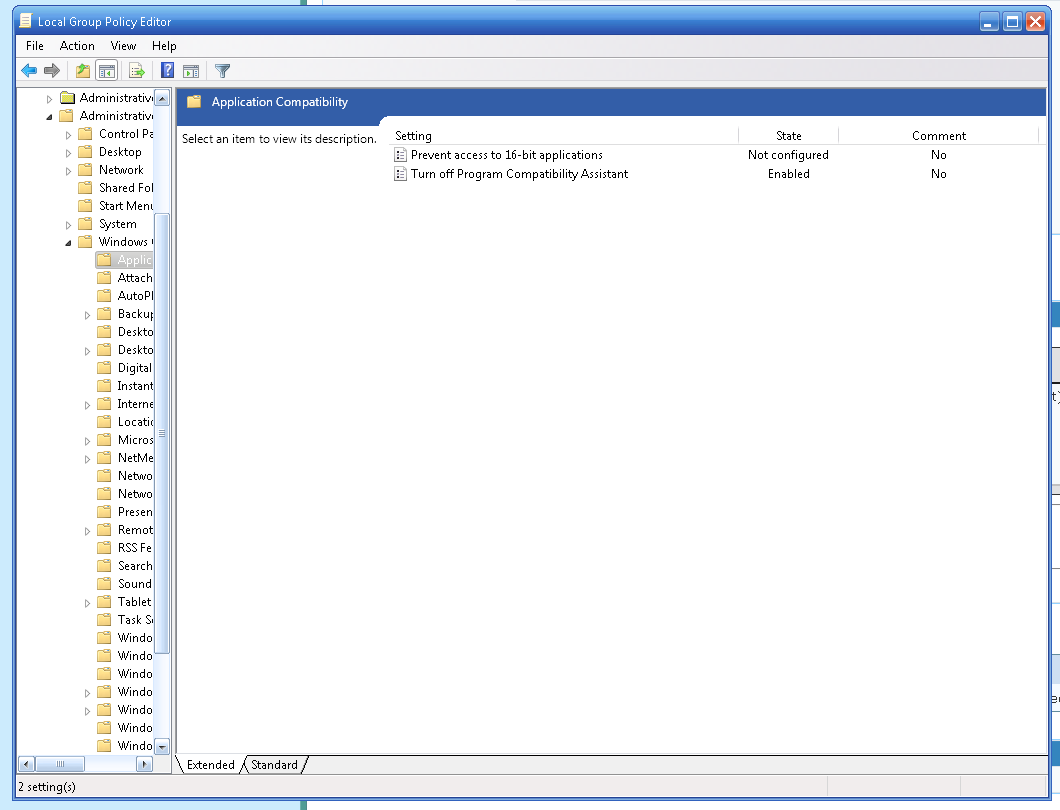
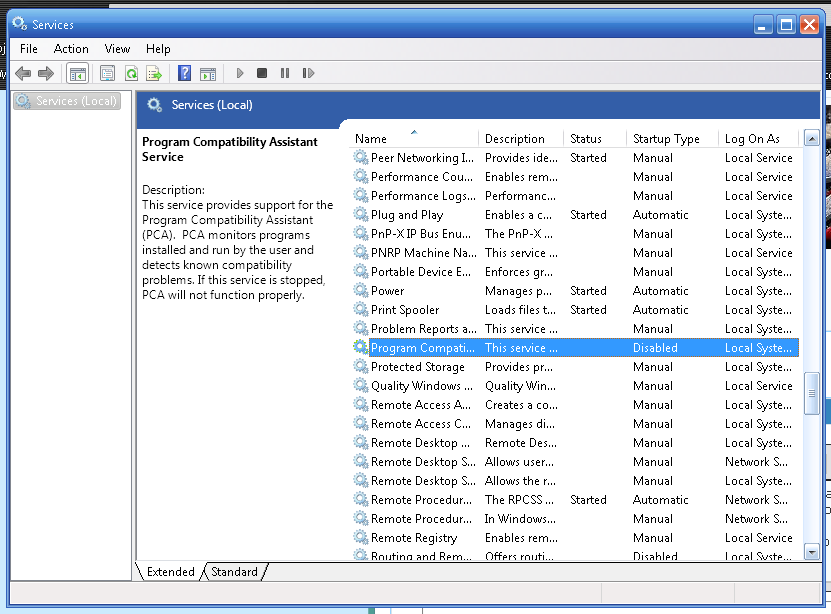
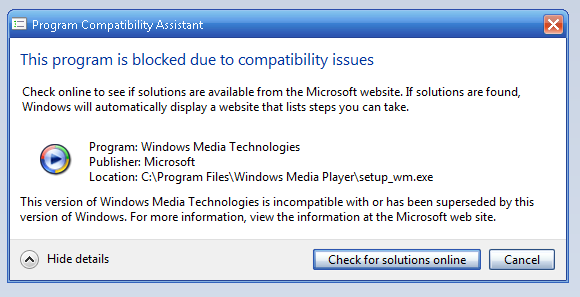
I have them disabled in both services.msc and gpedit.msc, but when I try to run certain programs it still comes up with this:
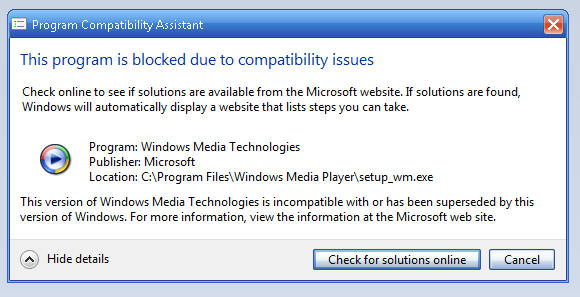
QHDVnmW.png


How do I fix this? This is just wrong and restrictive.
 

My Computer

Computer type
PC/Desktop
OS
Windows 7 Ultimate 64-bit
Monitor(s) Displays
HP P1130, AOC ????
Screen Resolution
1600x1200, 1920x1080
Is this on Windows 7? The icon, and the skin look Windows XP Pro / MC Edition. Can you give us any more information?
 

My Computer

Computer type
PC/Desktop
Computer Manufacturer/Model Number
Custom Built
OS
Windows 8 64bit Professional
CPU
Intel Q9400 Quad Core 2.66Ghz
Motherboard
Gigabyte
Memory
G.Skill 4GB DDR3-1600
Graphics Card(s)
NVidia GeForce 560GTX
Sound Card
On-board
Monitor(s) Displays
24" LCD
Screen Resolution
1920x1080
Hard Drives
160GB WD
WD Caviar Black 640GB
WD 500GB
WD 1TB
WD 1TB
PSU
Cooler Master 1300W Silent Pro
Case
Sunbeam Transformer Black
Cooling
Fans
Keyboard
Logitech G15 (Original Screen + 18G Keys)
Mouse
Logitech MX518
Internet Speed
10mbit up/down Fiber Optic
Browser
FireFox / Chrome
Other Info
SF is amazing!
It's Windows 7 using XP Royale skin, Windows 7 x64 Ultimate. I am getting WMP10 (because I prefer it) to install, I've followed through the steps on this post but they haven't worked for me.

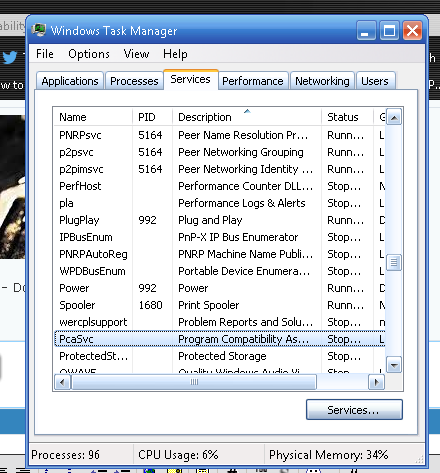
I disable Program Compatibility Assistant in Local Group Policy Editor and Services:

2I1fS0l.png


EcN2vjI.png


iPpw6ei.png


But it still shows this:

rv8qVwT.png


One notable thing is that in the Registry Editor I didn't find "Installed Versions", I simply figured it wasn't there:

kfiGLmS.png
 

My Computer

Computer type
PC/Desktop
OS
Windows 7 Ultimate 64-bit
Monitor(s) Displays
HP P1130, AOC ????
Screen Resolution
1600x1200, 1920x1080
Hello?
 

My Computer

Computer type
PC/Desktop
OS
Windows 7 Ultimate 64-bit
Monitor(s) Displays
HP P1130, AOC ????
Screen Resolution
1600x1200, 1920x1080
I found out why PCA was still on, I got it now but now I have a new error:

6FO0pg0.png


Can somebody PLEASE help me?
 

My Computer

Computer type
PC/Desktop
OS
Windows 7 Ultimate 64-bit
Monitor(s) Displays
HP P1130, AOC ????
Screen Resolution
1600x1200, 1920x1080
If you click, yes, what happens? I haven't seen a problem like this in Windows 7 before.
 

My Computer

Computer type
PC/Desktop
Computer Manufacturer/Model Number
Custom Built
OS
Windows 8 64bit Professional
CPU
Intel Q9400 Quad Core 2.66Ghz
Motherboard
Gigabyte
Memory
G.Skill 4GB DDR3-1600
Graphics Card(s)
NVidia GeForce 560GTX
Sound Card
On-board
Monitor(s) Displays
24" LCD
Screen Resolution
1920x1080
Hard Drives
160GB WD
WD Caviar Black 640GB
WD 500GB
WD 1TB
WD 1TB
PSU
Cooler Master 1300W Silent Pro
Case
Sunbeam Transformer Black
Cooling
Fans
Keyboard
Logitech G15 (Original Screen + 18G Keys)
Mouse
Logitech MX518
Internet Speed
10mbit up/down Fiber Optic
Browser
FireFox / Chrome
Other Info
SF is amazing!
Back
Top