
Can't Get a Dual-Boot Windows 7/Ubuntu Installation Going

rebelagentm

New member
Local time
12:12 AM
Messages
43
I have two hard drives on my computer, one for my OS and apps (C:), and one for my data (D:). I recently reformatted my C: drive, re-installing Windows 7. I want to set up a dual-boot system with Ubuntu 10.04.

The problem I am having is that the Ubuntu installer recognizes my D: drive but not the C:. The C: drive is currently partitioned as follows:

100 MB NTFS Primary System Reserved
449.59 GB NTFS Primary
146.48 GB Unallocated

I have searched all over the net for answers, but none of the solutions I have found work.

Any thoughts?
 

My Computer My Computer

At a glance

Windows 7 ProfessionalIntel i7-93012 GB (3 4GB modules) of OCZ Reaper Edition 2...XFX Core Edition GS250XZSL4 GeForce GTS 250 1...
OS
Windows 7 Professional
CPU
Intel i7-930
Motherboard
ASUS P6X58D-E
Memory
12 GB (3 4GB modules) of OCZ Reaper Edition 240-Pin DDR3 SDR
Graphics Card(s)
XFX Core Edition GS250XZSL4 GeForce GTS 250 1 GB 256-bit DDR
Hard Drives
Western Digital Caviar Black WD100FALS 1TB 7200 RPM SATA 3.0Gb/s Internal Hard Drive -This is my D: drive for data

Western Digital Caviar Black WD6402AAEX 640GB 7200 RPM SATA 6.0Gb/s Internal Hard Drive -This is my C: drive for the OS and my apps
PSU
Antec EarthWatts EA750 750W Power Supply
You say, you have two HD Drive, therefore you have a Disk0 & a Disk1.

When installing Linux
1) Remove Disk0 with Windows 7.
2) Install Linux to Disk1
3) Replace Disk0.
4) Use the one time boot menu to boot the OS's.

GA BIOS2.PNG
 

My Computer My Computer

At a glance

ME/XP/Vista/Win7
OS
ME/XP/Vista/Win7
Hello rebelagentm, welcome to Seven Forums!


   Information

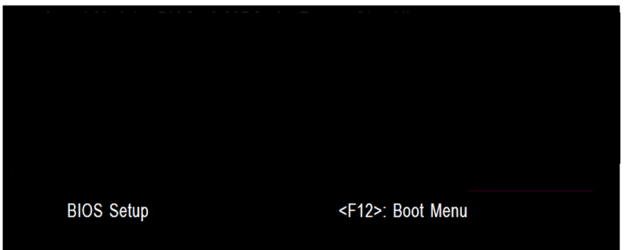
The easiest way to do away with boot issues between separate Operating Systems (OS) is to use the BIOS one time boot menu to select which OS to boot at system startup, each motherboard has an individual hot-key to tap during system start-up to access this menu.

If you have 2 separate Hard Disk Drives (HDD) and have one OS installed to one HDD and you want to install another OS to the second HDD, disconnect the HDD with the first OS installed on it and leave only the HDD you want to install the second OS to connected.

Install the second OS to the connected HDD and when complete and the system is booting good, power down and reconnect the first HDD with the first OS on it.

This way the OSs will boot independently of each other and there will be no boot conflicts between the 2 separate OSs to have to sort later.


Then set the BIOS to boot the HDD / OS you want as default and if you want to start the other (new) OS you use the BIOS one-time boot menu to select that HDD / OS to start when the PC is started.
  • Asus - F8
  • HP/Compaq - Esc
  • Sony - F2
  • Acer – F12
  • Packard Bell
  • Gateway - F10
  • eMachnes - F10
  • Gigabyte – F12
  • Toshiba - F12
  • Dell - F12
 

My Computer My Computer

At a glance

W 7 64-bit UltimateIntel Q9550 Yorkfield8GB Dominator 8500C5DATI : XFX 5870
Computer Manufacturer/Model Number
* BFK Customs *
OS
W 7 64-bit Ultimate
CPU
Intel Q9550 Yorkfield
Motherboard
ASUS P5Q Pro
Memory
8GB Dominator 8500C5D
Graphics Card(s)
ATI : XFX 5870
Sound Card
Realtek HD Audio 7-1
Monitor(s) Displays
1x 47" LCD HDMI & 3x 26" LCD HDMI
Screen Resolution
1920x1080P & 1920x1200
Hard Drives
1x 80GB Intel X25-M G2 SSD : 1x 500GB & 1x 640GB WD Caviar Black(s)
PSU
Corsair 620HX
Case
Cooler Master RC-690
Cooling
Tuniq Tower 120, 2x 140mm and 3x 120mm case fans
Keyboard
Microsoft 500
Mouse
Razer Diamondback 3G
Internet Speed
14 Mb/s
Other Info
1x Koutech 3Gb/s SATA HDD Hot Swap Rack
Thank you, guys!

I should have been more specific. I want to install both OSs to the same hard drive, just separate partitions. I created a disc for Ubuntu 11.04 it was able to recognize both drives where the 10.04 disc couldn't.

So, I now have both operating systems installed, but I am still having an issue. I used Windows' built-in BCDEdit to add an entry for Ubuntu to my bootloader. When I start the computer up, I get the boot menu with both options, but when I choose Ubuntu, the screen just sits there with a blinking cursor and never loads the OS.

Any thoughts?
 

My Computer My Computer

At a glance

Windows 7 ProfessionalIntel i7-93012 GB (3 4GB modules) of OCZ Reaper Edition 2...XFX Core Edition GS250XZSL4 GeForce GTS 250 1...
OS
Windows 7 Professional
CPU
Intel i7-930
Motherboard
ASUS P6X58D-E
Memory
12 GB (3 4GB modules) of OCZ Reaper Edition 240-Pin DDR3 SDR
Graphics Card(s)
XFX Core Edition GS250XZSL4 GeForce GTS 250 1 GB 256-bit DDR
Hard Drives
Western Digital Caviar Black WD100FALS 1TB 7200 RPM SATA 3.0Gb/s Internal Hard Drive -This is my D: drive for data

Western Digital Caviar Black WD6402AAEX 640GB 7200 RPM SATA 6.0Gb/s Internal Hard Drive -This is my C: drive for the OS and my apps
PSU
Antec EarthWatts EA750 750W Power Supply
It would have been a 'wiser' option to install to separate Hard Disk Drives, as you're now seeing.
 

My Computer My Computer

At a glance

W 7 64-bit UltimateIntel Q9550 Yorkfield8GB Dominator 8500C5DATI : XFX 5870
Computer Manufacturer/Model Number
* BFK Customs *
OS
W 7 64-bit Ultimate
CPU
Intel Q9550 Yorkfield
Motherboard
ASUS P5Q Pro
Memory
8GB Dominator 8500C5D
Graphics Card(s)
ATI : XFX 5870
Sound Card
Realtek HD Audio 7-1
Monitor(s) Displays
1x 47" LCD HDMI & 3x 26" LCD HDMI
Screen Resolution
1920x1080P & 1920x1200
Hard Drives
1x 80GB Intel X25-M G2 SSD : 1x 500GB & 1x 640GB WD Caviar Black(s)
PSU
Corsair 620HX
Case
Cooler Master RC-690
Cooling
Tuniq Tower 120, 2x 140mm and 3x 120mm case fans
Keyboard
Microsoft 500
Mouse
Razer Diamondback 3G
Internet Speed
14 Mb/s
Other Info
1x Koutech 3Gb/s SATA HDD Hot Swap Rack
It would have been a 'wiser' option to install to separate Hard Disk Drives, as you're now seeing.

I understand that would have been the easier or "wiser" option, but I wanted to keep that second drive solely as a data drive.

I know a lot of people have set their systems up this way. My curiosity just has me wondering why mine is not working.
 

My Computer My Computer

At a glance

Windows 7 ProfessionalIntel i7-93012 GB (3 4GB modules) of OCZ Reaper Edition 2...XFX Core Edition GS250XZSL4 GeForce GTS 250 1...
OS
Windows 7 Professional
CPU
Intel i7-930
Motherboard
ASUS P6X58D-E
Memory
12 GB (3 4GB modules) of OCZ Reaper Edition 240-Pin DDR3 SDR
Graphics Card(s)
XFX Core Edition GS250XZSL4 GeForce GTS 250 1 GB 256-bit DDR
Hard Drives
Western Digital Caviar Black WD100FALS 1TB 7200 RPM SATA 3.0Gb/s Internal Hard Drive -This is my D: drive for data

Western Digital Caviar Black WD6402AAEX 640GB 7200 RPM SATA 6.0Gb/s Internal Hard Drive -This is my C: drive for the OS and my apps
PSU
Antec EarthWatts EA750 750W Power Supply

My Computer My Computer

At a glance

W 7 64-bit UltimateIntel Q9550 Yorkfield8GB Dominator 8500C5DATI : XFX 5870
Computer Manufacturer/Model Number
* BFK Customs *
OS
W 7 64-bit Ultimate
CPU
Intel Q9550 Yorkfield
Motherboard
ASUS P5Q Pro
Memory
8GB Dominator 8500C5D
Graphics Card(s)
ATI : XFX 5870
Sound Card
Realtek HD Audio 7-1
Monitor(s) Displays
1x 47" LCD HDMI & 3x 26" LCD HDMI
Screen Resolution
1920x1080P & 1920x1200
Hard Drives
1x 80GB Intel X25-M G2 SSD : 1x 500GB & 1x 640GB WD Caviar Black(s)
PSU
Corsair 620HX
Case
Cooler Master RC-690
Cooling
Tuniq Tower 120, 2x 140mm and 3x 120mm case fans
Keyboard
Microsoft 500
Mouse
Razer Diamondback 3G
Internet Speed
14 Mb/s
Other Info
1x Koutech 3Gb/s SATA HDD Hot Swap Rack
Generally speaking, you want to install Ubuntu first and install grub2 to the MBR of the drive you are installing on. Then you install windows. When you are done with the windows install, boot into Ubuntu and run sudo update-grub. This will search for other operating systems and add them to the grub boot menu. Every time you add another OS, just go back into Ubuntu and update grub again. There is allot of information on this in the Ubuntu Installation and Upgrades forum.

This works pretty well overall, but I have had a few glitches installing other flavors of Linux. There are workarounds for this as well if you run into an issue.

LMHmedchem
 

My Computer My Computer

At a glance

Windows 7 64-bit enterprisei5 2500KG.Skill Ripjaws X 2x2GB DDR3 1600MHz, 9-9-9-2...
OS
Windows 7 64-bit enterprise
CPU
i5 2500K
Motherboard
Gigabyte GA-Z68X-UD3H-B3
Memory
G.Skill Ripjaws X 2x2GB DDR3 1600MHz, 9-9-9-24-2n, 1.5v
Hard Drives
Western Digital Caviar Blue 500GB (Boot drive)
Western Digital Caviar Blue 500GB (Backup drive)
PSU
Corsair 650TX 650W
Case
Diablotek EVO
Cooling
CM Hyper 212+, Delta 113CFM PWM fan, MX-4
Generally speaking, you want to install Ubuntu first and install grub2 to the MBR of the drive you are installing on. Then you install windows. When you are done with the windows install, boot into Ubuntu and run sudo update-grub. This will search for other operating systems and add them to the grub boot menu. Every time you add another OS, just go back into Ubuntu and update grub again. There is allot of information on this in the Ubuntu Installation and Upgrades forum.

This works pretty well overall, but I have had a few glitches installing other flavors of Linux. There are workarounds for this as well if you run into an issue.

LMHmedchem

Thanks for the suggestions! The problem I have heard with the method you described is that GRUB often becomes corrupted and therefore Ubuntu becomes un-bootable whenever Windows updates are installed.

So, for that reason, I installed GRUB to /boot as opposed to my MBR partition.

Do you know anything about that?
 

My Computer My Computer

At a glance

Windows 7 ProfessionalIntel i7-93012 GB (3 4GB modules) of OCZ Reaper Edition 2...XFX Core Edition GS250XZSL4 GeForce GTS 250 1...
OS
Windows 7 Professional
CPU
Intel i7-930
Motherboard
ASUS P6X58D-E
Memory
12 GB (3 4GB modules) of OCZ Reaper Edition 240-Pin DDR3 SDR
Graphics Card(s)
XFX Core Edition GS250XZSL4 GeForce GTS 250 1 GB 256-bit DDR
Hard Drives
Western Digital Caviar Black WD100FALS 1TB 7200 RPM SATA 3.0Gb/s Internal Hard Drive -This is my D: drive for data

Western Digital Caviar Black WD6402AAEX 640GB 7200 RPM SATA 6.0Gb/s Internal Hard Drive -This is my C: drive for the OS and my apps
PSU
Antec EarthWatts EA750 750W Power Supply
Generally speaking, you want to install Ubuntu first and install grub2 to the MBR of the drive you are installing on. Then you install windows. When you are done with the windows install, boot into Ubuntu and run sudo update-grub. This will search for other operating systems and add them to the grub boot menu. Every time you add another OS, just go back into Ubuntu and update grub again. There is allot of information on this in the Ubuntu Installation and Upgrades forum.

This works pretty well overall, but I have had a few glitches installing other flavors of Linux. There are workarounds for this as well if you run into an issue.

LMHmedchem

Thanks for the suggestions! The problem I have heard with the method you described is that GRUB often becomes corrupted and therefore Ubuntu becomes un-bootable whenever Windows updates are installed.

So, for that reason, I installed GRUB to /boot as opposed to my MBR partition.

Do you know anything about that?
If you are using grub2, there should be one and only one installation of grub2 on the mbr of the drive. There will be all kinds of problems with other configurations. In many situations, there is an existing legacy grub install (or several) on the drive. It is necessary to un-install all other versions of grub and have just the one grub2 install. I have never heard of win7 updates causing issues. I don't know why win7 would mess with either the MBR or grub, since this is a tool that the motherboard bios uses to decide which OS to boot up.

One other caviat. When you install windows, I don't remember if you get a prompt asking if you want to install grub, etc. If you do get such a prompt, you want to skip the install of grub.

Have you asked this at the Ubuntu forums? They would know if there were issues with grub getting borked by windows update. I have read hundreds of posts over there and never seen that mentioned. Worst case, you could boot with supergrub and re-install grub in Ubuntu. That would be a pain if you had to do it for every update.

LMHmedchem
 

My Computer My Computer

At a glance

Windows 7 64-bit enterprisei5 2500KG.Skill Ripjaws X 2x2GB DDR3 1600MHz, 9-9-9-2...
OS
Windows 7 64-bit enterprise
CPU
i5 2500K
Motherboard
Gigabyte GA-Z68X-UD3H-B3
Memory
G.Skill Ripjaws X 2x2GB DDR3 1600MHz, 9-9-9-24-2n, 1.5v
Hard Drives
Western Digital Caviar Blue 500GB (Boot drive)
Western Digital Caviar Blue 500GB (Backup drive)
PSU
Corsair 650TX 650W
Case
Diablotek EVO
Cooling
CM Hyper 212+, Delta 113CFM PWM fan, MX-4
Back
Top