can't install windows 7 normally

mimo

New member
Local time
2:26 PM
Messages
5
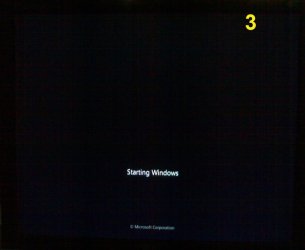
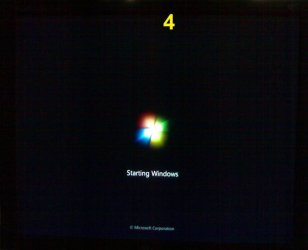
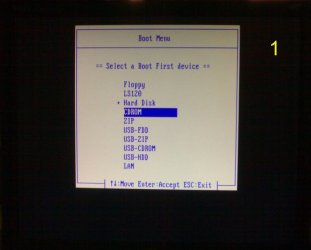
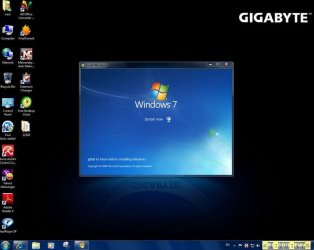
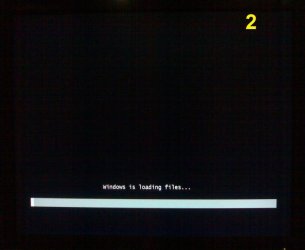
When I try a custom install of windows 7 from the DVD . I am doing that at the startup I select boot from CD Rom and after get the screen that says "loading files"

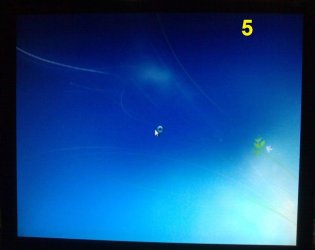
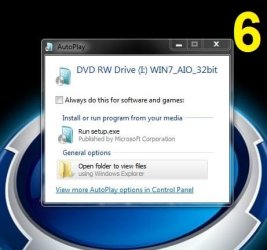
and after starting windows i get the auto play window in the screen

I have this setup

win 7 ultimate 32bit
Gigabyte 945pl-s3p socket 775 Motherboard
intel pentium 4 631
2 gb Ram
nvidia Geforce 7300se/ 7200 GS
156 GB western Digital wds
HL-DT-ST DVD-RAM GH22np20
 

Attachments
  • 51528796.jpg
    51528796.jpg
    38 KB · Views: 1
  • 85018840.jpg
    85018840.jpg
    32.7 KB · Views: 0
  • 26731717.jpg
    26731717.jpg
    35 KB · Views: 0
  • 85839740.jpg
    85839740.jpg
    34.6 KB · Views: 1
  • capture1bs.jpg
    capture1bs.jpg
    33.2 KB · Views: 1

My Computer

OS
Windows 7 Ultimate x64
The DVD is not booting. Have you set the DVD (not CD) drive to boot first in BIOS setup? How to Boot your Computer from a Bootable CD or DVD. Or use the one-time BIOS Boot Menu key given on first screen.

Where did you get Win7? Did you burn the DVD yourself? If so, confirm the ISO integrity and burn another DVD using ImgBUrn at 4x speed, or write to flash stick using this tool with Win7 in dropdown menu: Universal USB Installer – Easy as 1 2 3 | USB Pen Drive Linux Then boot under USB or HD's.
 
Thank you for your advice her is my seetings are in the picture
 

Attachments

  • 48488179.jpg
    48488179.jpg
    38.8 KB · Views: 10

My Computer

OS
Windows 7 Ultimate x64
Hello mimo, welcome to Seven Forums!


It's always better to boot the Windows 7 DVD to do the install as Greg has said, do not run the setup from the Windows desktop.
 

My Computer

Computer Manufacturer/Model Number
* BFK Customs *
OS
W 7 64-bit Ultimate
CPU
Intel Q9550 Yorkfield
Motherboard
ASUS P5Q Pro
Memory
8GB Dominator 8500C5D
Graphics Card(s)
ATI : XFX 5870
Sound Card
Realtek HD Audio 7-1
Monitor(s) Displays
1x 47" LCD HDMI & 3x 26" LCD HDMI
Screen Resolution
1920x1080P & 1920x1200
Hard Drives
1x 80GB Intel X25-M G2 SSD : 1x 500GB & 1x 640GB WD Caviar Black(s)
PSU
Corsair 620HX
Case
Cooler Master RC-690
Cooling
Tuniq Tower 120, 2x 140mm and 3x 120mm case fans
Keyboard
Microsoft 500
Mouse
Razer Diamondback 3G
Internet Speed
14 Mb/s
Other Info
1x Koutech 3Gb/s SATA HDD Hot Swap Rack
Do you have a DVD drive?

It looks like you've compiled or downnloaded an AIO version of Win7. Where did you get it? It could easily be corrupted to not boot. Load the ISO into ImgBurn to see if it says "bootable" in the text at left. If so, burn another using ImgBUrn at 4x speed with Verify. Or use the tool above to write to USB stick, then boot under that listing.

How do you plan to activate Win7?
 
Thank you gregrocker for your help . I used 4 deffrent win 7 dvd and the same problem
I can instal the windows7 using the same win 7 Dvd on my friend pc with no problem.

I can run the setup from win 7 but when boot from the Dvd the same problem again
 

Attachments

  • 23916040.jpg
    23916040.jpg
    41.5 KB · Views: 5

My Computer

OS
Windows 7 Ultimate x64
Yes i have a dvd drive

these is my windows
Windows 7 Ultimate with Service Pack 1 (x86) - DVD (English)

File Name: en_windows_7_ultimate_with_sp1_x86_dvd_u_677460.is o
Date Published (UTC): 5/12/2011 2:45:59 PM
Last Updated (UTC): 5/12/2011 2:45:59 PM
SHA1: 65FCE0F445D9BF7E78E43F17E441E08C63722657
ISO/CRC: 35511F11

it says bootable
I will activate windows using oem key
 

My Computer

OS
Windows 7 Ultimate x64
What happens if you just close the autorun dialog at that point?
 

My Computers

System One System Two

  • Computer type
    PC/Desktop
    OS
    7 X64
    CPU
    i5 8400
    Motherboard
    gigabyte b365m ds3h
    Memory
    2x8gb 3200mhz
    Hard Drives
    various
    PSU
    pure power 11 400w cm
    Case
    Coolermaster
    Cooling
    cryorig m9i
  • Computer type
    PC/Desktop
    OS
    7x64
    CPU
    g5400
    Motherboard
    ga b365m ds3h
    Memory
    8gb ddr4 2400
    PSU
    xfx pro 450w
Back
Top