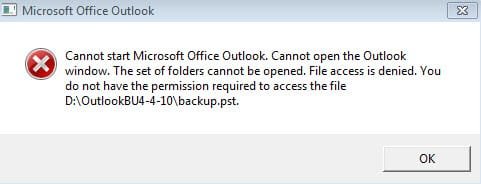
I posted this thread by accident somewhere else, so apologies for the redundancies if caught.
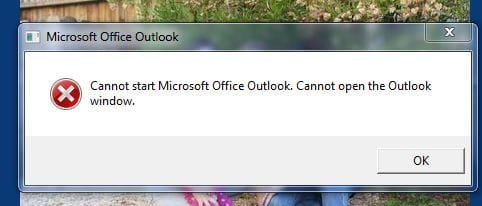
In any event, the weirdest thing. I was working on my Dell running Win7 and Office 2007, doing business as usual and I decided to reboot because I hadn't in a while. After doing so, I went to launch Outlook again to check my email and it wouldn't open. The Outlook window would begin to appear and then a message window would pop up (see pic below) and Outlook wouldn't open.
I tried rebooting again and using both the Quick Launch icon and the shortcut on my Desktop, but no luck.
Can anyone help? I would rather than not have to reinstall Windows.
In any event, the weirdest thing. I was working on my Dell running Win7 and Office 2007, doing business as usual and I decided to reboot because I hadn't in a while. After doing so, I went to launch Outlook again to check my email and it wouldn't open. The Outlook window would begin to appear and then a message window would pop up (see pic below) and Outlook wouldn't open.
I tried rebooting again and using both the Quick Launch icon and the shortcut on my Desktop, but no luck.
Can anyone help? I would rather than not have to reinstall Windows.
Attachments
My Computer
- OS
- Windows 7