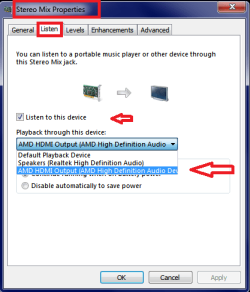
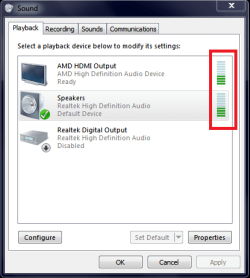
I'm using an Asus P7P55D-E LX Motherboard, I've recently switched to Windows 7 from XP. When I was on XP I was outputting sound through my motherboard's Optical Cable to a surround sound system, but I also had a pair of headphones connected into the headphone jack of the motherboard, both received sound at the same time.
It would seem I can't do this, at least not with the default settings of Windows 7? What gives? I can only set one default, I can't seem to make sound come out of both... this is very inconvenient.
It would seem I can't do this, at least not with the default settings of Windows 7? What gives? I can only set one default, I can't seem to make sound come out of both... this is very inconvenient.
My Computer
At a glance
Windows 7 Ultimate 64Intel(R) Core(TM) i5 CPU 750 @ 2.67GHz12.00 GBATI Radeon HD 5700 Series (1 gig I think)
- Computer type
- PC/Desktop
- Computer Manufacturer/Model Number
- Custom Build
- OS
- Windows 7 Ultimate 64
- CPU
- Intel(R) Core(TM) i5 CPU 750 @ 2.67GHz
- Motherboard
- ASUSTeK Computer INC. P7P55D-E LX
- Memory
- 12.00 GB
- Graphics Card(s)
- ATI Radeon HD 5700 Series (1 gig I think)
- Sound Card
- (1) M-Audio Revolution 5.1 (2) AMD High Definition Audio D
- Monitor(s) Displays
- Asus VE278H 27"
- Screen Resolution
- 1920x1080
- Hard Drives
- (1) MAXTOR STM3250310AS ATA Device (2) ST2000DM001-1CH164 ATA Device (3) ST2000DM001-1ER164 ATA Device (4) WDC WD10EARS-22Y5B1 ATA Device (5) Generic USB SD Reader USB Device
- PSU
- OCZ700