Cant remove norton

mustangman16

Bringer of Questions
Power User
Local time
9:25 PM
Messages
114
Alright so i used revo-uninstaller to uninstall norton from my computer but apparantly I installed norton twice... some weird ****. So the one norton i uninstalled is gone and if i search for norton in revo-uninstaller and windows uninstaller norton isnt there but its icon is on my taskbar and its running cause i can open it. The only problem is i can't delete its folder in program files because it is running. Is there a way to turn it off or remove it from my computer since my uninstallers arent reconizing it?

-stang
 

My Computer

Computer Manufacturer/Model Number
Dell XPS M1530
OS
Windows 7 Build 7229 x86
CPU
Intel Core 2 Duo T7250 (2.0GHz/800Mhz FSB 2M L2 Cache)
Memory
4.00 GB DDR2, 667MHz 2 Dimm
Graphics Card(s)
128MB NVIDIA GeForce 8400M G
Sound Card
SigmaTel High Definition Audio
Monitor(s) Displays
15.4 inch Wide Screen WSXGA+ TrueLife; 31.5'" HDTV
Screen Resolution
1680 X 1050
Hard Drives
200G 7200RPM SATA Hard Drive Free Fall Sensor
Keyboard
Logitech Cordless Desktop MX5500 Revolution Bluetooth
Mouse
Logitech Cordless Desktop MX5500 Revolution Bluetooth
Internet Speed
100 mbps
You could manually uninstall the program...

First:

Remove the application's program group directory.
Assuming that the program has a shortcut in the start menu, examine the shortcut to get the directory containing the application. (For more recent versions of Windows you can simply right click the item in the Start menu to get its properties.)
The program group is likely to be something like:
C:\Program Files\Some Company\Application.exe
or
C:\Program Files\Some Company\Some Product\Application.exe Next: Registry

Most applications store information in the registry. If you feel confident then you can also attempt to remove this data from the registry.
Note:
  • If you are not confident making changes to the registry then don't.
  • Deleting data from the registry should be regarded as an optimisation, it is not essential.
  • A mistake deleting from the registry can render your machine unusable. So only proceed if you are confident.
Data for an application is typically held in the registry key:
HKEY_LOCAL_MACHINE\ SOFTWARE\ Some Company​
or
HKEY_LOCAL_MACHINE\ SOFTWARE\ Some Company\ Some Application Last: Start menu shortcuts

Delete any shortcut folders to the application.

For additional Details on this, I got all of the information for this from this link How to manually uninstall an application

Also, this guy gives a detailed approach to uninstalling a program manually: Uninstall Programs Manually
 

My Computer

Computer Manufacturer/Model Number
SELF BUILT
OS
Windows 7 RC Build7100
CPU
AMD Athlon(tm) 64 X2 Dual Core Processor 6000+
Motherboard
MSI K9AGM2
Memory
2.00GB
Graphics Card(s)
Radeon X1650 Series
Sound Card
Real TEK
Monitor(s) Displays
Westing House 22" Wide screen
Hard Drives
120 Gigabyte Segate Baracuda
PSU
Thermal take True Power Trio 750 Watts
Case
Cooler Master Lite
Cooling
Default what it comes it
Keyboard
Logitech Y-SAB59 Elite Keyboard LE
Mouse
Logitech MX Revolution (Laptop Edition)
Internet Speed
DSL 3.5 Down / 768 Up
If you do not have any other Norton protects then use the Norton Removal Tool.

It takes quite a long time to run if you have a corrupt SAV installs but it will completely clean your system and is much safer than manually deleting the keys.
 

My Computer

Computer Manufacturer/Model Number
My HTPC
OS
6x W2K8 R2 (x64), 6x W7 7600 (x64), 2x Gentoo (x64), 1x Ubuntu 9.04 (x64), 1x pfSense (FreeBSD)
CPU
Core2 Duo E8400 3.0Ghz
Motherboard
ASUS P5E-VM
Memory
Corsair DDR-800 4GB RAM
Graphics Card(s)
EVGA NVidia GeForce GT240
Screen Resolution
1080p
Hard Drives
OCZ Vertex 60GB (C:\D: System\Apps)
WD 1TB x1 (G: Temp\Recorded TV)
WD 2TB x8 (On Server)
PSU
Corsair HX520w
Case
Antec Fusion Max
Cooling
Passive Thermalright HR-1 CPU Heatsink w/ Nexus Fan
If you do not have any other Norton protects then use the Norton Removal Tool.

It takes quite a long time to run if you have a corrupt SAV installs but it will completely clean your system and is much safer than manually deleting the keys.


Good idea! I wish I thought of that!
 

My Computer

Computer Manufacturer/Model Number
SELF BUILT
OS
Windows 7 RC Build7100
CPU
AMD Athlon(tm) 64 X2 Dual Core Processor 6000+
Motherboard
MSI K9AGM2
Memory
2.00GB
Graphics Card(s)
Radeon X1650 Series
Sound Card
Real TEK
Monitor(s) Displays
Westing House 22" Wide screen
Hard Drives
120 Gigabyte Segate Baracuda
PSU
Thermal take True Power Trio 750 Watts
Case
Cooler Master Lite
Cooling
Default what it comes it
Keyboard
Logitech Y-SAB59 Elite Keyboard LE
Mouse
Logitech MX Revolution (Laptop Edition)
Internet Speed
DSL 3.5 Down / 768 Up
I did think of it because i knew about it before. and it says i have no norton products on my system and it took forever to load. thanks for the input any other ideas? :confused:

-stang
 

My Computer

Computer Manufacturer/Model Number
Dell XPS M1530
OS
Windows 7 Build 7229 x86
CPU
Intel Core 2 Duo T7250 (2.0GHz/800Mhz FSB 2M L2 Cache)
Memory
4.00 GB DDR2, 667MHz 2 Dimm
Graphics Card(s)
128MB NVIDIA GeForce 8400M G
Sound Card
SigmaTel High Definition Audio
Monitor(s) Displays
15.4 inch Wide Screen WSXGA+ TrueLife; 31.5'" HDTV
Screen Resolution
1680 X 1050
Hard Drives
200G 7200RPM SATA Hard Drive Free Fall Sensor
Keyboard
Logitech Cordless Desktop MX5500 Revolution Bluetooth
Mouse
Logitech Cordless Desktop MX5500 Revolution Bluetooth
Internet Speed
100 mbps
I did think of it because i knew about it before. and it says i have no norton products on my system and it took forever to load. thanks for the input any other ideas? :confused:

-stang

Have you checked if any of the Symantec services are still running? If so you can delete them using

sc delete [Service Short Name]
 

My Computer

Computer Manufacturer/Model Number
My HTPC
OS
6x W2K8 R2 (x64), 6x W7 7600 (x64), 2x Gentoo (x64), 1x Ubuntu 9.04 (x64), 1x pfSense (FreeBSD)
CPU
Core2 Duo E8400 3.0Ghz
Motherboard
ASUS P5E-VM
Memory
Corsair DDR-800 4GB RAM
Graphics Card(s)
EVGA NVidia GeForce GT240
Screen Resolution
1080p
Hard Drives
OCZ Vertex 60GB (C:\D: System\Apps)
WD 1TB x1 (G: Temp\Recorded TV)
WD 2TB x8 (On Server)
PSU
Corsair HX520w
Case
Antec Fusion Max
Cooling
Passive Thermalright HR-1 CPU Heatsink w/ Nexus Fan
mustangman16, type services.msc in the start search box, click on the gear icon and go into services. Scroll down and look for anything that symantec or Norton. Right click on the line and choose properties ... Stop the service, then click on the dropdown button and choose disable. You should now be able to delete any left overs.
 

My Computer

Computer type
PC/Desktop
Computer Manufacturer/Model Number
Bruce ... somewhere in his 40's
OS
Windows 7 Ultimate 32bit SP1
CPU
Intel(R) Core(TM)2 Quad CPU @ 2.40GHz, 2400 MHz
Motherboard
INTEL/D975XBX2
Memory
4 GB
Graphics Card(s)
ATI Radeon HD 2600 Pro
Monitor(s) Displays
Samsung SyncMaster 914v
Screen Resolution
1280 x 1024
Hard Drives
2/500GB each ... ST3500630AS ATA Device.
One is not connected
PSU
Rocketfish 700 W
Case
G.Skill Gigabyte Chassis
Keyboard
Standard PS/2 Keyboard
Mouse
Microsoft PS/2 Mouse
Internet Speed
DSL
Antivirus
Avira Internet Security
Browser
IE 11
Other Info
ATI HDMI Audio
One last suggestion but only if you can't find the service that is using the file. Well you could use Process Monitor or handler to find exact what is using the file but if you want something easier just rename the files and after rebooting you should be able to delete the file. It is a nice trick in Windows that you can rename files in use (this is how most auto updaters work) and after rebooting the files won't be found so they will be free to delete.
 

My Computer

Computer Manufacturer/Model Number
My HTPC
OS
6x W2K8 R2 (x64), 6x W7 7600 (x64), 2x Gentoo (x64), 1x Ubuntu 9.04 (x64), 1x pfSense (FreeBSD)
CPU
Core2 Duo E8400 3.0Ghz
Motherboard
ASUS P5E-VM
Memory
Corsair DDR-800 4GB RAM
Graphics Card(s)
EVGA NVidia GeForce GT240
Screen Resolution
1080p
Hard Drives
OCZ Vertex 60GB (C:\D: System\Apps)
WD 1TB x1 (G: Temp\Recorded TV)
WD 2TB x8 (On Server)
PSU
Corsair HX520w
Case
Antec Fusion Max
Cooling
Passive Thermalright HR-1 CPU Heatsink w/ Nexus Fan

My Computer

Computer Manufacturer/Model Number
Built Myself
OS
Windows 7 7600.16384 x64
CPU
Intel Core i7 OC'd to 3.20 GHz
Motherboard
Gigabyte
Memory
6GB GSkillz Triple Channel DDR3 OC'd to 1600 MHz
Graphics Card(s)
Nvidia GTX 280
Sound Card
X-Fi Platinum
Monitor(s) Displays
Dual 2001FWP
Screen Resolution
1680x1050 x 2
Hard Drives
System - Dual 150GB Raptors Raid0
Doc Storage - 1TB SATA 32MB cache Samsung
TV Recordings - 1TB SATA 32MB cache Samsung
PSU
Gigawatt Antec
Case
Antec 900
Keyboard
Saitek
Mouse
logitech MX 10000
Internet Speed
30 mb/s
task man

I did think of it because i knew about it before. and it says i have no norton products on my system and it took forever to load. thanks for the input any other ideas? :confused:

-stang


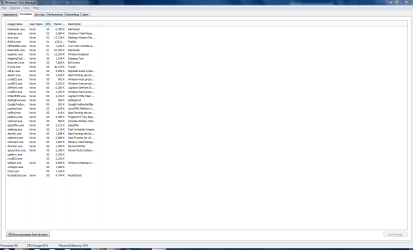
My task manager look like this

Ken
 
Last edited:

My Computer

Computer Manufacturer/Model Number
HP Pavillion dv-7 1005 Tx
OS
Win 8 Release candidate 8400
CPU
[email protected]
Memory
4 gigs
Graphics Card(s)
Nvidia 9600M
Sound Card
HD built-in
Monitor(s) Displays
17" Wxga
Screen Resolution
1440x900
Cooling
none
Internet Speed
45Mb down 5Mb up
heres my processes ken

-stang
 

Attachments

  • Capture.PNG
    Capture.PNG
    37.9 KB · Views: 10

My Computer

Computer Manufacturer/Model Number
Dell XPS M1530
OS
Windows 7 Build 7229 x86
CPU
Intel Core 2 Duo T7250 (2.0GHz/800Mhz FSB 2M L2 Cache)
Memory
4.00 GB DDR2, 667MHz 2 Dimm
Graphics Card(s)
128MB NVIDIA GeForce 8400M G
Sound Card
SigmaTel High Definition Audio
Monitor(s) Displays
15.4 inch Wide Screen WSXGA+ TrueLife; 31.5'" HDTV
Screen Resolution
1680 X 1050
Hard Drives
200G 7200RPM SATA Hard Drive Free Fall Sensor
Keyboard
Logitech Cordless Desktop MX5500 Revolution Bluetooth
Mouse
Logitech Cordless Desktop MX5500 Revolution Bluetooth
Internet Speed
100 mbps
Norton from hell

heres my processes ken

-stang

Hey Do you have all your running processes in task mgr? I dont see a single norton ( or any system) process. You know what you can do is to type services.msc and look there. In non extended service mgr they gice you the description and if it running. try there and snip if you find something

Ken
 

My Computer

Computer Manufacturer/Model Number
HP Pavillion dv-7 1005 Tx
OS
Win 8 Release candidate 8400
CPU
[email protected]
Memory
4 gigs
Graphics Card(s)
Nvidia 9600M
Sound Card
HD built-in
Monitor(s) Displays
17" Wxga
Screen Resolution
1440x900
Cooling
none
Internet Speed
45Mb down 5Mb up
You'll need to hit "Show processes from all users".

If you run the below command from cmd it will create a text file of the services you have installed, it may be easier than a screenshot for sharing.

sc query>services.txt
 

My Computer

Computer Manufacturer/Model Number
My HTPC
OS
6x W2K8 R2 (x64), 6x W7 7600 (x64), 2x Gentoo (x64), 1x Ubuntu 9.04 (x64), 1x pfSense (FreeBSD)
CPU
Core2 Duo E8400 3.0Ghz
Motherboard
ASUS P5E-VM
Memory
Corsair DDR-800 4GB RAM
Graphics Card(s)
EVGA NVidia GeForce GT240
Screen Resolution
1080p
Hard Drives
OCZ Vertex 60GB (C:\D: System\Apps)
WD 1TB x1 (G: Temp\Recorded TV)
WD 2TB x8 (On Server)
PSU
Corsair HX520w
Case
Antec Fusion Max
Cooling
Passive Thermalright HR-1 CPU Heatsink w/ Nexus Fan
services.txt

You'll need to hit "Show processes from all users".

If you run the below command from cmd it will create a text file of the services you have installed, it may be easier than a screenshot for sharing.

sc query>services.txt

Great idea where is it stored?

K

edit: duh, nevermind
 

My Computer

Computer Manufacturer/Model Number
HP Pavillion dv-7 1005 Tx
OS
Win 8 Release candidate 8400
CPU
[email protected]
Memory
4 gigs
Graphics Card(s)
Nvidia 9600M
Sound Card
HD built-in
Monitor(s) Displays
17" Wxga
Screen Resolution
1440x900
Cooling
none
Internet Speed
45Mb down 5Mb up
Great idea where is it stored?

K

Whatever path you run the cmd from. I believe the default will be your home path. If you want to specify another location just prepand it to the filename

sc query>C:\temp\services.txt
 

My Computer

Computer Manufacturer/Model Number
My HTPC
OS
6x W2K8 R2 (x64), 6x W7 7600 (x64), 2x Gentoo (x64), 1x Ubuntu 9.04 (x64), 1x pfSense (FreeBSD)
CPU
Core2 Duo E8400 3.0Ghz
Motherboard
ASUS P5E-VM
Memory
Corsair DDR-800 4GB RAM
Graphics Card(s)
EVGA NVidia GeForce GT240
Screen Resolution
1080p
Hard Drives
OCZ Vertex 60GB (C:\D: System\Apps)
WD 1TB x1 (G: Temp\Recorded TV)
WD 2TB x8 (On Server)
PSU
Corsair HX520w
Case
Antec Fusion Max
Cooling
Passive Thermalright HR-1 CPU Heatsink w/ Nexus Fan
K so,
Norton Internet Security is still in there but i disabled it. When I right click it to delete all the options are greyed to where i cant click on them.
How do i find where to show for all users?
Those 2 commands dont seem to show services or i just cant read it correctly.

-stang
 

My Computer

Computer Manufacturer/Model Number
Dell XPS M1530
OS
Windows 7 Build 7229 x86
CPU
Intel Core 2 Duo T7250 (2.0GHz/800Mhz FSB 2M L2 Cache)
Memory
4.00 GB DDR2, 667MHz 2 Dimm
Graphics Card(s)
128MB NVIDIA GeForce 8400M G
Sound Card
SigmaTel High Definition Audio
Monitor(s) Displays
15.4 inch Wide Screen WSXGA+ TrueLife; 31.5'" HDTV
Screen Resolution
1680 X 1050
Hard Drives
200G 7200RPM SATA Hard Drive Free Fall Sensor
Keyboard
Logitech Cordless Desktop MX5500 Revolution Bluetooth
Mouse
Logitech Cordless Desktop MX5500 Revolution Bluetooth
Internet Speed
100 mbps
K so,
Norton Internet Security is still in there but i disabled it. When I right click it to delete all the options are greyed to where i cant click on them.
How do i find where to show for all users?
Those 2 commands dont seem to show services or i just cant read it correctly.

-stang

You can't delete services from services.msc. You can via sc delete <service short name>

The option to show for all users is a button in the bottom left of the task manager, see your screenshot.

The command I provided will create a text file, services.txt, that will have a list. If you run sc query (or sc query | more if you want page by page)it will show you a list but it isn't as easy to cut\paste from.
 

My Computer

Computer Manufacturer/Model Number
My HTPC
OS
6x W2K8 R2 (x64), 6x W7 7600 (x64), 2x Gentoo (x64), 1x Ubuntu 9.04 (x64), 1x pfSense (FreeBSD)
CPU
Core2 Duo E8400 3.0Ghz
Motherboard
ASUS P5E-VM
Memory
Corsair DDR-800 4GB RAM
Graphics Card(s)
EVGA NVidia GeForce GT240
Screen Resolution
1080p
Hard Drives
OCZ Vertex 60GB (C:\D: System\Apps)
WD 1TB x1 (G: Temp\Recorded TV)
WD 2TB x8 (On Server)
PSU
Corsair HX520w
Case
Antec Fusion Max
Cooling
Passive Thermalright HR-1 CPU Heatsink w/ Nexus Fan
Back
Top