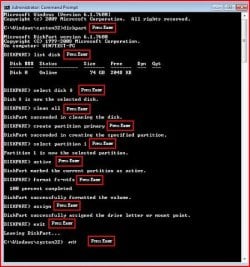
I did a re-jig of my hard disks and partitions wanting the second hard disk as the windows 7 installed drive and the original windows 7 drive as just the data drive. All the data I wanted to keep was on the original windows 7 drive so I just moved the data out of the Users folder into it's own folder and went ahead and installed Windows 7 on the second drive without formatting / deleting the current Windows 7 install. The plan was to just delete the old windows stuff and leave the data intact.
So I am now booting the newly installed Windows 7 (c) and all my data is on d: as I wanted, but I cannot get rid of the windows, users, program files, program files (x86) and inetpub folders on the old drive (now d). I copied the BCD from the original to the newly installed drive and made the partition active as outlined in a post in this thread http://www.sevenforums.com/hardware-devices/14264-unable-delete-old-partition.html but I still cannot delete those pesky old folders. It asks for admin privilges, which I give but it still bombs out at various points saying "permission required" or something like this.
The old disk is still marked as active in diskmangement and I can't see a way of turning this off. The new disk is also now marked as active.
So I am now booting the newly installed Windows 7 (c) and all my data is on d: as I wanted, but I cannot get rid of the windows, users, program files, program files (x86) and inetpub folders on the old drive (now d). I copied the BCD from the original to the newly installed drive and made the partition active as outlined in a post in this thread http://www.sevenforums.com/hardware-devices/14264-unable-delete-old-partition.html but I still cannot delete those pesky old folders. It asks for admin privilges, which I give but it still bombs out at various points saying "permission required" or something like this.
The old disk is still marked as active in diskmangement and I can't see a way of turning this off. The new disk is also now marked as active.
My Computer
- OS
- Windows 7 Ultimate (64)