
shiropetto
New member
Hi,
Last week my laptop couldn't start Windows normally. So I ran the System Recovery,it told me to back up files before recovering and I followed the instruction. I used an external hard disk to store the back up files. The backup folder contains WIM files, you cand find it in picture1 and 2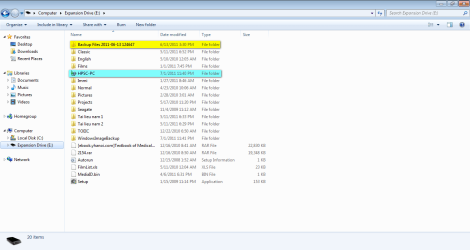
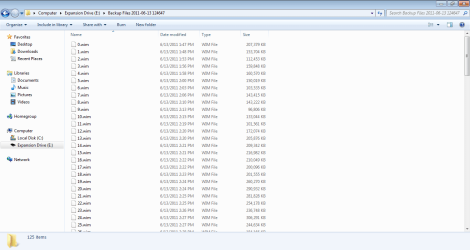
After recovery, my notebook could start Win normally but then there was a bluescreen. I brought the unit to HP service center and was announced that my hard disk drive might have problems. Now I have my hard disk drive replaced, and I want to restore my files but I don't know how to do with those WIM files.
The HPSC-PC backup folder is done when I have had replaced the hard disk drive.
Please help me. Thank you.
Last week my laptop couldn't start Windows normally. So I ran the System Recovery,it told me to back up files before recovering and I followed the instruction. I used an external hard disk to store the back up files. The backup folder contains WIM files, you cand find it in picture1 and 2
After recovery, my notebook could start Win normally but then there was a bluescreen. I brought the unit to HP service center and was announced that my hard disk drive might have problems. Now I have my hard disk drive replaced, and I want to restore my files but I don't know how to do with those WIM files.
The HPSC-PC backup folder is done when I have had replaced the hard disk drive.
Please help me. Thank you.
My Computer
- OS
- Windows 7 Home Premium 32bit
