Can't rip CDs in WMP12 - need help!!!

Hank3

New member
Local time
7:38 PM
Messages
15
Just started happening this week. When I try to rip a CD, I get this error:

The file is already in use. Close other programs that might be using the file, or stop playing the file, and then try again.

There are no other programs running the CD. Anyone know how to fix this or what's going on?
 

My Computer My Computer

OS
Windows 7
Check the taskmanager to see what is going on.
Looks like there is some program that interfers..shut down all background programs you don't need ATM and try again.

Or try this instead of WMP:
Download | CDex

-DG
 

My Computer My Computer

Computer Manufacturer/Model Number
HP m8000n
OS
Windows 7 Ultimate x86
CPU
DualCore AMD Athlon 64 X2, 2600 MHz 5200+
Motherboard
Asus M2N68-LA (Narra)
Memory
Samsung 2GB DDR2
Graphics Card(s)
Onboard NVIDIA GeForce 6150SE nForce 430
Sound Card
Onboard nVIDIA nForce 6100-430 (MCP61P)
Monitor(s) Displays
Westinghouse 19" LED
Screen Resolution
1280x1024
Hard Drives
SATA II Seagate Barracuda 500GB
USB II WD Elements 500GB
USB II WD My Book 1TB
USB II WD My Book 2TB
PSU
Stock (HP)
Case
Stock (HP)
Cooling
Stock
Keyboard
Logitech Classic KB 200
Mouse
Standard HP opticle USB mouse
I'm not too familiar with the Windows. Just enough knowledge to get around I suppose. So pardon my ignorance...but how do you run Task Manager?
 

My Computer My Computer

OS
Windows 7
Right click on the taskbar > Start Task Manager > Processes tab > click "Show processes from all users" (on the bottom left of the small window).
 

My Computer My Computer

Computer Manufacturer/Model Number
HP, Dell, Gateway, Toshiba - 4 laptops and 2 desktops
OS
Vista, Windows7, Mint Mate, Zorin, Windows 8
CPU
from 1.6GHz Duo to i7
Monitor(s) Displays
2x HP w2207
Hard Drives
5x HDD, 7x SSD, 12x Externals
Keyboard
with trackball - no mices
Mouse
Trackball mice
Internet Speed
DSL 6000
OK...thanks, whs. And what am I looking for in particular when in task manager in reference to the error code I'm getting?
 

My Computer My Computer

OS
Windows 7
OK...thanks, whs. And what am I looking for in particular when in task manager in reference to the error code I'm getting?
Not sure what SledgeDG had in mind. But if you see any processes that you suspect to use the file, right click on the process and "End process". But if you end the wrong one, your system may get crippled. In case the system freezes, force a shutdown with the power button of the PC and reboot. Then things come back to order.
 

My Computer My Computer

Computer Manufacturer/Model Number
HP, Dell, Gateway, Toshiba - 4 laptops and 2 desktops
OS
Vista, Windows7, Mint Mate, Zorin, Windows 8
CPU
from 1.6GHz Duo to i7
Monitor(s) Displays
2x HP w2207
Hard Drives
5x HDD, 7x SSD, 12x Externals
Keyboard
with trackball - no mices
Mouse
Trackball mice
Internet Speed
DSL 6000
OK. Will do. Thanks for the help. Will report back later tonight probably to see if it works or not.
 

My Computer My Computer

OS
Windows 7
If you cannot get it to work, try the CDex program that SledgeDG linked. That is a good alternate option.
 

My Computer My Computer

Computer Manufacturer/Model Number
HP, Dell, Gateway, Toshiba - 4 laptops and 2 desktops
OS
Vista, Windows7, Mint Mate, Zorin, Windows 8
CPU
from 1.6GHz Duo to i7
Monitor(s) Displays
2x HP w2207
Hard Drives
5x HDD, 7x SSD, 12x Externals
Keyboard
with trackball - no mices
Mouse
Trackball mice
Internet Speed
DSL 6000
Sure thing. Will definitely look into it.
 

My Computer My Computer

OS
Windows 7
No go on the task manager - didn't see anything fishy, but to be honest, I don't really know what to look for.

Anything else before I download CDeX? I just think it's weird because I had no issues with ripping CDs before and then all of the sudden it starts having issues.
 

My Computer My Computer

OS
Windows 7

My Computer My Computer

Computer Manufacturer/Model Number
HP m8000n
OS
Windows 7 Ultimate x86
CPU
DualCore AMD Athlon 64 X2, 2600 MHz 5200+
Motherboard
Asus M2N68-LA (Narra)
Memory
Samsung 2GB DDR2
Graphics Card(s)
Onboard NVIDIA GeForce 6150SE nForce 430
Sound Card
Onboard nVIDIA nForce 6100-430 (MCP61P)
Monitor(s) Displays
Westinghouse 19" LED
Screen Resolution
1280x1024
Hard Drives
SATA II Seagate Barracuda 500GB
USB II WD Elements 500GB
USB II WD My Book 1TB
USB II WD My Book 2TB
PSU
Stock (HP)
Case
Stock (HP)
Cooling
Stock
Keyboard
Logitech Classic KB 200
Mouse
Standard HP opticle USB mouse
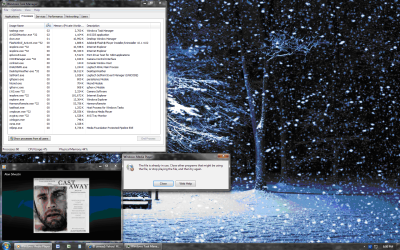
Screenshot attached. Let me know if I need to take another one. I included the entire list under the Processes tab.
 

Attachments

  • screenshot1.png
    screenshot1.png
    462.2 KB · Views: 18

My Computer My Computer

OS
Windows 7
OK the only processes I see, that could affect WMP and the CD Burning abilities would be the MediaFoundation Plug (mfpmp.exe = DRM) and AVG.
But I think you had both installed already when everything still worked a week ago. So let's take a different approach and restore the system back to that point in time when everything worked fine (~8-10 days ago)
http://www.sevenforums.com/tutorials/700-system-restore.html

CDEX you can always install later as a last resort so to speak ;)
-DG
 

My Computer My Computer

Computer Manufacturer/Model Number
HP m8000n
OS
Windows 7 Ultimate x86
CPU
DualCore AMD Athlon 64 X2, 2600 MHz 5200+
Motherboard
Asus M2N68-LA (Narra)
Memory
Samsung 2GB DDR2
Graphics Card(s)
Onboard NVIDIA GeForce 6150SE nForce 430
Sound Card
Onboard nVIDIA nForce 6100-430 (MCP61P)
Monitor(s) Displays
Westinghouse 19" LED
Screen Resolution
1280x1024
Hard Drives
SATA II Seagate Barracuda 500GB
USB II WD Elements 500GB
USB II WD My Book 1TB
USB II WD My Book 2TB
PSU
Stock (HP)
Case
Stock (HP)
Cooling
Stock
Keyboard
Logitech Classic KB 200
Mouse
Standard HP opticle USB mouse
I may be way off base but have you used any registry hacks that would set the 64bit WMP as the default player on Windows 7? The reason i ask is that a popular registry hack for this purpose is circulating the internet and it contains code that will cause this issue.
 

My Computer My Computer

Computer Manufacturer/Model Number
Selfbuilt
OS
Windows 7 Ultimate 64bit
CPU
i7 2600k
Motherboard
asus P8Z68-V LE
Memory
16GB (4x4) corsair vengeance
Graphics Card(s)
Intel HD3000 iGPU / AMD HD6870 1024MB
Sound Card
bitstreamed to an Onkyo 609
Monitor(s) Displays
Asus VE278 27" LED / Bravia EX7 60" LED
Screen Resolution
native 1080p x2
Hard Drives
4x 2TB int. + 2x 2TB external and a SSD for the boot drive.
PSU
650w Antec
Case
NZXT tempest evo
Cooling
air/stock
Keyboard
Dell
Mouse
logitech m505
Internet Speed
dual: cable/blackberry tether for travel use
Other Info
BD re-writer //
asus notebook G73Jw
I haven't come across any registry hacks that I know of.

Tried a system restore and no-go on that. It actually caused IE to stop working. I reversed the system restore.
 

My Computer My Computer

OS
Windows 7
That's odd...You did reboot after the restore ?
 

My Computer My Computer

Computer Manufacturer/Model Number
HP m8000n
OS
Windows 7 Ultimate x86
CPU
DualCore AMD Athlon 64 X2, 2600 MHz 5200+
Motherboard
Asus M2N68-LA (Narra)
Memory
Samsung 2GB DDR2
Graphics Card(s)
Onboard NVIDIA GeForce 6150SE nForce 430
Sound Card
Onboard nVIDIA nForce 6100-430 (MCP61P)
Monitor(s) Displays
Westinghouse 19" LED
Screen Resolution
1280x1024
Hard Drives
SATA II Seagate Barracuda 500GB
USB II WD Elements 500GB
USB II WD My Book 1TB
USB II WD My Book 2TB
PSU
Stock (HP)
Case
Stock (HP)
Cooling
Stock
Keyboard
Logitech Classic KB 200
Mouse
Standard HP opticle USB mouse
Yeah. That's when IE wouldn't load. So I did another system restore back to when I did the first restore.
 

My Computer My Computer

OS
Windows 7
Back
Top