Can't save images (or files in general) to sub-folders

TheColdOne

New member
Local time
11:00 PM
Messages
78
This is the closest I could find as far as a relevant forum section for this problem.

The sub-folders within my "My Pictures" folder won't let me save directly to them. For example, I would just save an image from the internet directly to a specific folder for organizational reasons, but it says "access denied". BUT when I try to save it to "My Pictures" it works just fine! And then I have to move it later to the folder I wanted it in originally.

I tried going to the main Pictures folder and un-checking the "Read Only" box (which was checked for some reason), but that didn't work (included all sub folders). I also tried to doing that directly to a folder I wanted to save to, no luck.

EDIT: I also seem to just not be able to do much of any basic things with the images inside of "My Pictures", including just a simple rotation! This seems like a real issue.
 
Last edited:

My Computer My Computer

At a glance

Windows 7 Professional 64-bitIntel Core2 Quad 2.5Ghz8GBGalaxy GTX 660 GC 2GB
Computer Manufacturer/Model Number
Dell XPS430
OS
Windows 7 Professional 64-bit
CPU
Intel Core2 Quad 2.5Ghz
Memory
8GB
Graphics Card(s)
Galaxy GTX 660 GC 2GB
Monitor(s) Displays
Dell 19"
Screen Resolution
1920x1080
Hard Drives
Hitachi 750GB

Western Digital 500GB
Cooling
Heat Sink + Fans
Mouse
N/A
Internet Speed
14 Mb/s
It depends - is this a clean install? Did you move the location of the My Pictures folder? Did these folders already exist previously under a different installation of Windows?

It sounds like you have a permissions issue going on here. Let me know about the answers to these questions and we can go forward from there.
 

My Computers My Computers

  • At a glance

    Windows 11 21H2 Current buildAMD Ryzen 9 3950X4 * 32 GB - Corsair Vengeance 3600 MHzEVGA GeForce RTX 3080 Ti XC3 ULTRA GAMING (12...
    Computer type
    PC/Desktop
    Computer Manufacturer/Model Number
    The Beast Model A (homebrew)
    OS
    Windows 11 21H2 Current build
    CPU
    AMD Ryzen 9 3950X
    Motherboard
    MSI MEG X570 GODLIKE
    Memory
    4 * 32 GB - Corsair Vengeance 3600 MHz
    Graphics Card(s)
    EVGA GeForce RTX 3080 Ti XC3 ULTRA GAMING (12G-P5-3955-KR)
    Sound Card
    Realtek® ALC1220 Codec
    Monitor(s) Displays
    2x Eve Spectrum ES07D03 4K Gaming Monitor (Matte) | Eve Spec
    Screen Resolution
    3x 3840 x 2160
    Hard Drives
    3x Samsung 980 Pro NVMe PCIe 4 M.2 2 TB SSD (MZ-V8P2T0B/AM) } 3x Sabrent Rocket NVMe 4.0 1 TB SSD
    PSU
    PC Power & Cooling’s Silencer Series 1050 Watt, 80 Plus Plat
    Case
    Fractal Design Define 7 XL Dark ATX Full Tower Case
    Cooling
    SteelSeries Apex Pro Wired Gaming Keyboard
    Keyboard
    SteelSeries Apex Pro
    Mouse
    Logitech MX Master 3S | MX Master 3 for business
    Internet Speed
    AT&T LightSpeed Gigabit Duplex Ftth
    Antivirus
    Windows Defender + MB 3
    Browser
    Nightly (default) + Firefox (stable),Chrome, Edge
  • At a glance

    ChromeOS Flex Dev Channel (current)Intel(R) Core(TM) i5-6300U CPU @ 2.40GHz, 250...16 GBIntel(R) HD Graphics 520
    Computer type
    PC/Desktop
    System Manufacturer/Model Number
    Dell Latitude E5470
    OS
    ChromeOS Flex Dev Channel (current)
    CPU
    Intel(R) Core(TM) i5-6300U CPU @ 2.40GHz, 2501 Mhz, 2 Core(s), 4 Logical Processor(s)
    Motherboard
    Dell
    Memory
    16 GB
    Graphics Card(s)
    Intel(R) HD Graphics 520
    Sound Card
    Intel(R) HD Graphics 520 + RealTek Audio
    Monitor(s) Displays
    Dell laptop display 15"
    Screen Resolution
    1920 * 1080
    Hard Drives
    Toshiba 128GB M.2 22300 drive
    INTEL Cherryville 520 Series SSDSC2CW180A 180 GB SATA III SSD
    PSU
    Dell
    Case
    Dell
    Cooling
    Dell
    Keyboard
    Dell
    Mouse
    Logitech MX Master 3S (shared w. Sys 1) | Dell TouchPad
    Internet Speed
    AT&T LightSpeed Gigabit Duplex Ftth
Actually these are files copied over directly from a previous install of windows (from windows.old).

Would they keep the permissions from the previous install, possibly not seeing me the owner of the files (or by default as an administrator)?

I also fixed it, at least for now, by "taking ownership" of the files. I didn't think to do this before, but at least it worked.
 

My Computer My Computer

At a glance

Windows 7 Professional 64-bitIntel Core2 Quad 2.5Ghz8GBGalaxy GTX 660 GC 2GB
Computer Manufacturer/Model Number
Dell XPS430
OS
Windows 7 Professional 64-bit
CPU
Intel Core2 Quad 2.5Ghz
Memory
8GB
Graphics Card(s)
Galaxy GTX 660 GC 2GB
Monitor(s) Displays
Dell 19"
Screen Resolution
1920x1080
Hard Drives
Hitachi 750GB

Western Digital 500GB
Cooling
Heat Sink + Fans
Mouse
N/A
Internet Speed
14 Mb/s
In addition to taking ownership you may find that actually giving "full control permissions to these sub folders will prevent any "click to continue" prompts you may get.

This is I believe a side effect of the transfer from the old OS and the retention of existing permissions.

Due to the dual nature of users in Windows 7 due to the UAC it is quite common in these situations
 

My Computers My Computers

  • At a glance

    Windows 11 Pro x64 [Latest Release and Releas...Ryzen 9 5950X, 3.8 - 5.2 MHz64GB [2 x 32GB] DDR4 3200MHz4GB NVIDIA GEFORCE GTX 1650 Ti
    Computer type
    PC/Desktop
    Computer Manufacturer/Model Number
    ChillBlast - Custom to my design
    OS
    Windows 11 Pro x64 [Latest Release and Release Preview]
    CPU
    Ryzen 9 5950X, 3.8 - 5.2 MHz
    Motherboard
    Asus Prime X570-Pro
    Memory
    64GB [2 x 32GB] DDR4 3200MHz
    Graphics Card(s)
    4GB NVIDIA GEFORCE GTX 1650 Ti
    Sound Card
    On-board SPDIF to 5.1 System + HDMI [5.1 system]
    Monitor(s) Displays
    32" UHD 32 Bit HDR Monitor + 43" UHD 4K 32Bit HDR TV
    Screen Resolution
    2 x 3840 x 2160 @60Hz
    Hard Drives
    1TB M2 SSD OS, 500GB Fast Access SSD, 2 x 8TB Data + Various Externals from 1TB to 4TB, 10TB NAS
    PSU
    NZXT C750 80 PLUS Gold 750W Modular PSU
    Case
    Workstation Case [Matt Black]
    Cooling
    NZXT Kraken X63 280mm CPU Cooler +2x Quiet Case fans
    Keyboard
    Logitech Wireless MX Keys & K400 + others
    Mouse
    Logitech Wireless MX Master 3S
    Internet Speed
    920 MB Down 50 MB Up
    Antivirus
    BitDefender Total Security Pro
    Browser
    Chrome (always run latest Non-Beta)
    Other Info
    Also run ...
    Laptop - Quad 8GB - Windows 10 Pro x64
    Nexus 7 Android tablet x2
    Samsung 10.2" tablet
    Blackview TAB 8 4G Android Tablet c/w Keyboard
    Wacom Intuos Pro Medium Pen Pad
    Wacom Intuos Pro Small Pen Pad
    Wacom Expresskeys Remote
    Loopdeck+ Graphics Controller
    Shuttle Pro v2 Control
  • At a glance

    Windows 11 Pro x64 Latest RPIntel I7 10750H 5.0GHz32GB [2x16GB] DDR4 2933 MHznVidia GTX1650Ti 4 GB GDDR6
    Computer type
    Laptop
    System Manufacturer/Model Number
    Dell XPS 17 10750H
    OS
    Windows 11 Pro x64 Latest RP
    CPU
    Intel I7 10750H 5.0GHz
    Motherboard
    Dell XPS
    Memory
    32GB [2x16GB] DDR4 2933 MHz
    Graphics Card(s)
    nVidia GTX1650Ti 4 GB GDDR6
    Sound Card
    Stock [Realtek] 4 Speaker
    Monitor(s) Displays
    17" IPS UHD+ Infinity Edge Touchscreen
    Screen Resolution
    3840 x 2400
    Hard Drives
    2TB M2 NVMe, 4TB External + various 500GB & 1TB External NVMe (also have access to spinner HDD from
    PSU
    Stock
    Case
    Stock XPS Aluminium & Carbon Fibre
    Cooling
    Stock - Active Fan Control
    Keyboard
    Backlit + Various Logitech
    Mouse
    Stock Track Pad + Logitech MX Trackball
    Internet Speed
    72 MB Down 18MB Up
    Browser
    Chrome
    Other Info
    Also run ...
    Laptop - Quad 8GB - Windows 10 Pro x64
    Nexus 7 Android tablet x2
    10.2" tablet
    Sony Z3 Android Smartphone
    Wacom Intuos Pro Medium Pen Pad
    Wacom Intuos Pro Small Pen Pad
    Wacom Expresskeys Remote
    Loopdeck+ Graphics Controller
    Shuttle Pro v2 Control Pad
    10TB NAS
Actually these are files copied over directly from a previous install of windows (from windows.old).

Would they keep the permissions from the previous install, possibly not seeing me the owner of the files (or by default as an administrator)?

I also fixed it, at least for now, by "taking ownership" of the files. I didn't think to do this before, but at least it worked.

Hi

They must have been moved, not copied.

Moving maintains the given user rights, copying makes the folder/files adopt rights from the parent folder.

This is solved very simply by MOVING them out of the pictures folder into a temporary folder, and then COPY them back into the pictures folder.

They will adopt the parent folder's (pictures) rights.

Good luck.
 

My Computer My Computer

At a glance

Win7 Build 7600 x86Pentium II 300MHz32mb EDO RAMDiamond Viper
OS
Win7 Build 7600 x86
CPU
Pentium II 300MHz
Motherboard
Asus
Memory
32mb EDO RAM
Graphics Card(s)
Diamond Viper
Sound Card
Soundblaster 16
Monitor(s) Displays
14" AOC CRT 16K color
Screen Resolution
800x600
Hard Drives
300mb Quantum fireball
PSU
110 Watts
Cooling
Passive
Keyboard
Trust Ergonomic
Mouse
Generic
Internet Speed
256K u 128K d
That is what I thought.

Every time I clean installed W7 on my primary Seagate 500 GB HD the folders on the secondary 500 GB HD (where I moved my special folder locations to - Downloads, Contacts, Documents, etc) would need to be taken ownership again - b/c the CLSID associated with my user name would change on every clean install, even if the actual user name was the same every time....

Since it takes virtually no time to take ownership and set my permissions on all those folders on the secondary drive, I do it that way - but Squon is correct moving them away and copying them back would solve the problem as well.

It's just that moving 300+ GB of data (in my case) is infeasible.
 

My Computers My Computers

  • At a glance

    Windows 11 21H2 Current buildAMD Ryzen 9 3950X4 * 32 GB - Corsair Vengeance 3600 MHzEVGA GeForce RTX 3080 Ti XC3 ULTRA GAMING (12...
    Computer type
    PC/Desktop
    Computer Manufacturer/Model Number
    The Beast Model A (homebrew)
    OS
    Windows 11 21H2 Current build
    CPU
    AMD Ryzen 9 3950X
    Motherboard
    MSI MEG X570 GODLIKE
    Memory
    4 * 32 GB - Corsair Vengeance 3600 MHz
    Graphics Card(s)
    EVGA GeForce RTX 3080 Ti XC3 ULTRA GAMING (12G-P5-3955-KR)
    Sound Card
    Realtek® ALC1220 Codec
    Monitor(s) Displays
    2x Eve Spectrum ES07D03 4K Gaming Monitor (Matte) | Eve Spec
    Screen Resolution
    3x 3840 x 2160
    Hard Drives
    3x Samsung 980 Pro NVMe PCIe 4 M.2 2 TB SSD (MZ-V8P2T0B/AM) } 3x Sabrent Rocket NVMe 4.0 1 TB SSD
    PSU
    PC Power & Cooling’s Silencer Series 1050 Watt, 80 Plus Plat
    Case
    Fractal Design Define 7 XL Dark ATX Full Tower Case
    Cooling
    SteelSeries Apex Pro Wired Gaming Keyboard
    Keyboard
    SteelSeries Apex Pro
    Mouse
    Logitech MX Master 3S | MX Master 3 for business
    Internet Speed
    AT&T LightSpeed Gigabit Duplex Ftth
    Antivirus
    Windows Defender + MB 3
    Browser
    Nightly (default) + Firefox (stable),Chrome, Edge
  • At a glance

    ChromeOS Flex Dev Channel (current)Intel(R) Core(TM) i5-6300U CPU @ 2.40GHz, 250...16 GBIntel(R) HD Graphics 520
    Computer type
    PC/Desktop
    System Manufacturer/Model Number
    Dell Latitude E5470
    OS
    ChromeOS Flex Dev Channel (current)
    CPU
    Intel(R) Core(TM) i5-6300U CPU @ 2.40GHz, 2501 Mhz, 2 Core(s), 4 Logical Processor(s)
    Motherboard
    Dell
    Memory
    16 GB
    Graphics Card(s)
    Intel(R) HD Graphics 520
    Sound Card
    Intel(R) HD Graphics 520 + RealTek Audio
    Monitor(s) Displays
    Dell laptop display 15"
    Screen Resolution
    1920 * 1080
    Hard Drives
    Toshiba 128GB M.2 22300 drive
    INTEL Cherryville 520 Series SSDSC2CW180A 180 GB SATA III SSD
    PSU
    Dell
    Case
    Dell
    Cooling
    Dell
    Keyboard
    Dell
    Mouse
    Logitech MX Master 3S (shared w. Sys 1) | Dell TouchPad
    Internet Speed
    AT&T LightSpeed Gigabit Duplex Ftth
That is what I thought.

Every time I clean installed W7 on my primary Seagate 500 GB HD the folders on the secondary 500 GB HD (where I moved my special folder locations to - Downloads, Contacts, Documents, etc) would need to be taken ownership again - b/c the CLSID associated with my user name would change on every clean install, even if the actual user name was the same every time....

Since it takes virtually no time to take ownership and set my permissions on all those folders on the secondary drive, I do it that way - but Squon is correct moving them away and copying them back would solve the problem as well.

It's just that moving 300+ GB of data (in my case) is infeasible.

:D
The moving part wouldn't be the problem, because only the point of entry in the MFT is changed, (providing it's on the same partition). The occupied data size would stay the same.

The copying would have to take place in stages if there isn't enough space,
deleting the source files/folders every time that part is copied.


However, there is another reason I prefer the copy method.

If you move a lot of folders/files, there will be unknown and unused users left in the security settings,
and you would have to go through the whole tree to find them/ get rid of them.
Any problems there might have been with permissions from the previous install would remain in your new setup.

By copying you will have a nice fresh start.

One should also realize that if you have a system that's being used by other users with their own login account (non admin users), you would have to make sure you do the same trick for the "users and authenticated users", like you did for your own username, otherwise they could be excluded from folders they could enter before.

And then there is that slight chance of a power failure or disk failure during moving which could damage some of your crucial files.

Copying is safer.

Greetz

.
 

My Computer My Computer

At a glance

Win7 Build 7600 x86Pentium II 300MHz32mb EDO RAMDiamond Viper
OS
Win7 Build 7600 x86
CPU
Pentium II 300MHz
Motherboard
Asus
Memory
32mb EDO RAM
Graphics Card(s)
Diamond Viper
Sound Card
Soundblaster 16
Monitor(s) Displays
14" AOC CRT 16K color
Screen Resolution
800x600
Hard Drives
300mb Quantum fireball
PSU
110 Watts
Cooling
Passive
Keyboard
Trust Ergonomic
Mouse
Generic
Internet Speed
256K u 128K d
My technique is slightly different I take ownership of the Drive or tree concerned, add user permissions as required to the top level and then use the advanced option to force propagate the permissions down the tree.

On really confused systems I have taken ownership and removed all users from the permissions, propagated this downwards to totally clean the tree then started with the correct users again.

Additional standard user and "everyone" permissions are added only after the tree is set for administrate access.
 

My Computers My Computers

  • At a glance

    Windows 11 Pro x64 [Latest Release and Releas...Ryzen 9 5950X, 3.8 - 5.2 MHz64GB [2 x 32GB] DDR4 3200MHz4GB NVIDIA GEFORCE GTX 1650 Ti
    Computer type
    PC/Desktop
    Computer Manufacturer/Model Number
    ChillBlast - Custom to my design
    OS
    Windows 11 Pro x64 [Latest Release and Release Preview]
    CPU
    Ryzen 9 5950X, 3.8 - 5.2 MHz
    Motherboard
    Asus Prime X570-Pro
    Memory
    64GB [2 x 32GB] DDR4 3200MHz
    Graphics Card(s)
    4GB NVIDIA GEFORCE GTX 1650 Ti
    Sound Card
    On-board SPDIF to 5.1 System + HDMI [5.1 system]
    Monitor(s) Displays
    32" UHD 32 Bit HDR Monitor + 43" UHD 4K 32Bit HDR TV
    Screen Resolution
    2 x 3840 x 2160 @60Hz
    Hard Drives
    1TB M2 SSD OS, 500GB Fast Access SSD, 2 x 8TB Data + Various Externals from 1TB to 4TB, 10TB NAS
    PSU
    NZXT C750 80 PLUS Gold 750W Modular PSU
    Case
    Workstation Case [Matt Black]
    Cooling
    NZXT Kraken X63 280mm CPU Cooler +2x Quiet Case fans
    Keyboard
    Logitech Wireless MX Keys & K400 + others
    Mouse
    Logitech Wireless MX Master 3S
    Internet Speed
    920 MB Down 50 MB Up
    Antivirus
    BitDefender Total Security Pro
    Browser
    Chrome (always run latest Non-Beta)
    Other Info
    Also run ...
    Laptop - Quad 8GB - Windows 10 Pro x64
    Nexus 7 Android tablet x2
    Samsung 10.2" tablet
    Blackview TAB 8 4G Android Tablet c/w Keyboard
    Wacom Intuos Pro Medium Pen Pad
    Wacom Intuos Pro Small Pen Pad
    Wacom Expresskeys Remote
    Loopdeck+ Graphics Controller
    Shuttle Pro v2 Control
  • At a glance

    Windows 11 Pro x64 Latest RPIntel I7 10750H 5.0GHz32GB [2x16GB] DDR4 2933 MHznVidia GTX1650Ti 4 GB GDDR6
    Computer type
    Laptop
    System Manufacturer/Model Number
    Dell XPS 17 10750H
    OS
    Windows 11 Pro x64 Latest RP
    CPU
    Intel I7 10750H 5.0GHz
    Motherboard
    Dell XPS
    Memory
    32GB [2x16GB] DDR4 2933 MHz
    Graphics Card(s)
    nVidia GTX1650Ti 4 GB GDDR6
    Sound Card
    Stock [Realtek] 4 Speaker
    Monitor(s) Displays
    17" IPS UHD+ Infinity Edge Touchscreen
    Screen Resolution
    3840 x 2400
    Hard Drives
    2TB M2 NVMe, 4TB External + various 500GB & 1TB External NVMe (also have access to spinner HDD from
    PSU
    Stock
    Case
    Stock XPS Aluminium & Carbon Fibre
    Cooling
    Stock - Active Fan Control
    Keyboard
    Backlit + Various Logitech
    Mouse
    Stock Track Pad + Logitech MX Trackball
    Internet Speed
    72 MB Down 18MB Up
    Browser
    Chrome
    Other Info
    Also run ...
    Laptop - Quad 8GB - Windows 10 Pro x64
    Nexus 7 Android tablet x2
    10.2" tablet
    Sony Z3 Android Smartphone
    Wacom Intuos Pro Medium Pen Pad
    Wacom Intuos Pro Small Pen Pad
    Wacom Expresskeys Remote
    Loopdeck+ Graphics Controller
    Shuttle Pro v2 Control Pad
    10TB NAS
My technique is slightly different I take ownership of the Drive or tree concerned, add user permissions as required to the top level and then use the advanced option to force propagate the permissions down the tree.

On really confused systems I have taken ownership and removed all users from the permissions, propagated this downwards to totally clean the tree then started with the correct users again.

Additional standard user and "everyone" permissions are added only after the tree is set for administrate access.

Yes, and that is the proper way to do it, but not within everybody's grasp. ;)

The copy method is an just easy workaround for people who are not that familiar with NTFS security.

I use it because I'm to lazy, or busy or both.
After that I still have a lot of work restricting permissions so my daughter can access but not alter some folders and files.


I have a tip for advanced users that want to allow other members of the family to be admins but still want to make sure they can't take ownership and change permissions.

In group policies, take away the "take ownership" permission from the administrators, and only apply it to your own username.

You can do this with more special permissions.

greetz

.
 

My Computer My Computer

At a glance

Win7 Build 7600 x86Pentium II 300MHz32mb EDO RAMDiamond Viper
OS
Win7 Build 7600 x86
CPU
Pentium II 300MHz
Motherboard
Asus
Memory
32mb EDO RAM
Graphics Card(s)
Diamond Viper
Sound Card
Soundblaster 16
Monitor(s) Displays
14" AOC CRT 16K color
Screen Resolution
800x600
Hard Drives
300mb Quantum fireball
PSU
110 Watts
Cooling
Passive
Keyboard
Trust Ergonomic
Mouse
Generic
Internet Speed
256K u 128K d
That is what I thought.

Every time I clean installed W7 on my primary Seagate 500 GB HD the folders on the secondary 500 GB HD (where I moved my special folder locations to - Downloads, Contacts, Documents, etc) would need to be taken ownership again - b/c the CLSID associated with my user name would change on every clean install, even if the actual user name was the same every time....

Since it takes virtually no time to take ownership and set my permissions on all those folders on the secondary drive, I do it that way - but Squon is correct moving them away and copying them back would solve the problem as well.

It's just that moving 300+ GB of data (in my case) is infeasible.

:D
The moving part wouldn't be the problem, because only the point of entry in the MFT is changed, (providing it's on the same partition). The occupied data size would stay the same.

The copying would have to take place in stages if there isn't enough space,
deleting the source files/folders every time that part is copied.


However, there is another reason I prefer the copy method.

If you move a lot of folders/files, there will be unknown and unused users left in the security settings,
and you would have to go through the whole tree to find them/ get rid of them.
Any problems there might have been with permissions from the previous install would remain in your new setup.

By copying you will have a nice fresh start.

One should also realize that if you have a system that's being used by other users with their own login account (non admin users), you would have to make sure you do the same trick for the "users and authenticated users", like you did for your own username, otherwise they could be excluded from folders they could enter before.

And then there is that slight chance of a power failure or disk failure during moving which could damage some of your crucial files.

Copying is safer.

Greetz

.

Umm, the moving part *would* be a problem - as I would need to move it to another drive, considering the existing drive only has 465 GB of space to begin with....

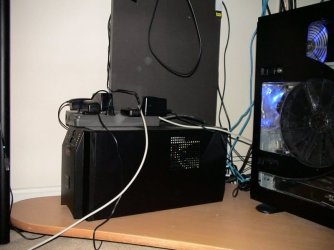
As for power failure - well, I have that covered: DSC00688.JPG

APC SmartUPS 1500 - Nuff said.

As for going through all the rigmarole, well, I find manually going through the disk and editing owners and removing invalid users / owners is easier for me in the long run.

My technique is slightly different I take ownership of the Drive or tree concerned, add user permissions as required to the top level and then use the advanced option to force propagate the permissions down the tree.

On really confused systems I have taken ownership and removed all users from the permissions, propagated this downwards to totally clean the tree then started with the correct users again.

Additional standard user and "everyone" permissions are added only after the tree is set for administrate access.

I prefer not to do the entire drive as there are always one or two folders that are better off left untouched - Recycler and System Information, to name a couple.

My technique is slightly different I take ownership of the Drive or tree concerned, add user permissions as required to the top level and then use the advanced option to force propagate the permissions down the tree.

On really confused systems I have taken ownership and removed all users from the permissions, propagated this downwards to totally clean the tree then started with the correct users again.

Additional standard user and "everyone" permissions are added only after the tree is set for administrate access.

Yes, and that is the proper way to do it, but not within everybody's grasp. ;)

The copy method is an just easy workaround for people who are not that familiar with NTFS security.

I use it because I'm to lazy, or busy or both.
After that I still have a lot of work restricting permissions so my daughter can access but not alter some folders and files.


I have a tip for advanced users that want to allow other members of the family to be admins but still want to make sure they can't take ownership and change permissions.

In group policies, take away the "take ownership" permission from the administrators, and only apply it to your own username.

You can do this with more special permissions.

greetz.

Understandable - it is the easier way to do it - I just prefer getting a bit more technical and explaining to user not only what is going on but why and how to fix it....

Of course, there has been a plethora of "Take ownership!" and "Check your permissions" answers when not are they always true. I remember one person claiming he was better off after taking ownership of the entire Program Files tree - even after I pointed out that he was essentially nullifying UAC....
 

My Computers My Computers

  • At a glance

    Windows 11 21H2 Current buildAMD Ryzen 9 3950X4 * 32 GB - Corsair Vengeance 3600 MHzEVGA GeForce RTX 3080 Ti XC3 ULTRA GAMING (12...
    Computer type
    PC/Desktop
    Computer Manufacturer/Model Number
    The Beast Model A (homebrew)
    OS
    Windows 11 21H2 Current build
    CPU
    AMD Ryzen 9 3950X
    Motherboard
    MSI MEG X570 GODLIKE
    Memory
    4 * 32 GB - Corsair Vengeance 3600 MHz
    Graphics Card(s)
    EVGA GeForce RTX 3080 Ti XC3 ULTRA GAMING (12G-P5-3955-KR)
    Sound Card
    Realtek® ALC1220 Codec
    Monitor(s) Displays
    2x Eve Spectrum ES07D03 4K Gaming Monitor (Matte) | Eve Spec
    Screen Resolution
    3x 3840 x 2160
    Hard Drives
    3x Samsung 980 Pro NVMe PCIe 4 M.2 2 TB SSD (MZ-V8P2T0B/AM) } 3x Sabrent Rocket NVMe 4.0 1 TB SSD
    PSU
    PC Power & Cooling’s Silencer Series 1050 Watt, 80 Plus Plat
    Case
    Fractal Design Define 7 XL Dark ATX Full Tower Case
    Cooling
    SteelSeries Apex Pro Wired Gaming Keyboard
    Keyboard
    SteelSeries Apex Pro
    Mouse
    Logitech MX Master 3S | MX Master 3 for business
    Internet Speed
    AT&T LightSpeed Gigabit Duplex Ftth
    Antivirus
    Windows Defender + MB 3
    Browser
    Nightly (default) + Firefox (stable),Chrome, Edge
  • At a glance

    ChromeOS Flex Dev Channel (current)Intel(R) Core(TM) i5-6300U CPU @ 2.40GHz, 250...16 GBIntel(R) HD Graphics 520
    Computer type
    PC/Desktop
    System Manufacturer/Model Number
    Dell Latitude E5470
    OS
    ChromeOS Flex Dev Channel (current)
    CPU
    Intel(R) Core(TM) i5-6300U CPU @ 2.40GHz, 2501 Mhz, 2 Core(s), 4 Logical Processor(s)
    Motherboard
    Dell
    Memory
    16 GB
    Graphics Card(s)
    Intel(R) HD Graphics 520
    Sound Card
    Intel(R) HD Graphics 520 + RealTek Audio
    Monitor(s) Displays
    Dell laptop display 15"
    Screen Resolution
    1920 * 1080
    Hard Drives
    Toshiba 128GB M.2 22300 drive
    INTEL Cherryville 520 Series SSDSC2CW180A 180 GB SATA III SSD
    PSU
    Dell
    Case
    Dell
    Cooling
    Dell
    Keyboard
    Dell
    Mouse
    Logitech MX Master 3S (shared w. Sys 1) | Dell TouchPad
    Internet Speed
    AT&T LightSpeed Gigabit Duplex Ftth
Umm, the moving part *would* be a problem - as I would need to move it to another drive, considering the existing drive only has 465 GB of space to begin with....

Sorry John, I think you understand it right, but wrote it wrong.
The moving part *wouldn't* be a problem, providing it's on the same partition.
That was exactly my point.

With moving to another folder on the same partition, only the MFT entry is changed.
The data stays where it is, so the free space of the partition is not an issue.
You notice it, because the moving is almost instant, even when it's huge amounts of data.

The copying it back on the same partition *would* be the problem.

I think that is what you meant to say, right?
 

My Computer My Computer

At a glance

Win7 Build 7600 x86Pentium II 300MHz32mb EDO RAMDiamond Viper
OS
Win7 Build 7600 x86
CPU
Pentium II 300MHz
Motherboard
Asus
Memory
32mb EDO RAM
Graphics Card(s)
Diamond Viper
Sound Card
Soundblaster 16
Monitor(s) Displays
14" AOC CRT 16K color
Screen Resolution
800x600
Hard Drives
300mb Quantum fireball
PSU
110 Watts
Cooling
Passive
Keyboard
Trust Ergonomic
Mouse
Generic
Internet Speed
256K u 128K d
Back
Top