Can't set IE11 as default browser

rangerws

New member
Local time
12:11 AM
Messages
18
Location
Mississauga ON
I have visited this forum before, but just joined today to try to get a solution to my problem:
I can't get IE11 set as my default browser (and it's the only one I use and have installed).
There's an old thread dating back to March 2014 talking about the same problem- a pop-up every
time I open IE11 that asks if I want IE11 as my default browser. I have answered that "yes" dozens of times
and also used the Tools/Internet Options/Programs-"Make Default" button, and none works.
(That thread was called "Browser won't remain as default")

That previous thread ultimately gave a 5-step solution and I follwed those:
1- search for specfic programs and uninstall- I didn't have the Delta one, but cleaned out
some recent installs that may be issues;
2- remove Delta browser hijacker with Adwcleaner- I have used this program before, and ran it again-
it did not find Delta or much else, but cleaned out nevertheless- (Adwcleaner worries me, inasmuch as it
seems to disappear from my computer every week or so..?);
3- run Junkware removal tool- did that and it cleaned out one or two items;
4- run Malwarebytes Free- I use this regularly- this time at found a few items;
5- run HitmanPro- did this also
None of these processes solved the problem- (that user did a repair/install of windows 7 finally)

This morning I tried HijackThis- the log has some strange things, like blank files and even missing files,
but most do not seem Delta-related and I'm not sure what to do.
So I am at a loss for "next" step options.
I have recently been searching for (1) a comic-book reader program because I am a western book collector
and have had issues with toolbars, but am careful to uncheck all those installations, but PUPs and other items still get on but have been removed with the 2&4 options above, and (2) a youtube downloader because I'm trying to build a quasi-karaoke system for Christmas-with-the-grandchildren and I get the videos from You-Tubeand words and chords from other sources.

Overall my system starts ok, but sometimes is slow just bringing up Excel, sometimes I get a lot of "Not
Responding" messages on the internet, and sometimes, when I check Task Manager to see what's running,
I see multiple iexplorer.exe *32 entries (there is 1 now, at 92997k, one tab open) plus 1 iexplorer.exe at 19000k). But I have seen an entry for iexplorer *32 at as high as 490000k, which seems terribly high.

My toshiba laptop came with Windows 7 SP1 with an auto-install feature that started when I turned it on,
but I don't have disks. I do have Windows 7 disks purchased new approx 3+ years ago. but alas, I have tons of software that I don't have disks for, and my Excel disks are for 2003, not the 2010 that came with the Toshiba.

In one thread, it was suggested re-downloading (from Microsft directly) and re-installing IE11, which I did:
the message I got was "Setup cannot continue because my installed version is newer (than downloaded from Microsoft!!

Sorry for the long blurb, was trying to give info that you might ask for.
And speaking of asking, can anyone help me with "next steps"?
Thanks for reading.
Wayne
 

My Computer

Computer type
Laptop
Computer Manufacturer/Model Number
Toshiba Satelite
OS
windows 7 64bit
Memory
4 gb
Hard Drives
600 gb
Antivirus
pamda
Browser
IE 11
Hi and welcome to SevenForums,
Sorry for the delay response
Very interesting issue with no other browsers installed it could be Panda switching your search default so it triggers the auto reminder to switch it back in ie

I used Panda briefly but I believe it has setting for search ?
Click on the Gear symbol on the top right and Manage add-ons,
On the top left column toolbars and extensions section,
And on the bottom left switch to Show all add-ons
Post a screen shot of this page,

Also check the search providers section too and report back
Cheers.
 

My Computer

Computer type
PC/Desktop
Computer Manufacturer/Model Number
Custom assembled by me :}
OS
Win-7-Pro64bit 7-H-Prem-64bit
CPU
i7-5930K 2nd i9-9940x both water blocked VRM's too
Motherboard
ASUS SABERTOOTH X99 2nd ASUS x299 Apex
Memory
Trident-z 3200C14 2nd Trident-z 3600C16
Graphics Card(s)
EVGA 1080ti ftw3 2nd Titan Xp both water blocked
Sound Card
Built-in Realtek
Monitor(s) Displays
1-AOC G2460PG 24"G-Sync 144Hz/ 2nd 1-ASUS VG248QE 24" 144Hz
Screen Resolution
1920 x 1080 144Hz
Hard Drives
2-Samsung M.2 Evo & Evo Plus
2-Samsung 850 EVO 500GB SSD's/ 3-2.5 W.D. Black 1tb-&3-1tb/3-3.5 WD Black 1tb hdd's
PSU
EVGA SuperNOVA 1000-P2 2nd 1200-P2
Case
2-Corsair Obsidian Series 450D Black ATX Mid Tower
Cooling
Custom water loops
Keyboard
Logitech G710+/ 2nd Logitech G910
Mouse
2-RedDragon M901 Perdition 16400 dpi Gaming mouse = wired
Internet Speed
Comcast Ping 19ms 89.31mbps download speed 6.12mbps upload
Antivirus
Malwarebytes Pro/ Superantispyware Pro
Browser
FireFox & Pale moon
Other Info
2nd ASUS X299 Apex/Intel i9-9940x with Custom water loop/7H-Prem-x64/Corsair 450D case/Ram Trident-z 3600C16 4x8gb / Samsung970Evo plus 500gb SSD/Dual ssd EZ swap evo/PSU EVGA SuperNova 1200w-P2 80+Platinum/GPU Titan Xp /8-ML-140 on push-pull on 2-280GTX rads
Let's try to do set IE as the default without launching anything related to it.

Read this, then reboot. Don't run IE or Internet Options from the start menu search, and make sure no iexplore.exe processes are in the Task Manager; if they are, kill them.

1. Click the Start button and find "Default Programs".
2.When the window opens click on "Set your default programs"
3. Wait for the list to be populated then click on IE on the left hand sidebar
4. Click the "Set this program as default" and see if the message "This program has all its defaults" shows up.
5. Open IE and see if it asks again.
 

My Computer

Computer type
Laptop
Computer Manufacturer/Model Number
Custom
OS
Windows 7 Home Premium x64
CPU
Intel Core i5 2500K
Motherboard
MSI MS-7750
Memory
8GB DDR3
Graphics Card(s)
nVidia GeForce GTX650 Ti BOOST
Sound Card
Realtek
Monitor(s) Displays
21' Philips
Screen Resolution
Full HD
Hard Drives
1TB
PSU
500W
can't set IE11

To Thrashzone- I typically disable ALL add-ons unless I think I need one; they are currently all disabled
as per sceen shots attached. I did have two entries for the Panda Toolbar, but removed those yesterday,
still having the problem today. For a short while, like 10 minutes, Google Chrome came with, I think, a Malwarebytes update. I immediately uninstalled it, but noticed yesterday there are many many entries in the Registry for it.
 

Attachments

My Computer

Computer type
Laptop
Computer Manufacturer/Model Number
Toshiba Satelite
OS
windows 7 64bit
Memory
4 gb
Hard Drives
600 gb
Antivirus
pamda
Browser
IE 11
Cav't set IE11..etc

To both ThrashZone and Gornot- thank you both for reading and replying.

To Gornot- I rebooted, checked in Task Manager to make sure there were no "iexplorer"s running
and went to Default Programs/Set Default Programs.... and waited, and waited, and...there's nothing listed!
 

My Computer

Computer type
Laptop
Computer Manufacturer/Model Number
Toshiba Satelite
OS
windows 7 64bit
Memory
4 gb
Hard Drives
600 gb
Antivirus
pamda
Browser
IE 11
can't set IE etc

To ThrashZone- discovered taht when looking for All add-ons listing (which I sent earlier)
does not include ones under Run without permission. There are quite a few enabled, but all Microsoft.
New file attached.
 

Attachments

My Computer

Computer type
Laptop
Computer Manufacturer/Model Number
Toshiba Satelite
OS
windows 7 64bit
Memory
4 gb
Hard Drives
600 gb
Antivirus
pamda
Browser
IE 11
Can't set IE etc...

also check the search providers section too and report back .[/QUOTE said:
To ThrashZone- missed the above... my only search provider is Google, as default-
I tried Bing but preferred Google, there are some entries in Registry for it.
Believe at one time Yahoo was offered but don't think it was iinstalled, but there are entries in Registry
for Yahoo Toolbar, Search, etc. No program iinstalled.
 

My Computer

Computer type
Laptop
Computer Manufacturer/Model Number
Toshiba Satelite
OS
windows 7 64bit
Memory
4 gb
Hard Drives
600 gb
Antivirus
pamda
Browser
IE 11
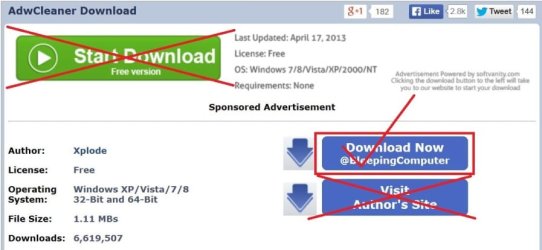
If it was my computer I would run AdwCleaner from Bleeping Computer and only from Bleeping Computer.

AdwCleaner Download


adwcleaner-1.JPG
 

My Computer

Computer type
PC/Desktop
Computer Manufacturer/Model Number
Home made Desktop
OS
Windows 10 Pro. 64/ version 1709 Windows 7 Pro/64
CPU
Intel i7-6800K @ 4.3
Motherboard
ASUS X-99 Deluxe II
Memory
Corsair Platinum 16 gig @2400
Graphics Card(s)
EVGA GTX 1070 OC
Monitor(s) Displays
Asus 27" LED LCD/VE278Q
Screen Resolution
1920-1080 or 1280-720 HDMI
Hard Drives
INTEL SSD 730-240 Gb Sata 3.0/
PSU
EVGA Platium 1200W
Case
Phanteks Luxe Tempered Glass 8 fans/ one radiator
Cooling
XSPC/ Water Cooled CPU
Keyboard
Das 4 Professional
Mouse
Logitech M705/MX Anywhere 2-S
Internet Speed
100 mbits
Antivirus
Microsoft Security Essentials/ Malwarebytes Premium 3.0/ SAS
Browser
I.E. 11 default/Firefox/ ISP Time Warner Cable/Spectrum
Other Info
LG BluRay Burner/
Sound system-KLipsch-THX/
Icy Dock ssd Hot Swap bays.
To ThrashZone- discovered taht when looking for All add-ons listing (which I sent earlier)
does not include ones under Run without permission. There are quite a few enabled, but all Microsoft.
New file attached.

Hi can you just upload a jpeg image and not a doc file :/
See what is listed here,
google%20search.jpg

You can turn off the prompt if you like to unless you already have ?
internet%20options%20programs.jpg
 

My Computer

Computer type
PC/Desktop
Computer Manufacturer/Model Number
Custom assembled by me :}
OS
Win-7-Pro64bit 7-H-Prem-64bit
CPU
i7-5930K 2nd i9-9940x both water blocked VRM's too
Motherboard
ASUS SABERTOOTH X99 2nd ASUS x299 Apex
Memory
Trident-z 3200C14 2nd Trident-z 3600C16
Graphics Card(s)
EVGA 1080ti ftw3 2nd Titan Xp both water blocked
Sound Card
Built-in Realtek
Monitor(s) Displays
1-AOC G2460PG 24"G-Sync 144Hz/ 2nd 1-ASUS VG248QE 24" 144Hz
Screen Resolution
1920 x 1080 144Hz
Hard Drives
2-Samsung M.2 Evo & Evo Plus
2-Samsung 850 EVO 500GB SSD's/ 3-2.5 W.D. Black 1tb-&3-1tb/3-3.5 WD Black 1tb hdd's
PSU
EVGA SuperNOVA 1000-P2 2nd 1200-P2
Case
2-Corsair Obsidian Series 450D Black ATX Mid Tower
Cooling
Custom water loops
Keyboard
Logitech G710+/ 2nd Logitech G910
Mouse
2-RedDragon M901 Perdition 16400 dpi Gaming mouse = wired
Internet Speed
Comcast Ping 19ms 89.31mbps download speed 6.12mbps upload
Antivirus
Malwarebytes Pro/ Superantispyware Pro
Browser
FireFox & Pale moon
Other Info
2nd ASUS X299 Apex/Intel i9-9940x with Custom water loop/7H-Prem-x64/Corsair 450D case/Ram Trident-z 3600C16 4x8gb / Samsung970Evo plus 500gb SSD/Dual ssd EZ swap evo/PSU EVGA SuperNova 1200w-P2 80+Platinum/GPU Titan Xp /8-ML-140 on push-pull on 2-280GTX rads
Can't sset IE11 etc

To Thrashzone- thanks re the pointer for JPG vs doc file
I could set the prompt to not show the message, but that would just hide that there was a problem (whatever
it is).
 

My Computer

Computer type
Laptop
Computer Manufacturer/Model Number
Toshiba Satelite
OS
windows 7 64bit
Memory
4 gb
Hard Drives
600 gb
Antivirus
pamda
Browser
IE 11
Can't set IE etc

To Layback Bear - I checked that version and the two files have exactly the same contents. I will keep Bleeping in mind for future situations. Thanks
 

My Computer

Computer type
Laptop
Computer Manufacturer/Model Number
Toshiba Satelite
OS
windows 7 64bit
Memory
4 gb
Hard Drives
600 gb
Antivirus
pamda
Browser
IE 11
Hi,
Yep but if you use Ctrl+E and see what is listed in the little boxes it might show which search is still there and then what is triggering the popup message,
It could very well be a malware so yes please do use Adwcleaner
Post the results as a Text attachment not as a doc file nobody wants your possible bugs :p
 

My Computer

Computer type
PC/Desktop
Computer Manufacturer/Model Number
Custom assembled by me :}
OS
Win-7-Pro64bit 7-H-Prem-64bit
CPU
i7-5930K 2nd i9-9940x both water blocked VRM's too
Motherboard
ASUS SABERTOOTH X99 2nd ASUS x299 Apex
Memory
Trident-z 3200C14 2nd Trident-z 3600C16
Graphics Card(s)
EVGA 1080ti ftw3 2nd Titan Xp both water blocked
Sound Card
Built-in Realtek
Monitor(s) Displays
1-AOC G2460PG 24"G-Sync 144Hz/ 2nd 1-ASUS VG248QE 24" 144Hz
Screen Resolution
1920 x 1080 144Hz
Hard Drives
2-Samsung M.2 Evo & Evo Plus
2-Samsung 850 EVO 500GB SSD's/ 3-2.5 W.D. Black 1tb-&3-1tb/3-3.5 WD Black 1tb hdd's
PSU
EVGA SuperNOVA 1000-P2 2nd 1200-P2
Case
2-Corsair Obsidian Series 450D Black ATX Mid Tower
Cooling
Custom water loops
Keyboard
Logitech G710+/ 2nd Logitech G910
Mouse
2-RedDragon M901 Perdition 16400 dpi Gaming mouse = wired
Internet Speed
Comcast Ping 19ms 89.31mbps download speed 6.12mbps upload
Antivirus
Malwarebytes Pro/ Superantispyware Pro
Browser
FireFox & Pale moon
Other Info
2nd ASUS X299 Apex/Intel i9-9940x with Custom water loop/7H-Prem-x64/Corsair 450D case/Ram Trident-z 3600C16 4x8gb / Samsung970Evo plus 500gb SSD/Dual ssd EZ swap evo/PSU EVGA SuperNova 1200w-P2 80+Platinum/GPU Titan Xp /8-ML-140 on push-pull on 2-280GTX rads
Can't set IE etc

To ThrashZone- ran adwcleaner and it reported NO issues. as did Junkware Removal Tool v6.4. Hitman Pro
reported one cookie
 

Attachments

  • Hitman141130.jpg
    Hitman141130.jpg
    23.1 KB · Views: 5

My Computer

Computer type
Laptop
Computer Manufacturer/Model Number
Toshiba Satelite
OS
windows 7 64bit
Memory
4 gb
Hard Drives
600 gb
Antivirus
pamda
Browser
IE 11
Can't set IE etc

To ThrashZone- for what it's worth, I had another bad slowdown this afternoon on my computer, which made me look at Task Manager. To my (uneducated) eye there was no stand-out issue, until I noticed (again) two
items under Processes usually run without any description. I went to the BleepinComputer site because I had
seen tabs for Startup And Uninstall List and found both, with a sigificant number of listings with status X; the
two items are csrss.exe and winlogon.exe. While I was typing this message, I went back to Task Manager listing and discovered TWO entries for csrss.exe.
A third entry is GFNEXSrv.exe, which is "not known" on the bleepingcomputer web site.
ps- if you would prefer to ask and not BE asked, let me know!
 

My Computer

Computer type
Laptop
Computer Manufacturer/Model Number
Toshiba Satelite
OS
windows 7 64bit
Memory
4 gb
Hard Drives
600 gb
Antivirus
pamda
Browser
IE 11
I believe we're still waiting for the show all-ons list pages,
Use Clean boot,
http://www.sevenforums.com/tutorials/179159-troubleshoot-application-conflicts-performing-clean-startup.html
Click Start and type in the search box,
msconfig
Click on the suggestion on top or hit the Enter key,
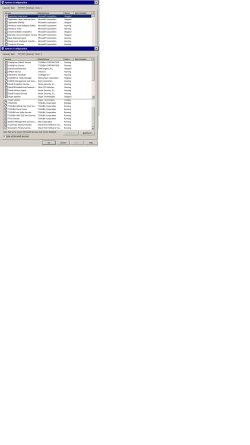
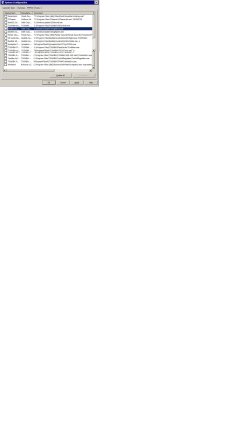
Go to the Startup section and take some screen shots for a complete list,
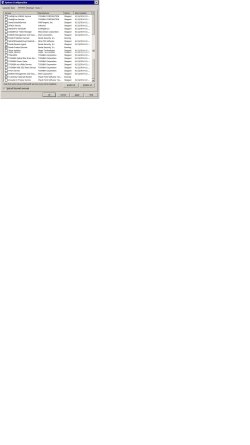
Go to the Services section and on the bottom left Check the box to Hide All Microsoft services,
Repeat the screen shots,
See the links above my signature on how to take and upload screen shots here,
Cheers.
 

My Computer

Computer type
PC/Desktop
Computer Manufacturer/Model Number
Custom assembled by me :}
OS
Win-7-Pro64bit 7-H-Prem-64bit
CPU
i7-5930K 2nd i9-9940x both water blocked VRM's too
Motherboard
ASUS SABERTOOTH X99 2nd ASUS x299 Apex
Memory
Trident-z 3200C14 2nd Trident-z 3600C16
Graphics Card(s)
EVGA 1080ti ftw3 2nd Titan Xp both water blocked
Sound Card
Built-in Realtek
Monitor(s) Displays
1-AOC G2460PG 24"G-Sync 144Hz/ 2nd 1-ASUS VG248QE 24" 144Hz
Screen Resolution
1920 x 1080 144Hz
Hard Drives
2-Samsung M.2 Evo & Evo Plus
2-Samsung 850 EVO 500GB SSD's/ 3-2.5 W.D. Black 1tb-&3-1tb/3-3.5 WD Black 1tb hdd's
PSU
EVGA SuperNOVA 1000-P2 2nd 1200-P2
Case
2-Corsair Obsidian Series 450D Black ATX Mid Tower
Cooling
Custom water loops
Keyboard
Logitech G710+/ 2nd Logitech G910
Mouse
2-RedDragon M901 Perdition 16400 dpi Gaming mouse = wired
Internet Speed
Comcast Ping 19ms 89.31mbps download speed 6.12mbps upload
Antivirus
Malwarebytes Pro/ Superantispyware Pro
Browser
FireFox & Pale moon
Other Info
2nd ASUS X299 Apex/Intel i9-9940x with Custom water loop/7H-Prem-x64/Corsair 450D case/Ram Trident-z 3600C16 4x8gb / Samsung970Evo plus 500gb SSD/Dual ssd EZ swap evo/PSU EVGA SuperNova 1200w-P2 80+Platinum/GPU Titan Xp /8-ML-140 on push-pull on 2-280GTX rads
Can't set IE etc

To ThrashZone- thanks for the update, sorry I didn't get back to you earlier, just became a grandad for the 4th time last night. I will work on the lists (as JPGs) and start running through the test steps and post results later.
 

My Computer

Computer type
Laptop
Computer Manufacturer/Model Number
Toshiba Satelite
OS
windows 7 64bit
Memory
4 gb
Hard Drives
600 gb
Antivirus
pamda
Browser
IE 11
Can't set IE etc

To ThrashZone- OK, worked my way thru a couple of steps.
First, I signed on normally and and printed out the list of startups and services using MSConfig under a "Normal" boot but as JPGs as per original request.

Then, I logged in as Admin and performed the "Selective" boot and printed the same startups and services
using MSCongfig again. Note that Panda Antivirus and Zonealrm firewall refused to close, when I clicked on Apply or OK (tried both ways) before "restarting".

I tried the last step both as Admin and regular (non-Admin) users- the IE not default message window came
up for both users when I clicked on IE.

So now I'm on to the next step(s). Attached are before/after jpgs of MSConfig Startup and Service (non MS)
items
 

Attachments

  • rangerws IE11-MSCnfig St-ups-Normal.jpg
    rangerws IE11-MSCnfig St-ups-Normal.jpg
    81.1 KB · Views: 3
  • rangerws IE11-MSConfig Srvis-Normal.jpg
    rangerws IE11-MSConfig Srvis-Normal.jpg
    132.9 KB · Views: 2
  • rangerws IE11-MSCnfig St-ups-Selective.jpg
    rangerws IE11-MSCnfig St-ups-Selective.jpg
    94.2 KB · Views: 2
  • rangerws IE11-MSCnfig Srvs-Selective.jpg
    rangerws IE11-MSCnfig Srvs-Selective.jpg
    105.6 KB · Views: 2

My Computer

Computer type
Laptop
Computer Manufacturer/Model Number
Toshiba Satelite
OS
windows 7 64bit
Memory
4 gb
Hard Drives
600 gb
Antivirus
pamda
Browser
IE 11
Can't set IE etc

To ThrashZone- So after a brief timeout and re-reading STEP TWO, the results of STEP ONE say it's not
a non-MS item (unless it's Panda or ZAlarm firewall) so I'm not supposed to do further steps.
In further review of what is running, we have:
some of Panda, not all-
some of Zonealarm, not all
all of MS services-
some of Winpatrol- under Processes
Two Toshiba items (Config...) in Processes
.... and two items that concern me in Processes are...
csrss.exe and winlogon.exe- both of these never show descriptions or user name, both have been reported
as potential bad guys, and on my system, if I right-click on them to get "Properties", nothing happens;
on all OTHER entries under Processes, all show a Properties screen pointing to where the programs are
located. Even if I do a search on my C drive, nothing is reported on these two.
Anyway, going to go back to normal start-up- without the proper services on my touch-pad, I could really make a mess with this dumb tap=to=delete feature.
Hope you have something else for me to check, thanks
Wayne
 

My Computer

Computer type
Laptop
Computer Manufacturer/Model Number
Toshiba Satelite
OS
windows 7 64bit
Memory
4 gb
Hard Drives
600 gb
Antivirus
pamda
Browser
IE 11
Hi I'm not seeing anything bad about those entries,
Win patrol is interesting though as to why you have a third party firewall ?
Is csrss.exe a safe process ? - Microsoft Community

On another note please before uploading screen shots crop the background down to just around the actual image ;)
Pretty small images on a huge background.
 

My Computer

Computer type
PC/Desktop
Computer Manufacturer/Model Number
Custom assembled by me :}
OS
Win-7-Pro64bit 7-H-Prem-64bit
CPU
i7-5930K 2nd i9-9940x both water blocked VRM's too
Motherboard
ASUS SABERTOOTH X99 2nd ASUS x299 Apex
Memory
Trident-z 3200C14 2nd Trident-z 3600C16
Graphics Card(s)
EVGA 1080ti ftw3 2nd Titan Xp both water blocked
Sound Card
Built-in Realtek
Monitor(s) Displays
1-AOC G2460PG 24"G-Sync 144Hz/ 2nd 1-ASUS VG248QE 24" 144Hz
Screen Resolution
1920 x 1080 144Hz
Hard Drives
2-Samsung M.2 Evo & Evo Plus
2-Samsung 850 EVO 500GB SSD's/ 3-2.5 W.D. Black 1tb-&3-1tb/3-3.5 WD Black 1tb hdd's
PSU
EVGA SuperNOVA 1000-P2 2nd 1200-P2
Case
2-Corsair Obsidian Series 450D Black ATX Mid Tower
Cooling
Custom water loops
Keyboard
Logitech G710+/ 2nd Logitech G910
Mouse
2-RedDragon M901 Perdition 16400 dpi Gaming mouse = wired
Internet Speed
Comcast Ping 19ms 89.31mbps download speed 6.12mbps upload
Antivirus
Malwarebytes Pro/ Superantispyware Pro
Browser
FireFox & Pale moon
Other Info
2nd ASUS X299 Apex/Intel i9-9940x with Custom water loop/7H-Prem-x64/Corsair 450D case/Ram Trident-z 3600C16 4x8gb / Samsung970Evo plus 500gb SSD/Dual ssd EZ swap evo/PSU EVGA SuperNova 1200w-P2 80+Platinum/GPU Titan Xp /8-ML-140 on push-pull on 2-280GTX rads
can't set IE11 etc

To ThrashZone- thanks for the update
re csrss and winlogon- the Microsoft Community explains the what and why but there are two possible
differences: 1) that user states "I get two csrss processes and they do allow you to see properties and they
say they are from Microsoft- I can't get a properties window for either of these, and I can't even find the csrss
file on my C: drive (the only winlogon file I found is in a malwarebytes chameleon directory.
2) another :help" website lists over 75 versions of csrss.exe that have been verified as malware, trojans, etc.
see Startup Programs Database
Re the third party firewall- have used zonealarm firewall for maybe more than 10 years- from back in the days
when products built into microsoft were considered not as good as 3rd party ones, not sure that has changed today. I use winpatrol for similar reasons.
Point re cropping jpgs noted, I tried to do that,
So what's next!
 

My Computer

Computer type
Laptop
Computer Manufacturer/Model Number
Toshiba Satelite
OS
windows 7 64bit
Memory
4 gb
Hard Drives
600 gb
Antivirus
pamda
Browser
IE 11
Back
Top