Hi,
I have Win7 Family Premium. It looks like it's the french version (I bought it in Quebec, which makes sense).
The PC has 4 accounts, one for each member of my family.
For some reason, I can't set my default keyboard layout to "French Canada".
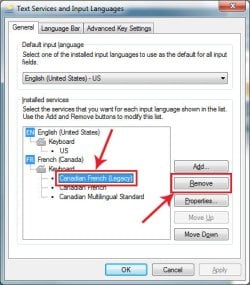
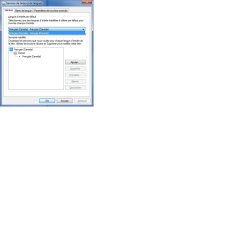
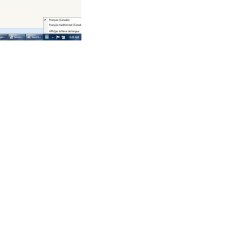
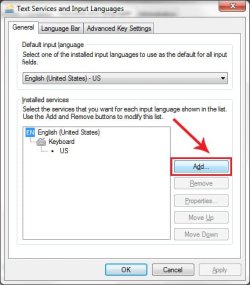
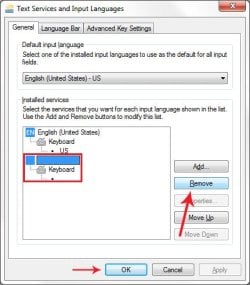
At the moment, I have the keyboard icon in my taskbar. If I click it, three options are displayed : French (Canada), Traditional French (Canada), and Show Language bar. By default, Traditional French is selected, which is what annoys me. If I right-click it, and click on Settings..., I get the "Services de texte et de langues" dialog. It says that my default input language is French (Canada). It is the only option in the select box, e.g. French Traditional is not there. Also, in the "Installed services" box in the lower left, again, only French (Canada) in installed (language, and keyboard layout).
Sometimes, when I boot the PC, the keyboard icon is NOT in the taskbar, and I do have the French Canada layout loaded. I'm wondering if that has anything to do with what member of my family logs in first... Most of the time though, the icon is there, and French Traditional is loaded by default.
My goal : to ALWAYS have ONE AND ONLY ONE keyboard layout: French (Canada).
Since it's not even shown in the "Services de texte et de langues" dialog, I have to idea how to remove the French Traditional one ?!?
Thanks.
I have Win7 Family Premium. It looks like it's the french version (I bought it in Quebec, which makes sense).
The PC has 4 accounts, one for each member of my family.
For some reason, I can't set my default keyboard layout to "French Canada".
At the moment, I have the keyboard icon in my taskbar. If I click it, three options are displayed : French (Canada), Traditional French (Canada), and Show Language bar. By default, Traditional French is selected, which is what annoys me. If I right-click it, and click on Settings..., I get the "Services de texte et de langues" dialog. It says that my default input language is French (Canada). It is the only option in the select box, e.g. French Traditional is not there. Also, in the "Installed services" box in the lower left, again, only French (Canada) in installed (language, and keyboard layout).
Sometimes, when I boot the PC, the keyboard icon is NOT in the taskbar, and I do have the French Canada layout loaded. I'm wondering if that has anything to do with what member of my family logs in first... Most of the time though, the icon is there, and French Traditional is loaded by default.
My goal : to ALWAYS have ONE AND ONLY ONE keyboard layout: French (Canada).
Since it's not even shown in the "Services de texte et de langues" dialog, I have to idea how to remove the French Traditional one ?!?
Thanks.
My Computer
- Computer type
- PC/Desktop
- OS
- Windows 7 Family premium 64-bit

 .
.