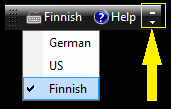
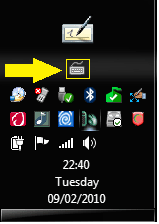
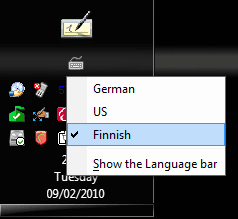
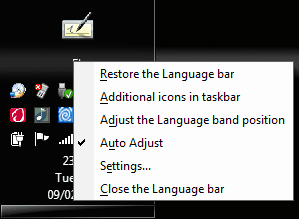
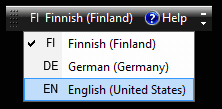
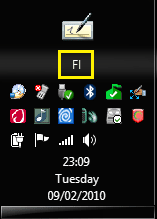
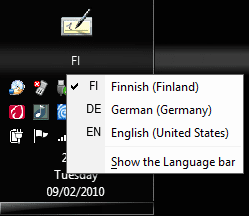
From what I read about this problem, for the language switch over to work consistantly you may need to log off then back in again after changing the language.
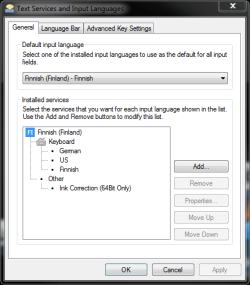
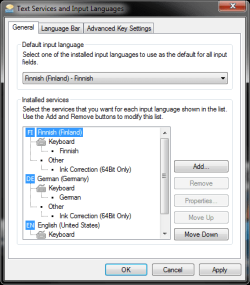
Whenever you switch language packs, you will have to log off and log back in for the changes to take into effect. In the future when you want to change language packs that have already been installed, head back to the “Keyboards and Languages” tab under Regional and Language Options and you should be able to select from a menu of different language packs. Just want to note that Windows 7 Beta actually switched to my new language pack without me having to log off even though it had asked me to.
So it appears to be possible to change the language without logging off, it should work better if you log off then on again after switching to another language.
Another tutorial said you need to restart in order for the language setting change to work.
http://www.webtlk.com/2009/05/29/how-to-change-language-in-windows-7/
Source: How to easily download and install Windows 7 Language Packs (MUI packs) | Windows 7 Center
Whenever you switch language packs, you will have to log off and log back in for the changes to take into effect. In the future when you want to change language packs that have already been installed, head back to the “Keyboards and Languages” tab under Regional and Language Options and you should be able to select from a menu of different language packs. Just want to note that Windows 7 Beta actually switched to my new language pack without me having to log off even though it had asked me to.
So it appears to be possible to change the language without logging off, it should work better if you log off then on again after switching to another language.
Another tutorial said you need to restart in order for the language setting change to work.
http://www.webtlk.com/2009/05/29/how-to-change-language-in-windows-7/
Source: How to easily download and install Windows 7 Language Packs (MUI packs) | Windows 7 Center
My Computer
At a glance
Windows 7 Ult, Windows 8.1 Pro,Q9650-4.275GHz, E8600 4.5GHz, E6750-3.8GHzG.Skill PC2 9600 1200Mhz 5 5 5 15 2TGTX480
- Computer type
- PC/Desktop
- Computer Manufacturer/Model Number
- Home built
- OS
- Windows 7 Ult, Windows 8.1 Pro,
- CPU
- Q9650-4.275GHz, E8600 4.5GHz, E6750-3.8GHz
- Motherboard
- Evga 780i FTW
- Memory
- G.Skill PC2 9600 1200Mhz 5 5 5 15 2T
- Graphics Card(s)
- GTX480
- Sound Card
- Asus Xonar D2
- Monitor(s) Displays
- HannsG
- Screen Resolution
- 1680X1050
- Hard Drives
- GSkill Phoenix Pro 120GB SSD
- PSU
- ThermalTake Toughpower 1000Watt modular
- Case
- ThermalTake XaserV
- Cooling
- Xigmatek S1283
- Keyboard
- Logitech G15
- Mouse
- Logitech G9
- Internet Speed
- T1