
i have 22 inch monitor
i want to retain dpi at 100%
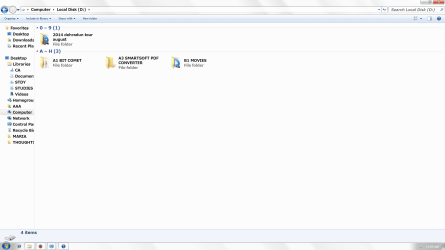
i have changed the font size of icon, menu,message box etc. by using advance setting of -- Control Panel\Appearance and Personalization\Personalization\Window Color and Appearance
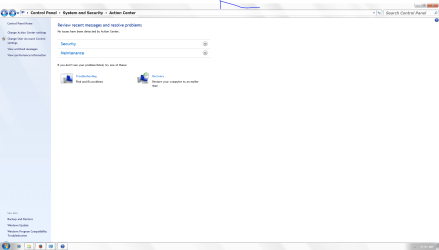
but i cannot change the font size of control panel items after trying on internet about 2 days
i will be highly grateful to u if u provide me the exact solution
i want change the font of first screen below without changing dpi
i want to retain dpi at 100%
i have changed the font size of icon, menu,message box etc. by using advance setting of -- Control Panel\Appearance and Personalization\Personalization\Window Color and Appearance
but i cannot change the font size of control panel items after trying on internet about 2 days
i will be highly grateful to u if u provide me the exact solution
i want change the font of first screen below without changing dpi
Attachments
My Computer
At a glance
Windows 7 Ultimate x64intel core 2 duo4 gbno
- Computer type
- PC/Desktop
- Computer Manufacturer/Model Number
- dell
- OS
- Windows 7 Ultimate x64
- CPU
- intel core 2 duo
- Memory
- 4 gb
- Graphics Card(s)
- no


