theneves
New member
- Local time
- 2:25 AM
- Messages
- 52
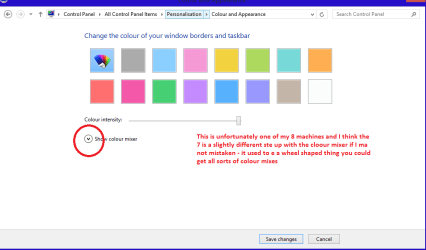
Good day. I installed a theme, and I used UxStyle Core to patch the needed files for the theme to appear. I like this theme, but the problem is the taskbar is black. I want to make it color blue, like the color of the top of the explorer. See attached image.How can I make it like the color of the explorer? I tried to change the Windows color but to no avail.
Attachments

My Computer
- Computer type
- Laptop
- Computer Manufacturer/Model Number
- Neo
- OS
- Windows 7 Home Premium 32-bit
- CPU
- Intel(R) Atom(TM) CPU N2600 @ 1.60GHz
- Motherboard
- CLEVO CO. W210CUQ
- Memory
- 2.00 GB
- Graphics Card(s)
- Intel(R) Graphics Media Accelerator 3600 Series
- Sound Card
- (1) VIA High Definition Audio (2) Intel(R) Display Audio
- Hard Drives
- Hitachi HTS543232A7A384 ATA Device
- Antivirus
- Avast!/Malwarebytes (Free)
- Browser
- Firefox/Pale Moon