
jenjenjeng
New member
- Local time
- 5:13 PM
- Messages
- 1
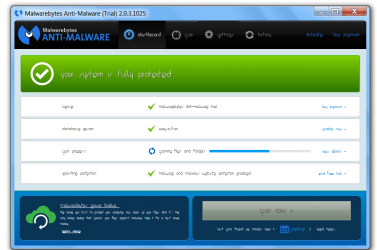
I upgraded and downloaded two programs which seem to use an unreadable font. I'm unable to increase size with ctrl +. I do not see anything in the settings about choosing font. The font they are using is 1920 on my computer. I tried deleting the font but then when I opened the program there was no writing.
I've uploaded an example.
I've uploaded an example.
Attachments
Last edited:
My Computer
- Computer type
- Laptop
- Computer Manufacturer/Model Number
- Lenovo
- OS
- Windows 7 Home Premium 64
- CPU
- AMD Turion II P520 Dual-Core Processor 2.30 GHZ
- Antivirus
- Total Defense Security Center
- Browser
- Google Chrome
