acelegacy
New member
- Local time
- 8:25 PM
- Messages
- 30
Helo, I'd like some help on something and I hope this is the right pplace...
So, I've been trying to install a program for a couple of days now and it's been really painful with a lot of errors.
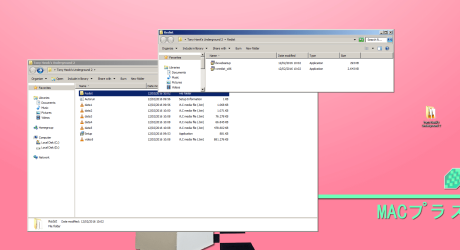
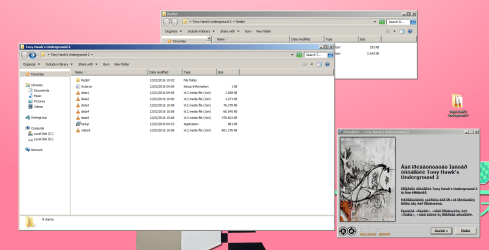
I'm getting this error language on the installation menu and it's starting with this weird language. I asked on Reddit what language it was and they said:
1. Mojibake
2. It's Russian. Older versions of Windows encoded Russian with the Win-1251 codepage. Now it uses codepages 1252-1256, breaking backwards compatibility. To make it comprehensible again, change the parts of the registry that point to the codepages 1252-1256 to all point to 1251, or just replace the codepage files themselves in System32 with 1251's.
Considering the program seems to be related to Russian language, I'd like to know how to perform the steps on the second option (To make it comprehensible again, change the parts of the registry that point to the codepages 1252-1256 to all point to 1251, or just replace the codepage files themselves in System32 with 1251's.), since I'm a huge newbie on that topic. Can somebody help me?? I'd also like to know if there are any risks in following those steps. Thanks and I hope I'm doing everything right
So, I've been trying to install a program for a couple of days now and it's been really painful with a lot of errors.
I'm getting this error language on the installation menu and it's starting with this weird language. I asked on Reddit what language it was and they said:
1. Mojibake
2. It's Russian. Older versions of Windows encoded Russian with the Win-1251 codepage. Now it uses codepages 1252-1256, breaking backwards compatibility. To make it comprehensible again, change the parts of the registry that point to the codepages 1252-1256 to all point to 1251, or just replace the codepage files themselves in System32 with 1251's.
Considering the program seems to be related to Russian language, I'd like to know how to perform the steps on the second option (To make it comprehensible again, change the parts of the registry that point to the codepages 1252-1256 to all point to 1251, or just replace the codepage files themselves in System32 with 1251's.), since I'm a huge newbie on that topic. Can somebody help me?? I'd also like to know if there are any risks in following those steps. Thanks and I hope I'm doing everything right
My Computer
- Computer type
- PC/Desktop
- Computer Manufacturer/Model Number
- Custom Build
- OS
- Windows 7 Ultimate 64bit
- CPU
- Intel® Core™ i7-3770K
- Motherboard
- Asus P8Z77-V PRO
- Memory
- Corsair Vengeance 16GB (2x8GB) DDR3
- Graphics Card(s)
- EVGA GeForce GTX760 2GB DDR5
- Hard Drives
- Seagate SATA III Barracuda 7200 1TB
- Antivirus
- Avast (premium, free 60 day trial)
- Browser
- Google Chrome