

I use Chrome for work, and there's no help at the Chrome forums. They still haven't replied to another query of a month ago.
I'm using v. 68 (latest is 77) because every time Chrome updates, my settings go haywire and I lose some customizations I did in "Inspect." But I need it to look like a later version.
D/L this: Chrome Web Store
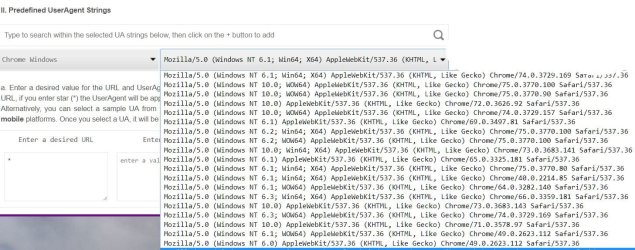
I don't understand why all the UserAgents are preceded by "Mozilla," so I haven't changed mine yet . Does it mean I can disguise Chrome only as Firefox?
I've also tried UserAgentSwitcher, but there are no Chrome versions included, just the switching of browsers. Removed it.
I'm using v. 68 (latest is 77) because every time Chrome updates, my settings go haywire and I lose some customizations I did in "Inspect." But I need it to look like a later version.
D/L this: Chrome Web Store
I don't understand why all the UserAgents are preceded by "Mozilla," so I haven't changed mine yet . Does it mean I can disguise Chrome only as Firefox?
I've also tried UserAgentSwitcher, but there are no Chrome versions included, just the switching of browsers. Removed it.
Attachments
Last edited:
My Computer
- Computer type
- PC/Desktop
- Computer Manufacturer/Model Number
- HP p6-2020t
- OS
- Win 7 Ult 64-bit
- CPU
- G620 2.6GHZ Pentium R
- Memory
- 6 GB
- Monitor(s) Displays
- 25" HPLV2311
- Screen Resolution
- 1920 x 1200
- Hard Drives
- 1 SATA, 1 exterior SATA
- Case
- HP
- Cooling
- PSU
- Antivirus
- Glasswire
- Browser
- Waterfox; Firefox; Chrome for work
- Other Info
- Firewall--Glasswire
Similar specs in Gateway DX4200
Verizon FIOS Wired network
1 other Win7 computer-- has SSD
