I'm running Windows 7 on an HP laptop. I'm in the process of changing my email address to a Hotmail address (using Outlook Email). Until now I have been using a particular email client program, Forté Agent, and the browser (IE10) is currently set up to launch Forté Agent as my default email program if I click an email link on a web page.
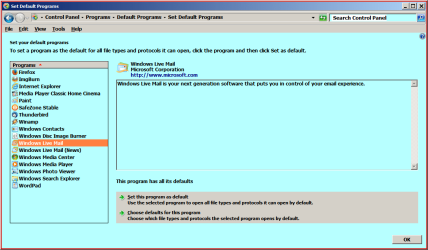
So I'm trying to stop the browser from automatically launching Forté Agent in this scenario, but I find the options within Control Panel confusing. I'm going into the 'Set Program Access and Computer Defaults' window and clicking on the 'Custom' option. The 'Choose a default email program' section is displaying the following:
A group of three option buttons as follows:
Use my current email program (the selected option)
Forté Agent
Windows Live Mail
There are also check boxes headed 'Enable access to this program' against the latter two option buttons. Both of these are currently set to 'Yes' (i.e. ticked).
Can someone please explain how I need to set these options to avoid Forté Agent being launched from the browser in these scenarios? Or should I be doing something completely different?
Please note that I will still be leaving Forté Agent installed and will continue to use it until such time as I'm sure that all my contacts have started using my new email address.
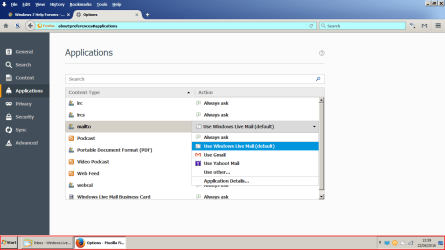
Also, as I am now using web-based email rather than an email 'program', if I click on an email link within a web page, is it possible for the browser to launch a new page (with a new tab) for Outlook Mail with the 'To' field automatically populated? If so, how can I achieve this?
Thanks in advance for any help!
So I'm trying to stop the browser from automatically launching Forté Agent in this scenario, but I find the options within Control Panel confusing. I'm going into the 'Set Program Access and Computer Defaults' window and clicking on the 'Custom' option. The 'Choose a default email program' section is displaying the following:
A group of three option buttons as follows:
Use my current email program (the selected option)
Forté Agent
Windows Live Mail
There are also check boxes headed 'Enable access to this program' against the latter two option buttons. Both of these are currently set to 'Yes' (i.e. ticked).
Can someone please explain how I need to set these options to avoid Forté Agent being launched from the browser in these scenarios? Or should I be doing something completely different?
Please note that I will still be leaving Forté Agent installed and will continue to use it until such time as I'm sure that all my contacts have started using my new email address.
Also, as I am now using web-based email rather than an email 'program', if I click on an email link within a web page, is it possible for the browser to launch a new page (with a new tab) for Outlook Mail with the 'To' field automatically populated? If so, how can I achieve this?
Thanks in advance for any help!
My Computer
At a glance
Windows 74GB
- Computer Manufacturer/Model Number
- HP Pavilion DV7-2215SA
- OS
- Windows 7
- Memory
- 4GB
- Hard Drives
- Internal 500GB
External LaCie 160GB