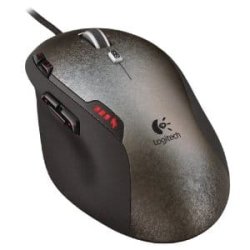
Changing from one USB mouse to another - USB driver uninstall needed?

TastyCheese

New member
Local time
9:54 AM
Messages
8
Basically my USB mouse died today and I'm planning to buy a new one, USB again. I remember reading somewhere something about uninstalling the dirvers from device manager first - do I have to do anything like that or can I just plug in the new one and forget about it?
 

My Computer My Computer

OS
Windows 7 Home Premium 64 bit
How do you know for sure the mouse is dead? You should check in Device Manager for a yellow exclaimation marks. To see if the mouse driver has been disabled. Start>in search box, type Device Manager. Click on Device Manager in the list. Once DM has opened, look for problems with USB drivers. If you see a yellow exclaimation mark. Let me know and we can continue.
 

My Computer My Computer

Computer Manufacturer/Model Number
HP/ Pavilion P6751C
OS
windows 7 home premium 64 bit
CPU
AMD Phenom(tm) II X4 830 Processor, 2800 Mhz, 4 core
Motherboard
N-Alvorix-RS880-uATX (Alvorix) motherboard
Memory
12.00 GB
Graphics Card(s)
ATI Radeon 4200
Sound Card
Creative Labs Sound Blaster Recon3D
Monitor(s) Displays
46" Sony TV KDL-46NX810
Screen Resolution
1920x1090P
Hard Drives
1 TB
PSU
Internal 250W
Case
Mid-size ATX
Cooling
1 rear case fan
Keyboard
Logitech USB Wireless K800
Mouse
Logitech USB Wireless M305
Internet Speed
22mb-28mb
Well technically it's *dying* - used it on a laptop and tablet with the same results - becomes unresponsive for a second or two every few minutes and the dpi adjustment light flickers when that happens. I've been wanting to change this thing anyway... Interestingly, I've had similar problems with two other mice from the same make (A4Tech) over the years.
 

My Computer My Computer

OS
Windows 7 Home Premium 64 bit
Shouldn't have to uninstall anything...maybe the software if the mouse came with special software? Even then it wouldn't matter.
 

My Computer My Computer

Computer type
PC/Desktop
Computer Manufacturer/Model Number
Alienware Aurora ALX R4
OS
Windows 10 Pro (x64)
CPU
Intel Core i7-3930K (3.2GHz - 4.5GHz)
Motherboard
Alienware Aurora-R4 x79
Memory
4x Samsung 4GB PC3-12800 DDR3 (16GB 1600MHz)
Graphics Card(s)
Nvidia Geforce GTX 690
Sound Card
SteelSeries Siberia Elite
Monitor(s) Displays
Dell UltraSharp U3011
Screen Resolution
2560x1600
Hard Drives
Samsung 850 Pro 256 GB, Seagate 1TB Desktop Hybrid HDD, 2x Western Digital 4TB Green HDD
PSU
875W Some Dell PSU <.<
Case
Alienware Aurora ALX
Cooling
Custom Liquid Cooling (EK CPU & GPU blocks) dual EK 480RAD
Keyboard
Logitech G710+ Mechanical
Mouse
Logitech G700s
Internet Speed
Verizon Fios (50 mbps average)
Other Info
Server: Intel NUC D54250WYK: i5-4250U, 16GB, 256 GB mSATA, Windows Server 2012 R2
Ok, in that case. Go to Amazon.com, and in the search box type USB Wireless Logitech Mouse. They cost about $22.00 US. They come in about 5 different colors. Or you may have a local retailer you can purchase from. The instructions for installing the Mouse will be with it. Ususally, it's just plug and play. You plug in the USB Wireless Adapter into any free USB port. Then reboot. Windows will load the Driver and the Mouse is really to use. Well, after you install the AA batteries in the new Mouse. Good luck!

I just bought a new Logitech Wireless Keyboard and Mouse, last week. Good brand!

If you should have any more question, just come back here and someone will assist you.

Quickdraw
 

My Computer My Computer

Computer Manufacturer/Model Number
HP/ Pavilion P6751C
OS
windows 7 home premium 64 bit
CPU
AMD Phenom(tm) II X4 830 Processor, 2800 Mhz, 4 core
Motherboard
N-Alvorix-RS880-uATX (Alvorix) motherboard
Memory
12.00 GB
Graphics Card(s)
ATI Radeon 4200
Sound Card
Creative Labs Sound Blaster Recon3D
Monitor(s) Displays
46" Sony TV KDL-46NX810
Screen Resolution
1920x1090P
Hard Drives
1 TB
PSU
Internal 250W
Case
Mid-size ATX
Cooling
1 rear case fan
Keyboard
Logitech USB Wireless K800
Mouse
Logitech USB Wireless M305
Internet Speed
22mb-28mb
Nah, it's basic plug-n-play mouse (A4Tech X-710BH), didn't come with anything and the new one I'm planning to get (Logitech G400) only has some optional download for customization.
 

My Computer My Computer

OS
Windows 7 Home Premium 64 bit
Logitech G400, G500, and G700 gaming mouses are fine. I own a couple of those, as well. I have 5 different gaming mouses. Ok, I gotta run. There are pletty of other members to assist. Bye now.
 

My Computer My Computer

Computer Manufacturer/Model Number
HP/ Pavilion P6751C
OS
windows 7 home premium 64 bit
CPU
AMD Phenom(tm) II X4 830 Processor, 2800 Mhz, 4 core
Motherboard
N-Alvorix-RS880-uATX (Alvorix) motherboard
Memory
12.00 GB
Graphics Card(s)
ATI Radeon 4200
Sound Card
Creative Labs Sound Blaster Recon3D
Monitor(s) Displays
46" Sony TV KDL-46NX810
Screen Resolution
1920x1090P
Hard Drives
1 TB
PSU
Internal 250W
Case
Mid-size ATX
Cooling
1 rear case fan
Keyboard
Logitech USB Wireless K800
Mouse
Logitech USB Wireless M305
Internet Speed
22mb-28mb
No need to worry about drivers. They install automatically. I use 3 different mices on this system and never had a conflict.
 

My Computer My Computer

Computer Manufacturer/Model Number
HP, Dell, Gateway, Toshiba - 4 laptops and 2 desktops
OS
Vista, Windows7, Mint Mate, Zorin, Windows 8
CPU
from 1.6GHz Duo to i7
Monitor(s) Displays
2x HP w2207
Hard Drives
5x HDD, 7x SSD, 12x Externals
Keyboard
with trackball - no mices
Mouse
Trackball mice
Internet Speed
DSL 6000
Alright, thanks a lot guys! Gonna get me a G400 tomorrow :D
 

My Computer My Computer

OS
Windows 7 Home Premium 64 bit
Back
Top