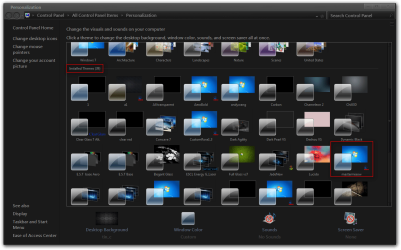
I have been getting headaches and wanted to change the glaring white colour of the background I have gone through control panel, display, window colour, advance appearance settings, window and changed the colour. But this doesn't affect the folder background colour. How can I change that? And can I change the colours of all the folder backgrounds at once or do I have to do them individually?
I just want simple, no koala bears or anything. Just plain colour. At the moment I have a light green on my Windows setting so ideally it would be the same as that. I can give you the colour mixture settings if that would work although ideally what I want is a programme that I can use to adjust the folders background colour as per windows advanced appearance settings. If not possible no worries
If you can give me the color in RBG would be great, or a screenshot of the color and I can use a color picker.
If you want to change that color a lot I would recommend buying Ave's Windows7 Style Builder it's a great program for making custom themes, changing the Aero theme is different than changing the background of Windows classic theme with advanced color and appearance, Aero uses images and fill colors.
Jerry
My Computer
Computer type
Laptop
Computer Manufacturer/Model Number
Sager NP9170
OS
Win 7 Pro x64 / Win 10 Pro
CPU
Intel(R) Core(TM) i7-3630QM CPU @ 2.40GHz
Motherboard
CLEVO P170EM
Memory
12 GB
Graphics Card(s)
(1) Intel(R) HD Graphics 4000 (2) NVIDIA GeForce GTX 675M
Sound Card
(1) Realtek High Definition Audio (2) Intel(R) Display Aud
Monitor(s) Displays
17.3
Screen Resolution
1920x1080
Hard Drives
(1) Samsung 860 EVO 500GB(OS) (1) Samsung 860 EVO 500GB(Data)
Keyboard
Backlite
Antivirus
MSE, Malwarebytes Pro
Browser
Firefox
Other Info
DESKTOP: Custom-built.
OS: Win 10 Pro x64.
CASE: Rosewill R5.
CPU: Intel I5 4670K CPU @ 3.40GHz.
CPU COOLER: Cool Master Hyper 212 EVO.
MOTHERBOARD: Asus Z87-A.
MEMORY: Kingston HyperX 2x4 GB.
GPU: Nvidia Geforce 650 TI.
PSU: Corsair TX750.
DRIVES: (1) Samsung 840 120 GB SSD (2) Western Digital blue 500 GB 7200 RPM.
Here is a word doc with screen shot of the RGB settings and also showing the colour in vivo. That's really helpful if you can send me the .zip. I might invest in the programme if I feel I need to keep adjusting. Really appreciate your help
Dude you are a genius! Thank you! Can I ask you something else and that is it possible to change the folders/explorer font colour as well (at the moment it's black)? I assume I can't do it through control panel... No problem if too complicated.
Anyway really appreciate your help - am sure it will really help get rid of the headaches
Download the zip folder at the bottom of this post and extracted to your desktop, Switch to the default Aero theme logoff and then log back on and replace the mastermiaow.msstyles in C:\Windows\Resources\Themes\mastermiaow folder with the one from the zip folder.
Jerry
Attachments
mastermiaow.zip
719.5 KB
· Views: 68
My Computer
Computer type
Laptop
Computer Manufacturer/Model Number
Sager NP9170
OS
Win 7 Pro x64 / Win 10 Pro
CPU
Intel(R) Core(TM) i7-3630QM CPU @ 2.40GHz
Motherboard
CLEVO P170EM
Memory
12 GB
Graphics Card(s)
(1) Intel(R) HD Graphics 4000 (2) NVIDIA GeForce GTX 675M
Sound Card
(1) Realtek High Definition Audio (2) Intel(R) Display Aud
Monitor(s) Displays
17.3
Screen Resolution
1920x1080
Hard Drives
(1) Samsung 860 EVO 500GB(OS) (1) Samsung 860 EVO 500GB(Data)
Keyboard
Backlite
Antivirus
MSE, Malwarebytes Pro
Browser
Firefox
Other Info
DESKTOP: Custom-built.
OS: Win 10 Pro x64.
CASE: Rosewill R5.
CPU: Intel I5 4670K CPU @ 3.40GHz.
CPU COOLER: Cool Master Hyper 212 EVO.
MOTHERBOARD: Asus Z87-A.
MEMORY: Kingston HyperX 2x4 GB.
GPU: Nvidia Geforce 650 TI.
PSU: Corsair TX750.
DRIVES: (1) Samsung 840 120 GB SSD (2) Western Digital blue 500 GB 7200 RPM.
Hi Jerry,
nice work! I'm searching for a theme just like the screenshot (the dark one). You would make me happy if you could upload it.
Thank you Guitargeorge