
Changing to Wireless.

Hatashi

New member
Member
VIP
Local time
1:04 PM
Messages
153
Location
The Netherlands
Alright, I have a question.

We have Internet through a ''cable-router'', its displayed in the image below.
MotorolaSURFboardSB5120cablemodem-large.png


It is connected with this cable to the PC.
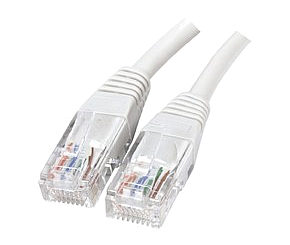
15m-network-cable-cat5e-utp.jpg


Now I wanted to know, what do I have to do to make this Internet Wireless?
My parents have 1 PC, that doesn't have built-in wireless/wifi whatever it is, and my notebook does have it.

Now what do I need to do to make this Internet wireless, but still let the PC be connected with a cable?
 

My Computer

Computer type
PC/Desktop
Computer Manufacturer/Model Number
Custom
OS
Windows 7 Ultimate 64-bit.
CPU
Intel Core i5 4460 / 3.2 Ghz
Motherboard
Gigabyte G1.Sniper B5
Memory
Crucial Ballistix Sport 8GB
Graphics Card(s)
Club3D Radeon R9 280 royalKing 3GB - GDDR5
Monitor(s) Displays
Philips 237EQPH IPS LED
Screen Resolution
1920x1080
Hard Drives
Crucial M500 - SSD - 120 GB
Seagate 500GB External Hard Drive
PSU
Sea Sonic S12II-520 Bronze
Case
Cooler Master N300
Cooling
Titan Fenrir TTC-NK85TZ
Antivirus
Malwarebytes Anti-Malware.
Browser
Chromium.
Get a wireless router and hook it up to your cable modem.
You can run the cable from the router to the PC or
buy wireless cards for each PC and eliminate wires to the PC all together.
 

My Computer

Computer type
PC/Desktop
Computer Manufacturer/Model Number
Custom Build
OS
Windows 7 Home Premium 64 bit
CPU
Intel Core i7-4790
Motherboard
GA-Z87X-D3H
Memory
G.SKILL 8GB (2 x 4GB) DDR3 F3-10666CL9D-8GBNT
Graphics Card(s)
AMD Radeon R7 250
Sound Card
Realtek ALC892
Monitor(s) Displays
Samsung UN32EH5000, Dell 1703FPT
Screen Resolution
1920 x 1080, 1280 x 1024
Hard Drives
WD5003AZEX
WD10EZEX
Samsung HD103SJ
Samsung 128 GB 840 PRO
PSU
SeaSonic M12II SS-500GM
Case
Fractal Design Define R4
Cooling
Zalman CNPS9900ALED
Keyboard
Logitech K800
Mouse
Logitech M705
Internet Speed
16 Mbps
Antivirus
Avast
Browser
Firefox
Other Info
Bose Companion 2 Multimedia Speakers
You need a wireless card or usb wifi. If you don't have one built in to your laptop, you will need to buy something like a USB wifi. you can go into control panel and into internet settings, and internet connection (I forget what it is called at the moment, I'm not at home, may have to get back to you). There you can look up your wireless connection to enter a password for the adapter (assuming the adapter has been programed with a password).

Don't just go buying stuff, if you aren't sure if you have a network card, look up what it says for network in your device manager (Type device manager in start menu to go to it), and find out if you have one installed.

You may also have to update wahtever you have or buy. Go to the maker's website and download its driver. That driver download should come with its own simple and easy setup to get you connected to the internet. Failing all of that, I would look at the adapter.
 

My Computer

Computer type
PC/Desktop
Computer Manufacturer/Model Number
Custom Asus Build
OS
Microsoft Windows 8.1 Pro 64-bit
CPU
Intel(R) Core(TM) i3-4130 CPU @ 3.40GHz
Motherboard
B85M-E
Memory
8.00 GB
Graphics Card(s)
None
Sound Card
Realtek High Definition Audio
Monitor(s) Displays
Asus 23.6" Monitor
Screen Resolution
1920 x 1080 x 32 bits (4294967296 colors) @ 60 Hz
Hard Drives
INTEL SSDSC2BW180A4
Samsung SSD 840 PRO Series
PSU
Seasonic S12II-380Bronze
Case
Lian Li
Cooling
Fan, Passive
Keyboard
Logitech K120
Mouse
Microsoft Touch Mouse
Internet Speed
4ms Ping, 19.0 Mbps Download, 19.0 Mbps Upload
Antivirus
Eset Endpoint
Browser
Internet Explorer, Chrome

My Computer

Computer type
PC/Desktop
Computer Manufacturer/Model Number
Custom Asus Build
OS
Microsoft Windows 8.1 Pro 64-bit
CPU
Intel(R) Core(TM) i3-4130 CPU @ 3.40GHz
Motherboard
B85M-E
Memory
8.00 GB
Graphics Card(s)
None
Sound Card
Realtek High Definition Audio
Monitor(s) Displays
Asus 23.6" Monitor
Screen Resolution
1920 x 1080 x 32 bits (4294967296 colors) @ 60 Hz
Hard Drives
INTEL SSDSC2BW180A4
Samsung SSD 840 PRO Series
PSU
Seasonic S12II-380Bronze
Case
Lian Li
Cooling
Fan, Passive
Keyboard
Logitech K120
Mouse
Microsoft Touch Mouse
Internet Speed
4ms Ping, 19.0 Mbps Download, 19.0 Mbps Upload
Antivirus
Eset Endpoint
Browser
Internet Explorer, Chrome
Back
Top