Um... I know I posted some info here regarding Classic Windows Start Menu - 'CWSM' from CoreAffinity -- http://coreaffinity.megabyet.net/ --- and I detailed my love for it and how it was a perfect all inclusive solution for restoring all past features, combining them with new 7 features - and allowing you to easily customize it with a menu system... I had asked Brink and Night Hawk what they though of it - and if they knew of any other better solutions (I can't imagine one existing) I also mentioned that Classic Start menu (which is a 2 part program, one replaces the start menu, the other adds missing features to the windows explorer) was a decent component to use - at least the Explorer side... I don't use their start menu since discovering CWSM...
Thx for the reply brink - though I figured it was on par with your tutorial as that program does everything your tutorial teaches... only the program does it all in a very easy to use menu based system.
It seems that the developers website is down - and has been down for a few months. if anyone is interested in having a copy of this I'll happily post a torrent of it - just pm me or reply... It is still the absolute best program available with the easiest use and most options...
I ran into a problem where the built in search box was not showing results; I traced the problem here:
Turns out if you put shortcuts in that location it breaks the built in search (not the original default menu search) - just removing various shortcuts fixed it... be sure all shortcuts are in the "\programs" folder.
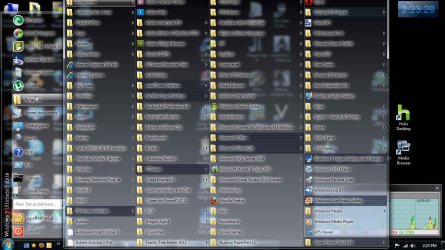
Here is an image of the stock setup - colors, fonts and every possible setting can be changed through a graphical interface - right click the start menu 'settings'
Forgive the Necro Post - I firmly believe that a topic should be replied to rather than started fresh- I've been saved by countless necro posts - reading tutorials of things from years past that are relevant even now... Thanks to those who keep this forum up.