Hi PBCopter/torchwood,
Thank-you for replying. I ended up wiping the computer a few more times since posting this and I will go through each of my resolutions/continued problems.
Here is what I have tried so far.
Resolved - Chipset Driver
I installed the Chipset drivers (INDOTH-14037700-US.EXE) from:
Sony eSupport - Electronics - Drivers & Software which seemed to install okay
(please let me know how I may double check - I used CPUID ((log file attached 'SONY-PC.txt')) from:
CPU-Z | Softwares | CPUID but still am not 100% I'm reading it right)
Resolved - Nvidia Driver
I managed to install the Nvidia driver from:
http://us.download.nvidia.com/Windo...n8-win7-winvista-64bit-international-whql.exe
only by doing Have Disk Method from:
Have-Disk method for Windows 7 / Vista - Frequently Asked Questions - LaptopVideo2Go Forums
and using a modified .inf from:
v310.90 Windows 8 64bit | NVIDIA OEM Mobile - GeForce r310 series - LaptopVideo2Go Forums
Resolved - Additional Drivers
Apparently necessary Sony drivers I installed:
1. Sony Shared library
2. Setting utility series
3. Vaio Event service
4. Vaio Control center
from:
http://www.sevenforums.com/drivers/57446-sony-vaio-vgn-ar730e-drivers-help.html
Drivers were sourced from link in above article from:
ftp://ftp.vaio-link.com/PUB/VAIO/WIN7UPGRADE/
NOT RESOLVED
Searching
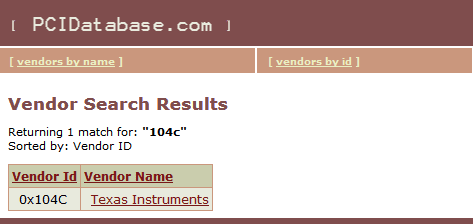
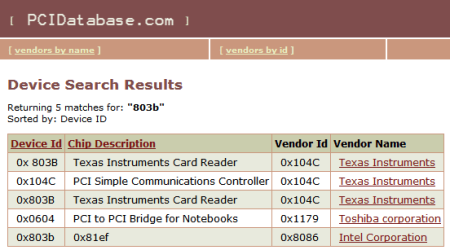
PCI Vendor and Device Lists yields Texas Instruments whether I search via Device or by Vendor (see screen shots attached)
So tried installing Texas Instruments® 5 in 1 Multimedia Card Reader (SD MMC MS MS PRO xD) Device Drivers (TIDOTH-12645900-US.EXE) from Sony eSupport site as the error...
"Mass Storage Controller PCI\VEN_104C&DEV_803B&SUBSYS_9016104D&REV_00\4&248F4965&0&1AF0
...indicated that this was the device when I searched and googled it, but to no avail.
I still have a error in Device Manager, even though the driver apparently installed correctly.
PARTIAL Resolution - Windows Update
Manually installing Internet Explorer 11 seemed to boot strap the Update process initially and a TONNE of updates showed up BUT then it's back to being stalled and where I was before; where it just hangs and nothing seems to be be happening.
I received BRIEFLY error "Windows Update Error Code 80244019" which disappeared after rebooting and some additional updates had processed.
However, I had three failed updates from when Windows Updates initially worked:
KB3118401
KB3122155
KB3138612
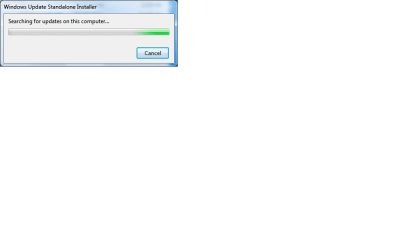
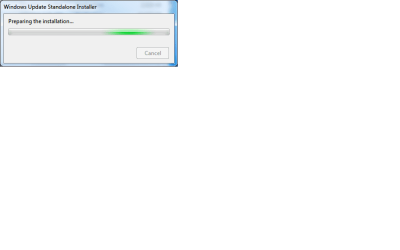
All would hang with a window saying "Preparing the Installation..." or "Searching for Windows Updates..." (screen grabs attached)
As well as KB3102810 when trying to manually install.
I was able to install ALL only by:
1. launching explorer immediately after a reboot
2. launching the downloaded update
(Waiting or opening any other application seemed to hinder the install. I replicated this several times)
Additionally, I installed the same way
KB947821
System Update Readiness Tool for Windows 7 for x64-based Systems (KB947821) [October 2014], "Windows6.1-KB947821-v34-x64.msu" from:
https://www.microsoft.com/en-us/download/details.aspx?id=20858
All installed according to the notification and I rebooted after each install.
Nothing appears to have changed. Windows Update still hangs.
I still have problems manually installing updates as well, will hang unless I do it IMMEDIATELY after log in.
I've attached log file (WindowsUpdate.log) to show Updates that been processed so far.
Additionally:
I have tried Micrsoft Fixit, "MicrosoftFixit50123.msi" from:
Troubleshoot problems with installing updates - Windows Help
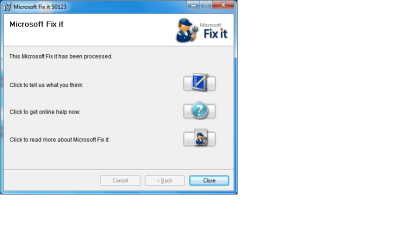
Fixit says it processed but nothing appears to have changed.
Summary - Remaining Problems
Windows Update still hanging
Device Manager error still present
Mass Storage Controller PCI\VEN_104C&DEV_803B&SUBSYS_9016104D&REV_00\4&248F4965&0&1AF0 The drivers for this device are not installed.
Questions
Q: Is there any other drivers from VAIO FTP link I should install?
ftp://ftp.vaio-link.com/PUB/VAIO/WIN7UPGRADE/
Q: Is there any drivers from the Sony esupport link I should install?
https://esupport.sony.com/CA/p/mode...te_id=1®ion_id=3&tab=download#/downloadTab
Q:
PCI Vendor and Device Lists had a link to
http://driveragent.com/?PHPSESSID=gvkvc95u9f3rtfvqh0mc8tdc93 does anyone have experience with this site/app?
@torchwood
Here is the results from the WGADiagTool
Code:
Diagnostic Report (1.9.0027.0):
-----------------------------------------
Windows Validation Data-->

Validation Code: 0
Cached Online Validation Code: 0x0
Windows Product Key: *****-*****-CM74G-RPHKF-PW487
Windows Product Key Hash: 71BRYMECVaSXedfumfu8zryHJVY=
Windows Product ID: 00371-177-0000061-85001
Windows Product ID Type: 5
Windows License Type: Retail
Windows OS version: 6.1.7601.2.00010100.1.0.048
ID: {6B58BE2F-71A4-4D27-990B-36151DE565C4}(1)
Is Admin: Yes
TestCab: 0x0
LegitcheckControl ActiveX: N/A, hr = 0x80070002
Signed By: N/A, hr = 0x80070002
Product Name: Windows 7 Professional
Architecture: 0x00000009
Build lab: 7601.win7sp1_gdr.160121-1718
TTS Error:
Validation Diagnostic:
Resolution Status: N/A

Vista WgaER Data-->
ThreatID(s): N/A, hr = 0x80070002
Version: N/A, hr = 0x80070002

Windows XP Notifications Data-->
Cached Result: N/A, hr = 0x80070002
File Exists: No
Version: N/A, hr = 0x80070002
WgaTray.exe Signed By: N/A, hr = 0x80070002
WgaLogon.dll Signed By: N/A, hr = 0x80070002

OGA Notifications Data-->
Cached Result: N/A, hr = 0x80070002
Version: N/A, hr = 0x80070002
OGAExec.exe Signed By: N/A, hr = 0x80070002
OGAAddin.dll Signed By: N/A, hr = 0x80070002

OGA Data-->
Office Status: 109 N/A
OGA Version: N/A, 0x80070002
Signed By: N/A, hr = 0x80070002
Office Diagnostics: 025D1FF3-364-80041010_025D1FF3-229-80041010_025D1FF3-230-1_025D1FF3-517-80040154_025D1FF3-237-80040154_025D1FF3-238-2_025D1FF3-244-80070002_025D1FF3-258-3

Browser Data-->
Proxy settings: N/A
User Agent: Mozilla/4.0 (compatible; MSIE 8.0; Win32)
Default Browser: C:\Users\Sony\AppData\Local\Mozilla Firefox\firefox.exe
Download signed ActiveX controls: Prompt
Download unsigned ActiveX controls: Disabled
Run ActiveX controls and plug-ins: Allowed
Initialize and script ActiveX controls not marked as safe: Disabled
Allow scripting of Internet Explorer Webbrowser control: Disabled
Active scripting: Allowed
Script ActiveX controls marked as safe for scripting: Allowed

File Scan Data-->

Other data-->
Office Details: <GenuineResults><MachineData><UGUID>{6B58BE2F-71A4-4D27-990B-36151DE565C4}</UGUID><Version>1.9.0027.0</Version><OS>6.1.7601.2.00010100.1.0.048</OS><Architecture>x64</Architecture><PKey>*****-*****-*****-*****-PW487</PKey><PID>00371-177-0000061-85001</PID><PIDType>5</PIDType><SID>S-1-5-21-4275795342-895850903-697715884</SID><SYSTEM><Manufacturer>Sony Corporation</Manufacturer><Model>VGN-AR730E</Model></SYSTEM><BIOS><Manufacturer>Phoenix Technologies LTD</Manufacturer><Version>R2090J8</Version><SMBIOSVersion major="2" minor="4"/><Date>20080226000000.000000+000</Date></BIOS><HWID>2D083D07018400F8</HWID><UserLCID>0409</UserLCID><SystemLCID>0409</SystemLCID><TimeZone>Eastern Standard Time(GMT-05:00)</TimeZone><iJoin>0</iJoin><SBID><stat>3</stat><msppid></msppid><name></name><model></model></SBID><OEM><OEMID>Sony</OEMID><OEMTableID>VAIO</OEMTableID></OEM><GANotification/></MachineData><Software><Office><Result>109</Result><Products/><Applications/></Office></Software></GenuineResults>

Spsys.log Content: 0x80070002

Licensing Data-->
Software licensing service version: 6.1.7601.17514

Name: Windows(R) 7, Professional edition
Description: Windows Operating System - Windows(R) 7, RETAIL channel
Activation ID: e838d943-63ed-4a0b-9fb1-47152908acc9
Application ID: 55c92734-d682-4d71-983e-d6ec3f16059f
Extended PID: 00371-00170-177-000006-00-1033-7601.0000-0632016
Installation ID: 008392279694100771573680372406014065694252457744588643
Processor Certificate URL: http://go.microsoft.com/fwlink/?LinkID=88338
Machine Certificate URL: http://go.microsoft.com/fwlink/?LinkID=88339
Use License URL: http://go.microsoft.com/fwlink/?LinkID=88341
Product Key Certificate URL: http://go.microsoft.com/fwlink/?LinkID=88340
Partial Product Key: PW487
License Status: Initial grace period
Time remaining: 28860 minute(s) (20 day(s))
Remaining Windows rearm count: 3
Trusted time: 3/13/2016 7:53:40 PM

Windows Activation Technologies-->
HrOffline: 0x00000000
HrOnline: 0x00000000
HealthStatus: 0x0000000000000000
Event Time Stamp: 3:7:2016 03:04
ActiveX: Registered, Version: 7.1.7600.16395
Admin Service: Registered, Version: 7.1.7600.16395
HealthStatus Bitmask Output:


HWID Data-->
HWID Hash Current: NAAAAAEABAABAAEAAAACAAAAAgABAAEAeqjWpSIRBgzW5NrrRoOuFBwT8mE4VV75tg1Gyg==

OEM Activation 1.0 Data-->
N/A

OEM Activation 2.0 Data-->
BIOS valid for OA 2.0: yes
Windows marker version: 0x0
OEMID and OEMTableID Consistent: yes
BIOS Information:
  ACPI Table Name    OEMID Value    OEMTableID Value
  APIC            Sony        VAIO
  FACP            Sony        VAIO
  HPET            Sony        VAIO
  BOOT            Sony        VAIO
  MCFG            Sony        VAIO
  SLIC            Sony        VAIO
  TMOR            Sony        VAIO
  APIC            Sony        VAIO
  SSDT            Sony        VAIO
  SSDT            Sony        VAIO
  SSDT            Sony        VAIO
  SSDT            Sony        VAIO
I much appreciate the help as this is quite frustrating and time consuming (over 6 hours on this today alone :shock
 Lastly
I stumbled across this thread from:
https://social.technet.microsoft.co...dows-update-not-working?forum=w7itprosecurity
that looks like a possible avenue of exploration next.
I have attached Event Viewer logs (except security as it would not upload due to file size) for additional review.