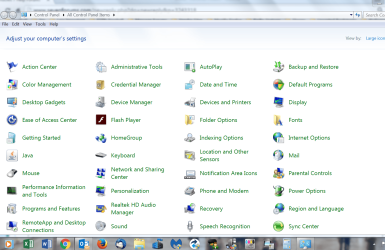
Clicking on menu item brings up list but cannot select any

coolecho

New member
Member
Local time
3:19 PM
Messages
38
Hello,

When I click on Control panel for example it pops up a list of items. When I try to left click any item the list disappears and it won't open the item. I can right click on "Computer" menu and select "Manage" just fine however. It's been working fine until yesterday.
Items on the desktop open fine.
Windows 7 professional SP1.
 

My Computer My Computer

At a glance

Windows 7 64bit
OS
Windows 7 64bit
Hello,

When I click on Control panel for example it pops up a list of items. When I try to left click any item the list disappears and it won't open the item. I can right click on "Computer" menu and select "Manage" just fine however. It's been working fine until yesterday.
Items on the desktop open fine.
Windows 7 professional SP1.

When you say "it pops up a list of items". Does the Control Panel actually open? Is this what you see?
 

Attachments

  • CP.PNG
    CP.PNG
    148.7 KB · Views: 0

My Computer My Computer

At a glance

Windows 7 Home Premium 32-Bit - Build 7600 SP1Intel Core i3-2120 3.30GhzKingston 4 GB DDR3 1333 mhzAMD Radeon HD6670
Computer type
PC/Desktop
Computer Manufacturer/Model Number
Custom Build
OS
Windows 7 Home Premium 32-Bit - Build 7600 SP1
CPU
Intel Core i3-2120 3.30Ghz
Motherboard
Asus P8Z68-V LX Intel Z68 Socket H2 ATX
Memory
Kingston 4 GB DDR3 1333 mhz
Graphics Card(s)
AMD Radeon HD6670
Sound Card
Sound Blaster Audigy SE 24-Bit
Monitor(s) Displays
Asus VE228
Screen Resolution
1440 X 900
Hard Drives
OCZ Vertex 3 120 GB Sata 3 SSD ==
Kingston SH103/S3 120 G Hyper X 120 GB SSD ==
Western Digital 500 GB Caviar Green 7200 RPM ==
PSU
Corsair CX600M == 600 Watt
Case
NZXT Apollo - Silver with Clear Side Panel
Cooling
Three 120 mm Fans
Keyboard
Microsoft Natural 4000
Mouse
Microsoft Custom Optical 3000
Internet Speed
AT&T Fiber Optic Wireless Network
Antivirus
Microsoft Security Essentials
Browser
Chrome
Other Info
120 mm Blue LED Fan -- Three Blue LED Lazer Light Sticks
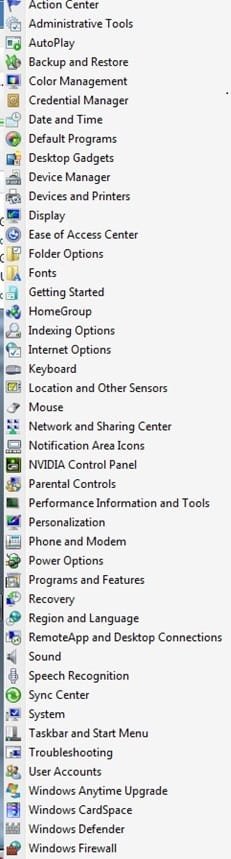
I see the attached pop up list but when I click on one it disappears and no action happens.
Also when I click on the desktop link in the taskbar and click on a desktop item it does the same, no action. (The desktop toolbar added to the taskbar via Start Menu Properties-> Toolbars Tab-> Desktop checkbox selected).
Thanks
 

Attachments

  • Ctl Pnl.jpg
    Ctl Pnl.jpg
    33.2 KB · Views: 0

My Computer My Computer

At a glance

Windows 7 64bit
OS
Windows 7 64bit
Back
Top