
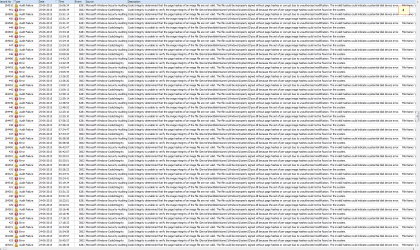
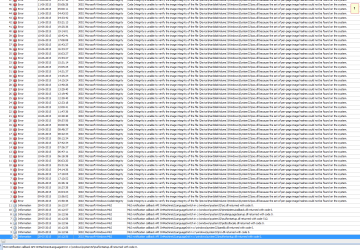
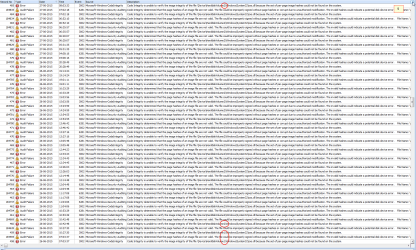
I have numerous entries reading:
Event ID 3002
Code Integrity is unable to verify the image integrity of the file \Device\HarddiskVolume1\Windows\System32\sxs.dll because the set of per-page image hashes could not be found on the system.
I checked the eventlog around the moment it started.
There was/is an entry:
09-06-2015 15:50:33
The print spooler failed to share printer EPSON2D73B5 (WF-5620 Series) with shared resource name EPSON2D73B5 (WF-5620 Series). Error 2114. The printer cannot be used by others on the network.
then at
09-06-2015 15:50:36
Code Integrity is unable to verify the image integrity of the file \Device\HarddiskVolume1\Windows\System32\sxs.dll because the set of per-page image hashes could not be found on the system.
Q: could it have something to do with a shared (network) printer - 2 pc's
and (1) the printer not being switched on and the other pc
and (2) the other pc also not running
?
It is just a wild guess!
note that at one point in time 'volume 1' changed into 'volume 2', for whatever reasons.
Thanks
=
ps I specifically filtered event id 3002 and event id 6281
Event ID 3002
Code Integrity is unable to verify the image integrity of the file \Device\HarddiskVolume1\Windows\System32\sxs.dll because the set of per-page image hashes could not be found on the system.
I checked the eventlog around the moment it started.
There was/is an entry:
09-06-2015 15:50:33
The print spooler failed to share printer EPSON2D73B5 (WF-5620 Series) with shared resource name EPSON2D73B5 (WF-5620 Series). Error 2114. The printer cannot be used by others on the network.
then at
09-06-2015 15:50:36
Code Integrity is unable to verify the image integrity of the file \Device\HarddiskVolume1\Windows\System32\sxs.dll because the set of per-page image hashes could not be found on the system.
Q: could it have something to do with a shared (network) printer - 2 pc's
and (1) the printer not being switched on and the other pc
and (2) the other pc also not running
?
It is just a wild guess!
note that at one point in time 'volume 1' changed into 'volume 2', for whatever reasons.
Thanks
=
ps I specifically filtered event id 3002 and event id 6281
Attachments
My Computer
At a glance
Windows 7 Ultimate x64
- OS
- Windows 7 Ultimate x64

