Hello, All!
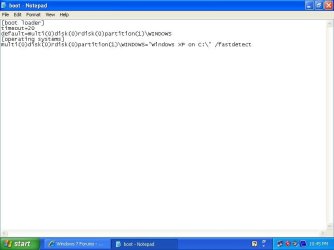
I first had XP installed on my PC and then I installed Windows 7 too, means I had two Windows running on one PC. First when I started my PC then on starting, two options came which were: Select OS: 1) Older Version Of Windows (XP) 2) Windows 7 Ultimate. So I could select required Windows for me.
But now my Windows XP got errors, so I re-installed XP and it is running properly. But now when I start PC then it itself own starts Windows XP but it's not giving select OS option. So I'm unable to start Windows 7 but It's running well on drive ( D: ). Means No file has deleted of Windows 7. Now I want that when I start PC then Select OS option again must come, so what can I do for enabling OS menu?
Regards,
I first had XP installed on my PC and then I installed Windows 7 too, means I had two Windows running on one PC. First when I started my PC then on starting, two options came which were: Select OS: 1) Older Version Of Windows (XP) 2) Windows 7 Ultimate. So I could select required Windows for me.
But now my Windows XP got errors, so I re-installed XP and it is running properly. But now when I start PC then it itself own starts Windows XP but it's not giving select OS option. So I'm unable to start Windows 7 but It's running well on drive ( D: ). Means No file has deleted of Windows 7. Now I want that when I start PC then Select OS option again must come, so what can I do for enabling OS menu?
Regards,
My Computer
At a glance
Windows 7 Ultimate.1 GBIntel Standard Gaphic Adapter 82865g
- Computer Manufacturer/Model Number
- Fujitsu Siemens.
- OS
- Windows 7 Ultimate.
- Memory
- 1 GB
- Graphics Card(s)
- Intel Standard Gaphic Adapter 82865g
- Sound Card
- SoundMAX Integrated Digital Audio
- Monitor(s) Displays
- LG 15"
- Screen Resolution
- 1024 X 768
- Keyboard
- HP.
- Mouse
- Microsoft.
- Internet Speed
- PTCL DSL 1MB Connection.