Solved COMCTL32.dll is missing

RitaAnta

New member
Local time
11:42 PM
Messages
2
Hello,
I can't run my computer. When I swich on computer i can see table : The program can't start because COMCTL32.dll is missing from your computer. try re-installing the program to fix this problem.
how can I do this if my computer computer screen is black.
I can just press enter then table with error disappears and in a few second table again there.
When I start into safe mode all the same black screen with error table.
 

My Computer

Computer type
Laptop
Computer Manufacturer/Model Number
Acer
OS
united kingdom
CPU
5750
Motherboard
Aspire 5750
Memory
6 GB DDR3
Graphics Card(s)
INtel HD 3000
Antivirus
MCfree
If you can't boot normally, see if you can boot to Safe Mode and run chkdsk from there:
  • Boot to Safe Mode by pressing the F8 key when the computer first starts booting, as soon as you see the manufacturers logo. Continue to press it every second or so until you get the Windows Advanced Options menu.
  • Select Safe Mode using the arrow key on your keyboard and press Enter.
  • Login as Administrator (no password unless you added one. If so, enter that password).
  • Open My Computer.
  • Right click on drive: and select Properties (drive: is your boot drive, usually C:)
  • Click on the Tools tab then the Check now button.
  • Check the Automatically fix File System errors box.
Shutdown and reboot. Chkdsk will start. It can take an hour or more to run depending on the size of your hard drive.

Be patient and let it complete undisturbed.
 

My Computer

Computer type
PC/Desktop
Computer Manufacturer/Model Number
Lenovo IdeaCenter 450
OS
Windows 10 Pro X64
CPU
Intel Quad Core i7-4770 @ 3.4Ghz
Memory
16.0GB PC3-12800 DDR3 SDRAM 1600 MHz
Graphics Card(s)
Intel Integrated HD Graphics
Sound Card
Realtek HD Audio
Monitor(s) Displays
HP 22" LCD
Screen Resolution
1680 x 1050
Hard Drives
250GB Samsung EVO SATA-3 SSD
2TB Seagate ST2000DM001 SATA-2
1.5TB Seagate ST3150041AS SATA
Keyboard
Dell USB
Mouse
Lenovo USB
Internet Speed
Cable via Road Runner 3MB Upload, 30MB Download
Antivirus
Windows Defender, MBAM Pro, MBAE
Browser
Seamonkey
Other Info
UEFI/GPT
PLDS DVD-RW DH16AERSH
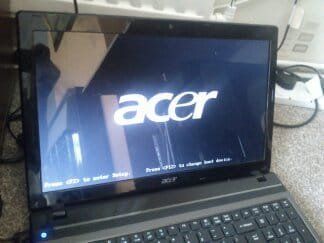
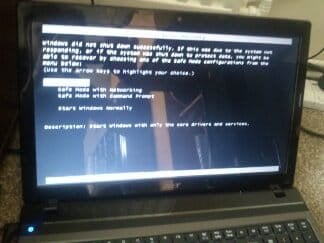
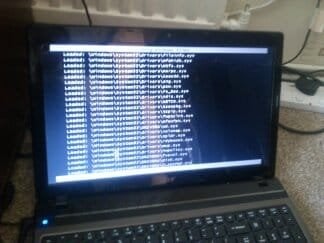
I did as you said, but can't login, so can't open my computer and select properties.
I tike a picture of my computer, maybe it help to find problem what I doing wrong

1374853181200.jpg

1374853197048.jpg

1374853209864.jpg

1374853108364.jpg
 

My Computer

Computer type
Laptop
Computer Manufacturer/Model Number
Acer
OS
united kingdom
CPU
5750
Motherboard
Aspire 5750
Memory
6 GB DDR3
Graphics Card(s)
INtel HD 3000
Antivirus
MCfree

My Computer

Computer type
PC/Desktop
Computer Manufacturer/Model Number
Bruce ... somewhere in his 40's
OS
Windows 7 Ultimate 32bit SP1
CPU
Intel(R) Core(TM)2 Quad CPU @ 2.40GHz, 2400 MHz
Motherboard
INTEL/D975XBX2
Memory
4 GB
Graphics Card(s)
ATI Radeon HD 2600 Pro
Monitor(s) Displays
Samsung SyncMaster 914v
Screen Resolution
1280 x 1024
Hard Drives
2/500GB each ... ST3500630AS ATA Device.
One is not connected
PSU
Rocketfish 700 W
Case
G.Skill Gigabyte Chassis
Keyboard
Standard PS/2 Keyboard
Mouse
Microsoft PS/2 Mouse
Internet Speed
DSL
Antivirus
Avira Internet Security
Browser
IE 11
Other Info
ATI HDMI Audio
Jacee, you have to be able to login to do a repair install, right?

Sounds like System File Checker may resolve this for you if you run it from the Windows install disc Command Prompt:

How to run chkdsk or System File Checker (SFC) from the Recovery Console
  • Boot your Vista or Windows 7 installation DVD
  • When you see "Press any key to boot from CD or DVD", press Enter
  • At the "Install Windows" screen, click on Repair your computer at lower left
  • At the System Recovery Options screen, make note of the drive letter assigned to your boot drive (normally C:) and click Next
  • At the Chose a Recovery Tool window, click on Command Prompt. You will be sitting at X:\Sources directory
  • Run chkdsk or SFC
    • If you did not note the drive letter of your boot disk, you can enter bcdedit and look at the osdevice line to see what it is.
    • For chkdsk, type chkdsk c: /r and press Enter (use the letter from above if not C:).
    • For sfc, type sfc /scannow /offbootdir=c:\ /offwindir=c:\windows and press Enter (use the letter from above)
Let either run to completion undisturbed.

Vista or Windows 7: If you don't have a install DVD, you can download a legal copy here:
Windows 7 Direct Download Links
Download Official Windows Vista RTM with SP1 Setup Files (32-bit and 64-bit)

I recommend using ImgBurn at 4X speed (or the slowest available) to create the DVD from the downloaded .iso file.

You can do this on any computer capable of burning a DVD.

You can also create a bootable USB Flash drive (4GB or larger) to install Windows 7 from.

  1. Download and run Universal USB Installer – Easy as 1 2 3
  2. Select Windows 7 from the first drop down list, all the way to the bottom
  3. Select the downloaded Windows 7 iso file
  4. Select your USB flash drive
  5. Click Create

For techies or folks who work on computers: Create Windows 7 Universal ISO With All Editions Selection On Install with ei.cfg Removal Utility.
This will fit on a 6GB flash drive or can be burned to a DVD.

Make sure you get the same version you have installed: 32 or 64 bit; Home Premium, Pro or Ultimate.
 

My Computer

Computer type
PC/Desktop
Computer Manufacturer/Model Number
Lenovo IdeaCenter 450
OS
Windows 10 Pro X64
CPU
Intel Quad Core i7-4770 @ 3.4Ghz
Memory
16.0GB PC3-12800 DDR3 SDRAM 1600 MHz
Graphics Card(s)
Intel Integrated HD Graphics
Sound Card
Realtek HD Audio
Monitor(s) Displays
HP 22" LCD
Screen Resolution
1680 x 1050
Hard Drives
250GB Samsung EVO SATA-3 SSD
2TB Seagate ST2000DM001 SATA-2
1.5TB Seagate ST3150041AS SATA
Keyboard
Dell USB
Mouse
Lenovo USB
Internet Speed
Cable via Road Runner 3MB Upload, 30MB Download
Antivirus
Windows Defender, MBAM Pro, MBAE
Browser
Seamonkey
Other Info
UEFI/GPT
PLDS DVD-RW DH16AERSH
Back
Top