When I run Command prompt from accessories (using a shortcut) I see cmd.exe as a process using task manager. However it does not appear under the application tab and there is no window.
Cmd.exe will run ok directly from c:\windows\system32\cmd.exe or pressing the windows key and typing cmd.exe into the search field.
I read somewhere that HKEY_CURRENT_USER\Console\Fullscreen must be set to zero. I did that but it made no difference.
Another suggestion was delete the following registry keys. However that made no difference either.
If I start up in safe mode or login as a different user it works perfectly.
I have a feeling it is a carryover from Windows Easy Transfer when I migrated from xp.
Up till now I have lived with it by just using cmd.exe directly. However I have a new application that that uses cmd.exe and is being effected by it.
There may be some damaged or corrupt system files. If you haven't already done so, try running a System File Checker scan from an elevated command prompt (Option Two, this tutorial.) If damaged/corrupt files are found it may take running SFC three or more time to fix everything it can.
If there were no integrity violations found after running SFC see if you can get cmd.exe to "run as administrator" using one of the options in this tutorial.
I should have mentioned I have run sfc/scannow. Although there was initally a corrupt file it was repaired but made no difference. A subsequent run of sfc/scannow found nothing. The same thing applies to running command prompt as administrator - it had no effect.
Wow - That works. Your a legend. Many thanks. I had to put the shortcut into my login folder as it wasn't appearing under accessories in the startup menu under C:\Users\Default
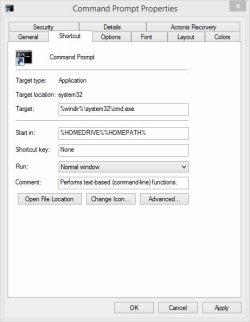
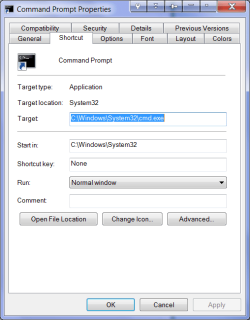
This is what the new shortcut looks like. It has the absolute path rather than environment variables. The old shortcut did use environment variables as yours does however it didn't work. So it looks like the environment variables are somehow the problem.
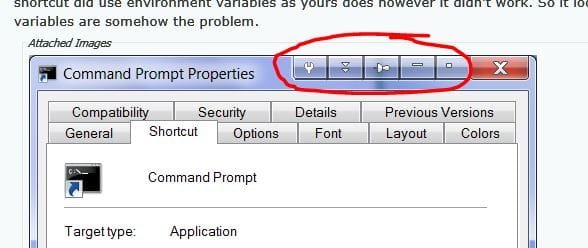
The add-on is "Actual Title Buttons". My main use of it is to force a window to stay always on top. But it isn't the problem as it didn't make any difference if it wasn't running.