Computer automatically switches to the high contrast option on login

Finlayvscott

New member
Local time
7:51 PM
Messages
1
My computer has recently started switching to high contrast between colours when I log in. This has never happened before and I have checked the accessibility options and it is set to off. A few days ago I was messing around with accessibility, but I put everything back to the way it was originally (or so I thought). Anyway, I would really like some help on fixing this issue, as it is interfering with many of my programs. :eek:

I have also checked on a standard account and it works fine. Help!
 

My Computer My Computer

At a glance

Windows 7 Home Premium 32bit
OS
Windows 7 Home Premium 32bit
Maybe quickest solution is to restore your system back to before you started doing the changes - even though you think you've reset them to the original settings, clearly it is not the way it used to be....
 

My Computer My Computer

At a glance

Windows 7 Home Premium 64-bitAthlon3GBIntegrated
Computer Manufacturer/Model Number
HP Desktop Slimline
OS
Windows 7 Home Premium 64-bit
CPU
Athlon
Memory
3GB
Graphics Card(s)
Integrated
Monitor(s) Displays
HP 20" LCD
Hard Drives
500GB
Internet Speed
Slow
My computer has recently started switching to high contrast between colours when I log in. This has never happened before and I have checked the accessibility options and it is set to off. A few days ago I was messing around with accessibility, but I put everything back to the way it was originally (or so I thought). Anyway, I would really like some help on fixing this issue, as it is interfering with many of my programs. :eek:

I have also checked on a standard account and it works fine. Help!

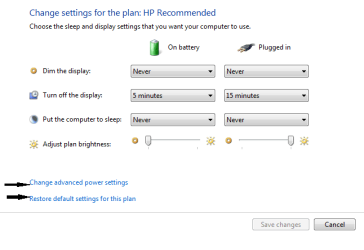
may be restoring the particular setting may work for the particular power plan you are using
 

Attachments

  • Capture.PNG
    Capture.PNG
    8.7 KB · Views: 7

My Computer My Computer

At a glance

windows7 home premium
Computer Manufacturer/Model Number
hp pavilion dv-4 1506TX
OS
windows7 home premium
Back
Top