

- Local time
- 3:29 AM
- Messages
- 277
Recently i have been getting errors alike to this one, this is the only one that i managed too screenshot before my computer simply "lagged out" and turned off. What i mean by lagged out, is that my whole screen goes crazy (and frozen) and the audio is stuck on an infinite loop of the last second before it started lagging out. I usually keep my computer on at night and when i wake up in the morning i find these errors, here is an example.
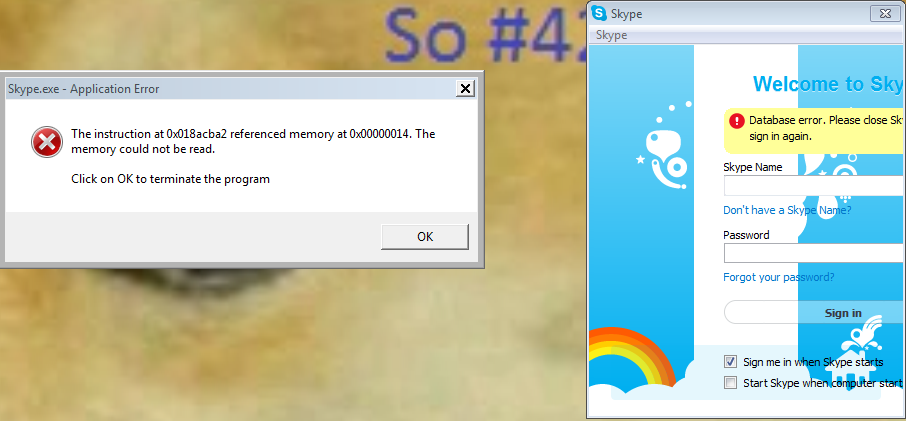
Also i keep getting other error messages, i didn't think too take note of the other logs though, but here is another skype one that just happened.
Also i just reinstalled my OS and i am getting these errors after i reinstalled it.
Also i keep getting other error messages, i didn't think too take note of the other logs though, but here is another skype one that just happened.
Problem signature:
Problem Event Name: APPCRASH
Application Name: Skype.exe
Application Version: 6.13.0.104
Application Timestamp: 52d56480
Fault Module Name: Skype.exe
Fault Module Version: 6.13.0.104
Fault Module Timestamp: 52d56480
Exception Code: c0000005
Exception Offset: 008acba2
OS Version: 6.1.7601.2.1.0.768.3
Locale ID: 1033
Additional Information 1: 0a9e
Additional Information 2: 0a9e372d3b4ad19135b953a78882e789
Additional Information 3: 0a9e
Additional Information 4: 0a9e372d3b4ad19135b953a78882e789
Also i just reinstalled my OS and i am getting these errors after i reinstalled it.
My Computer
- Computer type
- PC/Desktop
- Computer Manufacturer/Model Number
- Custom Build
- OS
- MS Windows 7 Home Premium 64-bit SP1
- CPU
- Intel Core i7 3770K @ 3.50GHz
- Motherboard
- ASUSTeK COMPUTER INC. P8Z77-V LX (LGA1155)
- Memory
- 8.00 GB Dual-Channel DDR3 @ 679MHz
- Graphics Card(s)
- EVGA GeForce GTX 760 Graphic Card - 1085MHz Core - 4GB GDDR5
- Sound Card
- Realtek High Definition Audio
- Monitor(s) Displays
- 2 Acer and 1 Asus
- Screen Resolution
- 1920x1080 and 1280x1024 ans 1280x800
- Hard Drives
- 120GB Kingston HyperX SSD
1.8TB Western Digital
932GB Western Digital
932GB Western Digital
932GB Western Digital
- PSU
- 750W Coolermaster
- Case
- Coolermaster 912
- Cooling
- 3 Fans, an Extreme CoolerMaster CPU Heatsink
- Keyboard
- G110 Logitect Black USB Backlighting Keyboard
- Mouse
- Synaptics PS/2 Port TouchPad
- Internet Speed
- 60MB p/s
- Antivirus
- Microsoft Security Essentials
- Browser
- Chrome