Computer settings

RonBin79

New member
Member
VIP
Local time
5:37 PM
Messages
311
Location
West Sussex
I have been trying to access the Community section of the Lumix Panasonic web site without any success. Every time I try, I either get "This Page cannot be displayed or a lot of HTML code or other plain language instructions about contact us or some such.

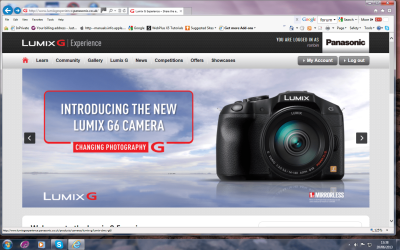
I have added some screen shots to give an idea of what comes up on my screen and would be very
grateful if anyone could give me some advice as to what might be wrong and how to correct it please?:cry:

The first shot is the Lumix web page, the second is the result after I have clicked on kCommunity and the last one is when I have refreshed the page.
 

Attachments
  • Web Page.png
    Web Page.png
    319.7 KB · Views: 7
  • after clicking community.png
    after clicking community.png
    75.7 KB · Views: 7
  • connection1.png
    connection1.png
    84.6 KB · Views: 7

My Computer

Computer Manufacturer/Model Number
Dell XP8300
OS
Windows Seven Premium
CPU
Intel Core i5-2300
Motherboard
Unknown
Memory
8GB
Graphics Card(s)
1GB ATI Raedon HD 5450
Sound Card
Integrated 7.1 with THX TrueStudio
Monitor(s) Displays
Dell 17"
Hard Drives
1 Terrabyte Serial ATA
Case
Dell (Metal)
Cooling
None
Keyboard
Dell
Mouse
Dell Laser
Internet Speed
2.8Gb
Hi there .... Have you tried a different Browser .... Seems to be working fine for me
 

My Computer

Computer Manufacturer/Model Number
W530-3630QM1
OS
windows 7 home 64bit
CPU
INTEL-CORE I7
Memory
16GB
Hard Drives
750GB
Browser
Chrome
Hi Ron,

Using FireFox (FF) 21.0 and the http://www.lumixgexperience.panasonic.co.uk/forum/
link I copied from your screenshot, I was able to get right in.

But, I see you're using Internet Explorer (IE), and when I tried that link with my IE9, I again, got right in.

  • Is this your first time going there?
  • Are you having any problems with any other pages?
  • Have you waited a while and then retried the link?
  • It may just be a problem with that site.
  • How long has your machine been running continuously? It may need a reboot.
  • How long has IE been running? Try restarting it.
If the last two do not help:
For starters with your IE go to: Tools >Internet Options >Advanced Tab

At the very top, under Accelerated Graphics, make sure "Use software rendering instead of GPU rendering" is unchecked.

Then scroll down to Security, "Do not save encrypted pages to disk" make sure that is also unchecked.

Restart IE, then see if you can reach: http://www.lumixgexperience.panasonic.co.uk/forum/
 

My Computer

Computer type
PC/Desktop
Computer Manufacturer/Model Number
Gateway DX4831-01e (Mid-Tower Desktop)
OS
Originally Win 7 Hm Prem x64 Ver 6.1.7600 Build 7601-SP1 | Upgraded to Windows 10 December 14, 2019
CPU
Intel i3 530 2.93GHz, 2933MHz 2 Cores 4 Logical Processors
Motherboard
Gateway H57M01 133 megahertz
Memory
6GB of 1,333MHz DDR3 SDRAM
Graphics Card(s)
32MB Intel Graphics Media Accelerator HD IGChip
Sound Card
Realtek High Definition Audio
Monitor(s) Displays
Gateway HX2000 20inch TFT active matrix TN
Screen Resolution
1600 x 900 x 59 hertz
Hard Drives
WDC WD10EADS-00M2B0 [HDD] (1000.20 GB) -- drive 0,
HL-DT-ST DVDRAM GH41N [CD-ROM dr]
Four card readers, and Four USB 2.0
PSU
300watts.
Case
Mid-Tower Desktop
Cooling
Stock from Gateway
Keyboard
Natural Ergonomic Keyboard 4000, see Other Info
Mouse
Orig. Gateway wore out now using Insignia USB wired optical
Internet Speed
Vz FIOS 10ms png 57.64Mbps down 65.53Mbps up Speedtest.org
Antivirus
Zamana Anti-logger with Anti-malware, MSE, Windows Firewall,
Browser
IE11.0.9600.19399-Upd ver11.0.135, Firefox 68.0.1 x64
Other Info
System Specs by Belarc.

BIOS: American Megatrends Inc. P01-A0 11/17/2009

Replaced the MS 'Natural' Standard PS/2 Enhanced 101-102 Keyboard with a new Natural Ergonomic Keyboard 4000 on August 1st 2014.

Canon Pixma MG3222 Printer.

Updated to IE11 on 12102015 | Fios Quantum Router g1100

Additional AV: SpywareBlaster, manual Mbam, SAS
ANAK,
thanks for your response. I have done as you suggested but still no luck. I have attached the results of clicking on the link you provided in your reply. If you have any more suggestions, or anyone else has I will be pleased to receive them. I have tried IE and Google but neither will let me in???

Regards,

RonBin79
 

Attachments

  • windows7A.png
    windows7A.png
    70.3 KB · Views: 6

My Computer

Computer Manufacturer/Model Number
Dell XP8300
OS
Windows Seven Premium
CPU
Intel Core i5-2300
Motherboard
Unknown
Memory
8GB
Graphics Card(s)
1GB ATI Raedon HD 5450
Sound Card
Integrated 7.1 with THX TrueStudio
Monitor(s) Displays
Dell 17"
Hard Drives
1 Terrabyte Serial ATA
Case
Dell (Metal)
Cooling
None
Keyboard
Dell
Mouse
Dell Laser
Internet Speed
2.8Gb
I have a similar problem when I try access a local newspaper. I simple use a different browser. Try again with Opera Opera browser - The alternative web browser - Download free or Firefox Mozilla.

Yes, I know, you want it to work with your favorite browser. I know the feeling. But my suggestion is to just try an other browser.
 

My Computer

Computer Manufacturer/Model Number
Home-build
OS
Windows 7 Professional 64 bit
CPU
Intel Core 2 Duo E6300 2MB Cache 1.86 GHz X2 FSB @ 1066 MHz
Motherboard
ASRock G41M-GS3
Memory
8 GB DDR2
Graphics Card(s)
AMD Radeon HD 5450 or 6350
Sound Card
ASRock G41M-GS3
Monitor(s) Displays
Two 19" Dell flat-screen monitors
Screen Resolution
1024 X 766 I think
Hard Drives
320 GB SATA
2 TB SATA backup
PSU
Built in
Case
Desktop, standing
Cooling
Built in
Keyboard
Microsoft 800
Mouse
Microsoft 1000
Internet Speed
24 Mbit on a good day
Other Info
It's running slow but in accordance with my needs.
Web Site Problem

Well that is strange, it works fine in Firefox, thanks for your help.

RonBin79
 

My Computer

Computer Manufacturer/Model Number
Dell XP8300
OS
Windows Seven Premium
CPU
Intel Core i5-2300
Motherboard
Unknown
Memory
8GB
Graphics Card(s)
1GB ATI Raedon HD 5450
Sound Card
Integrated 7.1 with THX TrueStudio
Monitor(s) Displays
Dell 17"
Hard Drives
1 Terrabyte Serial ATA
Case
Dell (Metal)
Cooling
None
Keyboard
Dell
Mouse
Dell Laser
Internet Speed
2.8Gb

My Computer

Computer type
PC/Desktop
Computer Manufacturer/Model Number
Gateway DX4831-01e (Mid-Tower Desktop)
OS
Originally Win 7 Hm Prem x64 Ver 6.1.7600 Build 7601-SP1 | Upgraded to Windows 10 December 14, 2019
CPU
Intel i3 530 2.93GHz, 2933MHz 2 Cores 4 Logical Processors
Motherboard
Gateway H57M01 133 megahertz
Memory
6GB of 1,333MHz DDR3 SDRAM
Graphics Card(s)
32MB Intel Graphics Media Accelerator HD IGChip
Sound Card
Realtek High Definition Audio
Monitor(s) Displays
Gateway HX2000 20inch TFT active matrix TN
Screen Resolution
1600 x 900 x 59 hertz
Hard Drives
WDC WD10EADS-00M2B0 [HDD] (1000.20 GB) -- drive 0,
HL-DT-ST DVDRAM GH41N [CD-ROM dr]
Four card readers, and Four USB 2.0
PSU
300watts.
Case
Mid-Tower Desktop
Cooling
Stock from Gateway
Keyboard
Natural Ergonomic Keyboard 4000, see Other Info
Mouse
Orig. Gateway wore out now using Insignia USB wired optical
Internet Speed
Vz FIOS 10ms png 57.64Mbps down 65.53Mbps up Speedtest.org
Antivirus
Zamana Anti-logger with Anti-malware, MSE, Windows Firewall,
Browser
IE11.0.9600.19399-Upd ver11.0.135, Firefox 68.0.1 x64
Other Info
System Specs by Belarc.

BIOS: American Megatrends Inc. P01-A0 11/17/2009

Replaced the MS 'Natural' Standard PS/2 Enhanced 101-102 Keyboard with a new Natural Ergonomic Keyboard 4000 on August 1st 2014.

Canon Pixma MG3222 Printer.

Updated to IE11 on 12102015 | Fios Quantum Router g1100

Additional AV: SpywareBlaster, manual Mbam, SAS
How's it going Ron? I just got back.

I've been thinking about this and It wouldn't hurt to reset IE to its defaults, that's what the Fix-It would do in my earlier link: Cannot access some websites in Internet Explorer You might have to recheck some personal settings, but it won't ruin anything.

If you scroll to the bottom of the Resolution Section to the + sign that says I can access some websites, but not all of them and open that you will see a Fix-It link that will reset IE for you. Just follow the prompts.

This is the direct link, save to a convenient place, then run it, if you want to reset IE to its defaults.
http://go.microsoft.com/?linkid=9646978
 

My Computer

Computer type
PC/Desktop
Computer Manufacturer/Model Number
Gateway DX4831-01e (Mid-Tower Desktop)
OS
Originally Win 7 Hm Prem x64 Ver 6.1.7600 Build 7601-SP1 | Upgraded to Windows 10 December 14, 2019
CPU
Intel i3 530 2.93GHz, 2933MHz 2 Cores 4 Logical Processors
Motherboard
Gateway H57M01 133 megahertz
Memory
6GB of 1,333MHz DDR3 SDRAM
Graphics Card(s)
32MB Intel Graphics Media Accelerator HD IGChip
Sound Card
Realtek High Definition Audio
Monitor(s) Displays
Gateway HX2000 20inch TFT active matrix TN
Screen Resolution
1600 x 900 x 59 hertz
Hard Drives
WDC WD10EADS-00M2B0 [HDD] (1000.20 GB) -- drive 0,
HL-DT-ST DVDRAM GH41N [CD-ROM dr]
Four card readers, and Four USB 2.0
PSU
300watts.
Case
Mid-Tower Desktop
Cooling
Stock from Gateway
Keyboard
Natural Ergonomic Keyboard 4000, see Other Info
Mouse
Orig. Gateway wore out now using Insignia USB wired optical
Internet Speed
Vz FIOS 10ms png 57.64Mbps down 65.53Mbps up Speedtest.org
Antivirus
Zamana Anti-logger with Anti-malware, MSE, Windows Firewall,
Browser
IE11.0.9600.19399-Upd ver11.0.135, Firefox 68.0.1 x64
Other Info
System Specs by Belarc.

BIOS: American Megatrends Inc. P01-A0 11/17/2009

Replaced the MS 'Natural' Standard PS/2 Enhanced 101-102 Keyboard with a new Natural Ergonomic Keyboard 4000 on August 1st 2014.

Canon Pixma MG3222 Printer.

Updated to IE11 on 12102015 | Fios Quantum Router g1100

Additional AV: SpywareBlaster, manual Mbam, SAS
Back
Top