Hi, I'm having issues with my computer not reconnecting to the Internet after coming out of sleep mode.
The original issue was with randomly getting disconnected from the network. I have slightly fixed that issue, but instead made it so when I use the computer it will work fine, but when I go into sleep mode and later open back up my computer, it will not reconnect to the network.
Things I have tried:
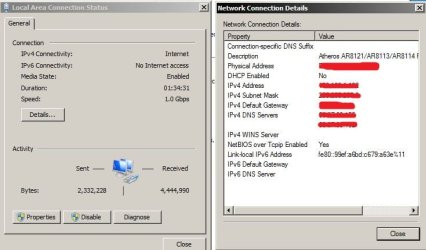
Disabled IPv6 connectivity
Disabled the IP helper Service
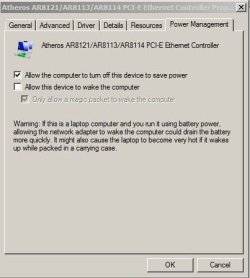
Disabled Power Management on my Network Adapter
Flushed my DNS
Went to Dell Livechat
Deleted my Network profile and connected again.
Installed updated Drivers for my Network Card
None of these methods have worked. I don't know what else I can do, I've been having this problem since September, and it's really annoying me.
If you need any more information about my problem please tell me, so I can hopefully fix this issue. Thanks in advance!
The original issue was with randomly getting disconnected from the network. I have slightly fixed that issue, but instead made it so when I use the computer it will work fine, but when I go into sleep mode and later open back up my computer, it will not reconnect to the network.
Things I have tried:
Disabled IPv6 connectivity
Disabled the IP helper Service
Disabled Power Management on my Network Adapter
Flushed my DNS
Went to Dell Livechat
Deleted my Network profile and connected again.
Installed updated Drivers for my Network Card
None of these methods have worked. I don't know what else I can do, I've been having this problem since September, and it's really annoying me.
If you need any more information about my problem please tell me, so I can hopefully fix this issue. Thanks in advance!
My Computer
At a glance
Windows Home Premium 64 bit
- OS
- Windows Home Premium 64 bit