- Local time
- 3:26 PM
- Messages
- 72
I am new to win7 but one thing I know for sure is that I don't want 10.
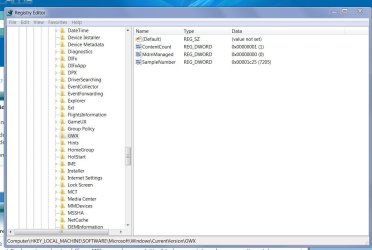
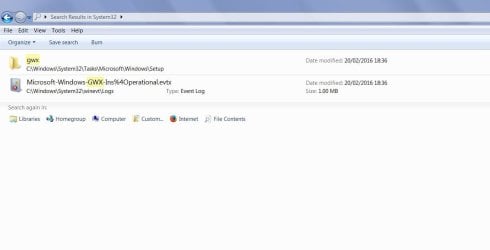
I have been reading and reading and have removed the icon the gwx folder has gone and so far so good
But I have 30 updates to do and another 16 optional. I have sheets of paper in-front of me dangerous - safe - from here and links I have followed from here, I am starting to get paranoid and confused.
Is it safe to say that it is safe to just install any update that is called a security update and at least that way I don't have so many left to double check what they are.
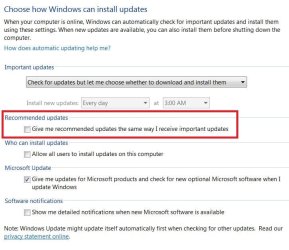
I have updates set to let me know but don't install
And should I even bother with the malicious software removal tool as I have Norton installed
I have been reading and reading and have removed the icon the gwx folder has gone and so far so good
But I have 30 updates to do and another 16 optional. I have sheets of paper in-front of me dangerous - safe - from here and links I have followed from here, I am starting to get paranoid and confused.
Is it safe to say that it is safe to just install any update that is called a security update and at least that way I don't have so many left to double check what they are.
I have updates set to let me know but don't install
And should I even bother with the malicious software removal tool as I have Norton installed
Last edited:
My Computer
- Computer type
- PC/Desktop
- Computer Manufacturer/Model Number
- HP 8200 tower
- OS
- Windows 7 professional
- CPU
- i5
- Memory
- 16gb
- Graphics Card(s)
- 290
- Hard Drives
- samsung 850 evo ssd
WD blue 1tb



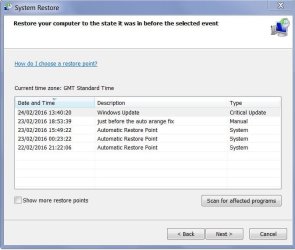
 . So just had a look at my restore points and it looks like windows is automatically creating one before I install updates, the one at the top of the list is not one that I created but that is when I installed a bunch 10 of office 2010 ones. Confused ---- again !