
Constant mouse flickering

shui3

New member
Local time
2:32 AM
Messages
1
These last few days my mouse cursor has been constantly flickering. Not flickering as I've noticed in the other threads, it doesn't change what type of cursor it is. It constantly flashes away for a second then re appears. I've checked many things to see what the issue is, I've followed many threads on this forum of people with flickering mice to no prevail. Nothing seems out of ordinary on my process list, ran scans on Avast! and MalwareBytes last night, they found two infected items each, removed both and re-booted. Had Avast! run a boot-time scan and found nothing.
 

Attachments
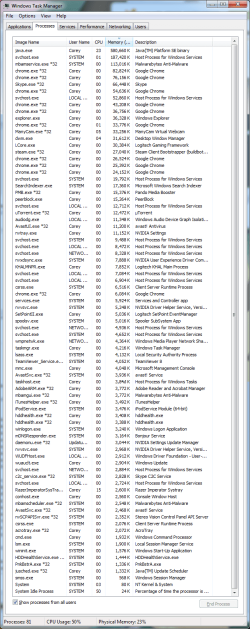
  • processlist.png
    processlist.png
    59.8 KB · Views: 23

My Computer

Computer type
PC/Desktop
Computer Manufacturer/Model Number
HP
OS
Windows 7 Ultimate x64
CPU
6x AMD FX(tm)-6300
Motherboard
MSI 760GM-E51(FX)
Memory
16 GB (Patriot PGD316G1333ELK)
Graphics Card(s)
Nvidia GeForce
Monitor(s) Displays
Acer X163W / Dell S2330MX
Screen Resolution
1366 x 768 / 1920 x 1080
Hard Drives
WDC WD6400AAKS-65A7B2 (System - 640 GB)
WDC WD20EARX-00PASB0 (Storage - 2TB)
Keyboard
Corsair Vengeance k90
Mouse
Logitech G500
Antivirus
Avast!
Browser
Google Chrome

My Computer

Computer type
PC/Desktop
Computer Manufacturer/Model Number
Self Assembled
OS
Microsoft Windows 10 Pro Insider Preview 64-bit
CPU
Intel(R) Core(TM) i3-4130 CPU @ 3.40GHz
Motherboard
Gigabyte Technology Co., Ltd. B85M-D3H
Memory
Corsair Vengence 4GB x2 (8.00GB Dual-Channel DDR3 @ 798MHz)
Graphics Card(s)
2047MB GeForce GTS 450 (ZOTAC International)
Sound Card
Onboard (Realtek High Definition Audio)
Monitor(s) Displays
LG Flatron E2040T
Screen Resolution
1600x900
Hard Drives
Western Digital 1 TB
Seagate 500 GB
PSU
Corsair VS550
Case
Cooler Master K380
Cooling
Cooler Master Seidon 120V Plus
Keyboard
Logitech MK260r
Mouse
Logitech MK260r
Internet Speed
PMPL Broadband
Antivirus
Windows Defender + MBAM
Browser
Firefox
Other Info
Dell Studio 15" Laptop
Go to control panel, display settings. Then click advanced display settings. Click on the Troubleshoot tab. Now there must be an button in there (I don't remember the name of the button, something like "change settings" or whatever). Click on that. Make sure the acceleration slider is set to full acceleration. This option might be inaccessible on newer systems with newer graphics cards.

Also, update your graphics drivers.

See if it helps at all.
 
Back
Top